Yitake - App
Updated
Current Version
1.2.3
Offered By

Stop worrying about high battery drain when using Yitake - App on your phone. Free yourself from the tiny screen and enjoy the app on a much larger display. From now on, get a full-screen experience of your app with the convenience of a keyboard and mouse. MEmu offers you all the surprising features you’d expect: quick installation and easy setup, intuitive controls, and no more worries about battery life, mobile data, or unexpected calls. The all-new MEmu 9 is the choice for using Yitake - App on your computer. With the MEmu multi-instance manager, you can run two or more accounts at the same time. Most importantly, our exclusive emulation engine unlocks your PC’s full potential, delivering smooth and enjoyable performance.
Show more
Enjoy superb experience of using Yitake - App on PC with MEMU App Player. It's a powerful free Android emulator which provides you with thousands of android apps for their desktop version. Enjoy connecting with friends and polishing your work with higher efficiency! Yitake emerges as the ultimate solution for those craving instant updates on technology and social media.
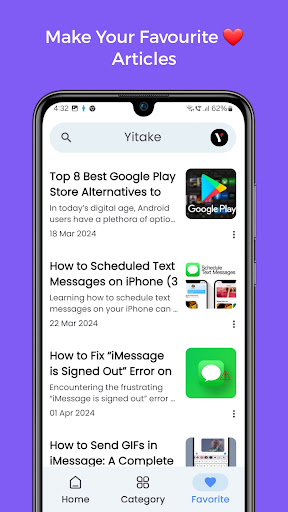
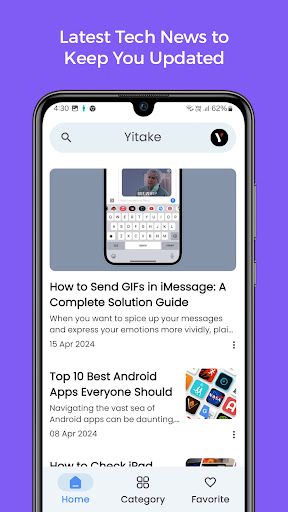
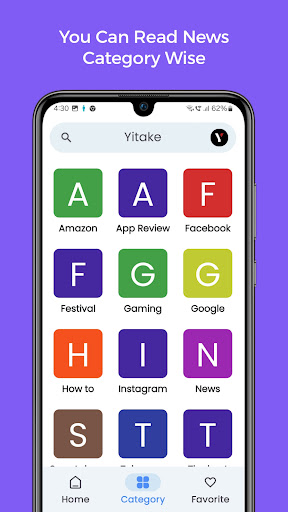
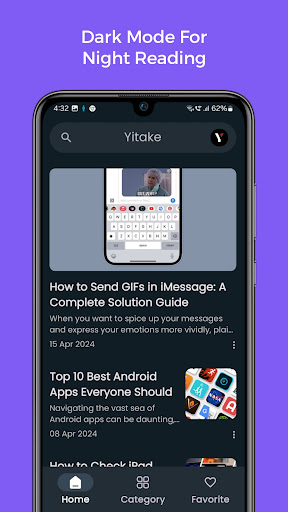
Yitake emerges as the ultimate solution for those craving instant updates on technology and social media. It stands out as a beacon of accuracy and immediacy in a world perpetually hungry for information.
Yitake serves as a gateway to the latest in the tech and social media spheres, offering users a personalised news experience. Its real-time updates and personalised feeds ensure users stay ahead in an ever-evolving digital landscape.
How to Use Yitake
1. install the Yitake app from your preferred app store.
2. Upon opening the app, personalise your news feed by selecting topics of interest.
3. Explore real-time news updates and dive into the world of tech insights through exclusive videos.
4. Utilize features like Dark Mode, Bookmarking, and Offline Reading for a seamless experience.
5. Stay informed with timely notifications and share intriguing stories effortlessly with your network.
Splendid Features Real-time News Updates
Stay ahead with the latest tech and social media trends.
Access breaking news instantly for a comprehensive information experience.
Personalized News Feed
Tailor your news consumption with topics that matter to you.
Enjoy a customised experience to stay informed about your interests.
Tech Insights On the Go
Engage in an immersive learning experience with exclusive tech videos.
Yitake becomes more than just an app; it transforms into a digital companion in the fast-paced tech world.
Eye-Friendly Dark Mode
Protect your eyes with a visually soothing Dark Mode option.
Read news comfortably, especially during late-night sessions, without straining your eyes.
Bookmark and Offline Reading
Save articles for offline reading and never miss out on important news.
Access your bookmarked content even without an internet connection.
Seamless Sharing
Share breaking news effortlessly on any platform directly from Yitake.
Engage with friends and followers by spreading intriguing stories with ease.
Quick Search Feature
Find the latest trending news efficiently with just a few taps.
Stay updated on your favourite topics with the intuitive search feature.
Timely Notifications
Receive instant notifications for the latest news updates.
Be the first to know about changes in the technology and social media landscape.
Why Yitake App?
Yitake offers the best of both worlds—an instant gateway to relevant information and a delightful escape into an ocean of knowledge. With customizable features, eye care options, and timely notifications, Yitake redefines the digital news experience. Download Yitake now and embark on a journey towards informed enlightenment.
If you have any kind of bugs/problems/feature requests which you want this app, You can share your feedback on gogonefeedback@gmail.com
Show more

1. Download MEmu installer and finish the setup

2. Start MEmu then open Google Play on the desktop

3. Search Yitake - App in Google Play
Install
4. Download and Install Yitake - App
5. On install completion click the icon to start

6. Enjoy using Yitake - App on PC with MEmu
MEmu Play is the best Android emulator, and 100 million users already enjoy its superb Android app experience. Powered by advanced virtualization technology, it lets you enjoy thousands of Android apps smoothly on your PC—including the most graphics-intensive ones.
Bigger screen with better graphics; Long duration, without limitation of battery or mobile data.
Full Keymapping support for precise control of keyboard and mouse or gamepad.
Multiple game accounts or tasks on single PC at one time with Multi-Instance manager.
Use Yitake - App on PC by following steps: