Zapya - File Transfer, Share
Updated
Current Version
7.1.1
Offered By

Stop worrying about high battery drain when using Zapya - File Transfer, Share on your phone. Free yourself from the tiny screen and enjoy the app on a much larger display. From now on, get a full-screen experience of your app with the convenience of a keyboard and mouse. MEmu offers you all the surprising features you’d expect: quick installation and easy setup, intuitive controls, and no more worries about battery life, mobile data, or unexpected calls. The all-new MEmu 9 is the choice for using Zapya - File Transfer, Share on your computer. With the MEmu multi-instance manager, you can run two or more accounts at the same time. Most importantly, our exclusive emulation engine unlocks your PC’s full potential, delivering smooth and enjoyable performance.
Show more
Enjoy superb experience of using Zapya - File Transfer, Share on PC with MEMU App Player. It's a powerful free Android emulator which provides you with thousands of android apps for their desktop version. Enjoy connecting with friends and polishing your work with higher efficiency! Zapya is a cross-platform file transfer tool that works across Android, iOS, Windows, Mac, and any device with a web browser.
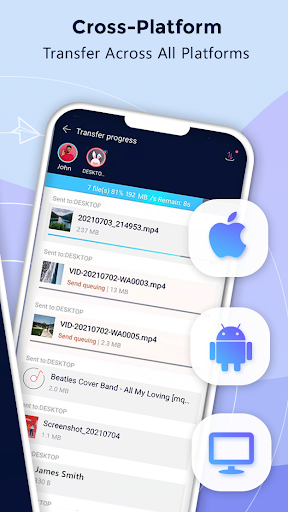
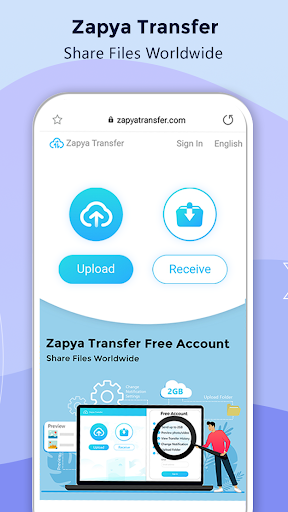
Zapya is a cross-platform file transfer tool that works across Android, iOS, Windows, Mac, and any device with a web browser. It supports files of any size and format, with no restrictions on file types.
Offline and Online Transfer
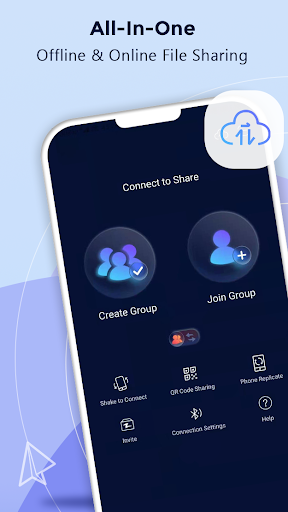
You can share files offline without using Wi-Fi or mobile data. Four offline methods are available: create a group for nearby users, generate a QR code for others to scan, shake devices to connect, or use the radar function to discover and send files to people around you.
For online sharing, Zapya Transfer allows you to send files to anyone worldwide through a web browser. The recipient does not need to install the app. This service is free and supports multiple languages.
USB Drive Support
Connect a USB drive or multiple drives through a hub to your device. You can view, save, and send files directly from the connected storage.
App Sharing
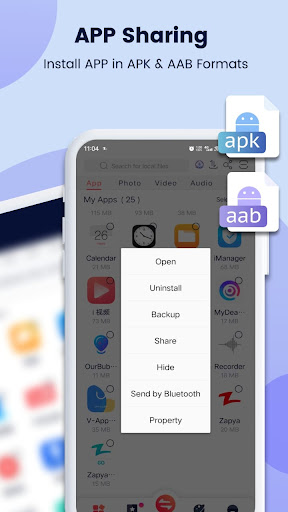
Share and install applications in both APK and AAB formats. You can send apps to nearby friends or share them through social media.
Android Compatibility
Zapya supports scoped storage for devices running Android 11 and higher, ensuring secure file operations. The app also remains compatible with devices from Android 8 through Android 16.
iOS to Android Connection
iOS users can now search for and connect to Zapya groups created on Android devices with a single tap.
Phone Replication
Back up and transfer all content and data from an old device to a new one in a single operation.
Bulk Transfer
Share entire folders or multiple large files at once with one click.
Install All
Select multiple apps and install them all simultaneously on your device.
For an explanation of required permissions, visit: https://youtu.be/o370YTbCdWc
For the privacy policy, visit: https://zapya.app/policy_en.html
For terms and conditions, visit: https://www.zapya.app/v3/terms_of_service.html
To download Zapya on other platforms, visit: https://www.zapya.app/v3/download
For updates and news, visit: http://blog.izapya.com/
Show more

1. Download MEmu installer and finish the setup

2. Start MEmu then open Google Play on the desktop

3. Search Zapya - File Transfer, Share in Google Play
Install
4. Download and Install Zapya - File Transfer, Share
5. On install completion click the icon to start

6. Enjoy using Zapya - File Transfer, Share on PC with MEmu
MEmu Play is the best Android emulator, and 100 million users already enjoy its superb Android app experience. Powered by advanced virtualization technology, it lets you enjoy thousands of Android apps smoothly on your PC—including the most graphics-intensive ones.
Bigger screen with better graphics; Long duration, without limitation of battery or mobile data.
Full Keymapping support for precise control of keyboard and mouse or gamepad.
Multiple game accounts or tasks on single PC at one time with Multi-Instance manager.
Use Zapya - File Transfer, Share on PC by following steps: