
Zwift: Indoor Cycling Fitness
Updated
Current Version
1.0.137546
Offered By

Stop worrying about high battery drain when using Zwift: Indoor Cycling Fitness on your phone. Free yourself from the tiny screen and enjoy the app on a much larger display. From now on, get a full-screen experience of your app with the convenience of a keyboard and mouse. MEmu offers you all the surprising features you’d expect: quick installation and easy setup, intuitive controls, and no more worries about battery life, mobile data, or unexpected calls. The all-new MEmu 9 is the choice for using Zwift: Indoor Cycling Fitness on your computer. With the MEmu multi-instance manager, you can run two or more accounts at the same time. Most importantly, our exclusive emulation engine unlocks your PC’s full potential, delivering smooth and enjoyable performance.
Show more
Enjoy superb experience of using Zwift: Indoor Cycling Fitness on PC with MEMU App Player. It's a powerful free Android emulator which provides you with thousands of android apps for their desktop version. Enjoy connecting with friends and polishing your work with higher efficiency! Join millions of people on the app that makes indoor cycling fun for everyone.
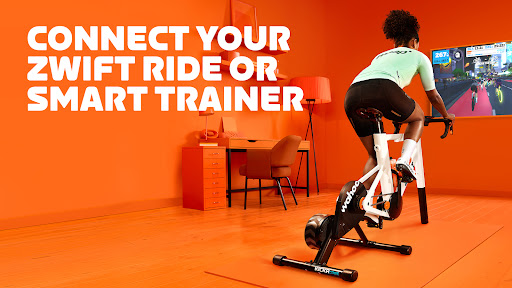
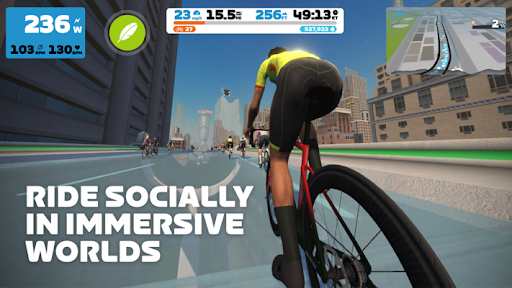
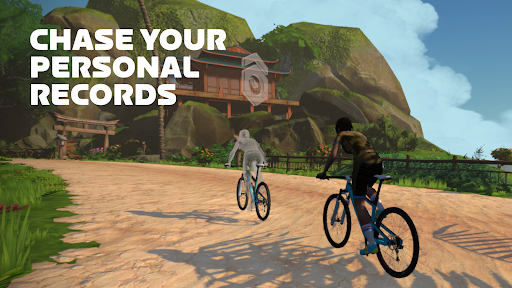
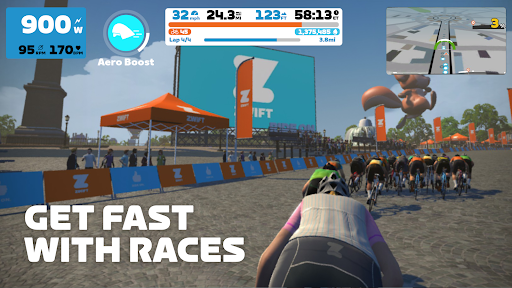
Join millions of people on the app that makes indoor cycling fun for everyone. Whether you’re a seasoned athlete or just starting, jump into virtual bike rides in immersive 3D worlds, challenge yourself on epic climbs, and explore endless roads. With racing, group rides, cycling workouts, and structured training plans, Zwift can deliver serious fitness results.
Connect Your Bike
Seamlessly connect your bike and smart trainer or smart bike – including ones from Zwift, Wahoo, Garmin, and more – to your smartphone, tablet, or AppleTV, and start chasing your fitness goals from the comfort of your home.
Immersive Virtual Worlds
Explore over a hundred routes in 12 immersive, virtual worlds. Whether it's the epic climbs in Watopia or the serene beauty of the Scottish highlands, every ride is a new chance to explore.
Join a Global Community
Join a global community pulsing with energy and enthusiasm. Connect with friends, make new ones, and immerse yourself in group rides, races, and events. Track your stats and stay connected with friends, clubs, and the community—on and off the bike— with the Zwift Companion app. Zwift even connects to Strava, ensuring a seamless fitness tracking experience.
Indoor Training Plans, Tailored to You
Our world-class coaches and champion cyclists have crafted plans and workouts for every level. Whether you’re starting out or stepping it up, find your perfect plan. With flexible options, from quick 30-minute burns to long endurance rides, Zwift also has 1000s of on-demand workouts that fit your schedule and goals.
Race Any Time Of Day
Racing riders from around the world is one of the most effective ways to get fit. But don’t be intimidated! Zwift is home to the world’s largest community of competitors—from first-time racers to elite athletes—guaranteeing there’s a friendly challenge for everyone.
Ride and Run!
Not just for cyclists, Zwift welcomes runners too. Sync your smart treadmill or footpod device — you can get our RunPod directly from Zwift—and step into the worlds of Zwift, where every walk or run gets you one step closer to your goals.
Join Zwift Today
There’s never been a better time to combine fun with real results. Download Zwift now and start from wherever you are with a 14-day free trial.
Download today
Please see the Terms of Use at zwift.com
Show more

1. Download MEmu installer and finish the setup

2. Start MEmu then open Google Play on the desktop

3. Search Zwift: Indoor Cycling Fitness in Google Play
Install
4. Download and Install Zwift: Indoor Cycling Fitness
5. On install completion click the icon to start

6. Enjoy using Zwift: Indoor Cycling Fitness on PC with MEmu
MEmu Play is the best Android emulator, and 100 million users already enjoy its superb Android app experience. Powered by advanced virtualization technology, it lets you enjoy thousands of Android apps smoothly on your PC—including the most graphics-intensive ones.
Bigger screen with better graphics; Long duration, without limitation of battery or mobile data.
Full Keymapping support for precise control of keyboard and mouse or gamepad.
Multiple game accounts or tasks on single PC at one time with Multi-Instance manager.
Use Zwift: Indoor Cycling Fitness on PC by following steps: