Ash Echoes Global
Diupdate
Versi Saat Ini
1.0.6
Ditawarkan Oleh

Dengan sepenuh kebulatan hati Anda dalam memainkan Ash Echoes Global, tangan Anda tak seharusnya hanya terbatas pada layar kecil handphone Anda.Bermainlah layaknya seorang profesional dan dapatkan kendali penuh dalam permainan Anda dengan papan ketik dan tetikus.MEmu menawarkan seluruh hal yang Anda harapkan.Unduh dan mainkan Ash Echoes Global pada PC. Bermainlah selama yang Anda inginkan, tanpa keterbatasan dari baterai, data seluler dan panggilan yang mengganggu.MEmu 9 baru merupakan pilihan terbaik untuk memainkan Ash Echoes Global pada PC. Dipersiapkan bersama teknologi ahli kami, sistem pemetaan kunci preset yang canggih menjadikan Ash Echoes Global sebagai permainan PC sejati.Manajer banyak hal dari MEmu memungkinkan Anda untuk memainkan 2 atau banyak akun pada perangkat yang sama.Dan yang terpenting, mesin emulasi eksklusif kami bisa melepaskan potensi penuh PC Anda, membuat segalanya berjalan lancar.
Tampilkan Lebih banyak
Unduh Ash Echoes Global di PC dengan Emulator Android MEmu. Nikmati permainan pada layar yang besar. The Skyrift Passage will open at 4:00 PM (UTC-5) on November 13, 2024, inviting players into a mesmerizing world brimming with strategic gameplay and rich storytelling!

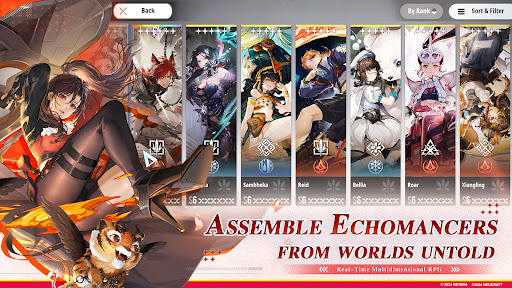
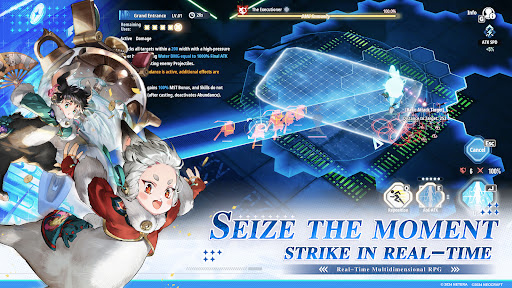
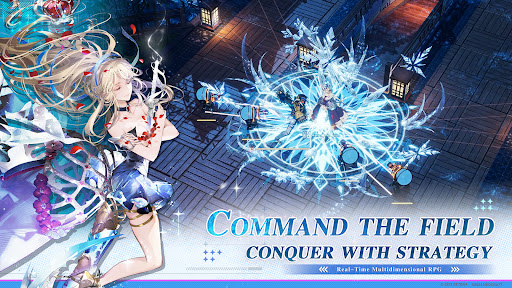
The Skyrift Passage will open at 4:00 PM (UTC-5) on November 13, 2024, inviting players into a mesmerizing world brimming with strategic gameplay and rich storytelling!
Follow us and get more informations and rewards:
Website: https://ae.neocraftstudio.com/
Discord: https://discord.gg/ashechoesofficial
Youtube: https://www.youtube.com/@AshEchoes
Twitter: https://x.com/AshEchoes
Facebook: https://www.facebook.com/gaming/AshEchoesOfficial
Reddit: https://www.reddit.com/r/AshEchoesOfficial/
Instagram: https://www.instagram.com/ashechoes_official_en/
Tiktok: https://www.tiktok.com/@neoashechoes
Email: developer_ae@neocraftstudio.com
In Worlds' Ash, Memories Echo.
Welcome to The World Senlo.
On April 1st, 1116, in the Senlo calendar, at 13:46, a colossal rift materialized above the northern district of Hailin City. Through it tumbled a fragmented world, leading to an intersection of realms at this very spot...
Soon after, crystals emanating unknown energies formed amidst the ruins. Research into these crystalline entities unveiled a group of individuals awakening to special abilities due to the influence of these mysterious crystals, known as “Echomancer”.
Humanity was thrust into a new era, one coexisting with unknown energies, belonging to the age of Scientific Electronics Experiment and Development (S.E.E.D.).
Ash Echoes is an interdimensional real-time combat RPG that intersects multiple worlds. Developed with the advanced Unreal Engine, the game is rooted in a unique and expansive universe. It harmoniously blends 2D and 3D art styles, creating a rich tapestry of exquisite and varied visual experiences. The characters are diversely crafted, embodying multi-faceted personalities and stories. Innovative in its strategic combat and abundant in interactive and exploratory gameplay, Ash Echoes sets a new standard for RPGs.
As the Director of S.E.E.D., you will encounter visitors from different realms, unite to face unprecedented threats, and unravel the mysteries that have set this world in motion.
Tampilkan Lebih banyak

1. Unduh dan instal MEmu APP

2. Menjalankan MEmu lalu buka Google Play di halaman

3. Cari Ash Echoes Global di Google Play
Install
4. Unduh dan instal Ash Echoes Global
5. Setelah insatl APP selesai,klik ikon untuk mulai

6. Nikmati bermain Ash Echoes Global di PC dengan MEmu
MEmu App Player adalah emulator Android gratis terbaik dan 50 Juta orang sudah menikmati pengalaman luar biasa dalam bermain gim Android. Teknologi virtualisasi MEmu memberi kekuasaan untuk memainkan ribuan gim Android dengan lancar di PC anda, bahkan gim dengan grafis yang paling tinggi.
Layar lebih besar dengan grafis yang lebih baik; durasi panjang, tanpa batasan baterai atau data seluler.
Didukung penuh oleh Pemetaan tombol yang lengkap untuk keakuratan kontrol keyboard dan mouse maupun gamepad.
Membuka beberapa akun game atau tugas di waktu yang sama hanya pada satu PC, dengan Multi-Instance manager.
Play Ash Echoes Global on PC by following steps: