Clogwork
Diupdate
Versi Saat Ini
Ditawarkan Oleh

Dengan sepenuh kebulatan hati Anda dalam memainkan Clogwork, tangan Anda tak seharusnya hanya terbatas pada layar kecil handphone Anda.Bermainlah layaknya seorang profesional dan dapatkan kendali penuh dalam permainan Anda dengan papan ketik dan tetikus.MEmu menawarkan seluruh hal yang Anda harapkan.Unduh dan mainkan Clogwork pada PC. Bermainlah selama yang Anda inginkan, tanpa keterbatasan dari baterai, data seluler dan panggilan yang mengganggu.MEmu 9 baru merupakan pilihan terbaik untuk memainkan Clogwork pada PC. Dipersiapkan bersama teknologi ahli kami, sistem pemetaan kunci preset yang canggih menjadikan Clogwork sebagai permainan PC sejati.Manajer banyak hal dari MEmu memungkinkan Anda untuk memainkan 2 atau banyak akun pada perangkat yang sama.Dan yang terpenting, mesin emulasi eksklusif kami bisa melepaskan potensi penuh PC Anda, membuat segalanya berjalan lancar.
Tampilkan Lebih banyak
Unduh Clogwork di PC dengan Emulator Android MEmu. Nikmati permainan pada layar yang besar. Everything on the belt is a real object with an actual size.


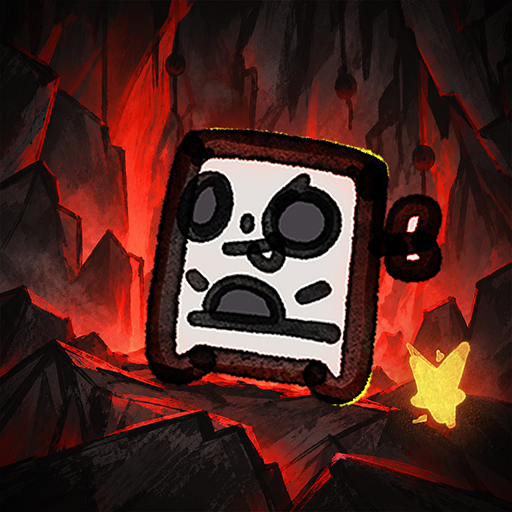
Everything on the belt is a real object with an actual size. If a slab is three cells wide, it needs three lanes to move. Sometimes you'll rotate a piece just to squeeze it through a tight spot. Sometimes you won't, and it'll sit there clogging everything behind it.Make your factory run like CLOCKWORK without CLOGGING the lanes. Clog-work. Get it? Glue, cut, rotate and transport pieces to the hub. Optimise your designs, push your score higher, and see how you compare with other players on the in-game leaderboards.Filter by colour, size, or number of cells. Decide what gets cut, what gets pushed, and what gets left alone. You can hook almost anything into the logic layer and control when it acts. There's no single way to solve a problem. How you build it is up to you. And yes, there is dark mode.The demo gives you three figures to build, ending with a more complex house where you'll need to get both the shape and colours right. There's no time limit, so take as long as you need to work it out. The full game has many more tiers, eventually working your way up to pieces as large as 32x32.More content: Many more figures to build, with shapes that get harder to crack.In-game leaderboards: The first 100 seeds each have their own leaderboard. Pick a figure and see how far you can push your throughput.Achievements: Just achievements. To show that you know what you're doing.Screenshot mode: Take one huge screenshot of your entire factory. Really large maps may need to be split into several images or exported at a lower resolution.CLOGWORK is being made by one developer and is still in active development. Some graphics, sounds and music are placeholders for now, and I'll replace and improve them as development continues.
Tampilkan Lebih banyak

1. Unduh dan instal MEmu APP

2. Menjalankan MEmu lalu buka Google Play di halaman

3. Cari Clogwork di Google Play
Install
4. Unduh dan instal Clogwork
5. Setelah insatl APP selesai,klik ikon untuk mulai

6. Nikmati bermain Clogwork di PC dengan MEmu
MEmu App Player adalah emulator Android gratis terbaik dan 50 Juta orang sudah menikmati pengalaman luar biasa dalam bermain gim Android. Teknologi virtualisasi MEmu memberi kekuasaan untuk memainkan ribuan gim Android dengan lancar di PC anda, bahkan gim dengan grafis yang paling tinggi.
Layar lebih besar dengan grafis yang lebih baik; durasi panjang, tanpa batasan baterai atau data seluler.
Didukung penuh oleh Pemetaan tombol yang lengkap untuk keakuratan kontrol keyboard dan mouse maupun gamepad.
Membuka beberapa akun game atau tugas di waktu yang sama hanya pada satu PC, dengan Multi-Instance manager.
Play Clogwork on PC by following steps: