Clogwork
Actualizada
Versión actual
Ofrecida por

Con toda tu pasión para jugar Clogwork, no se supone que tus manos estén limitadas en una pequeña pantalla de tu teléfono. Juega como un profesional y obtén el control total de tu juego con el teclado y el mouse. MEmu le ofrece todas las cosas que espera. Descargar y jugar Clogwork en PC. Juega todo el tiempo que quieras, sin más limitaciones de batería, datos móviles y llamadas molestas. El nuevo MEmu 9 es la mejor opción para jugar Clogwork en PC. Preparado con nuestra experiencia, el exquisito sistema de keymapping preestablecido convierte a Clogwork en un verdadero juego de PC. Codificado con nuestra absorción, el administrador de instancias múltiples hace posible jugar 2 o más cuentas en el mismo dispositivo. Y lo más importante, nuestro exclusivo motor de emulación puede liberar todo el potencial de su PC, hacer que todo sea más fluido. Nos importa no solo cómo juegas, sino también todo el proceso de disfrutar de la felicidad de los juegos.
Más detalles
Descargar Clogwork en PC con MEmu Android Emulador. Disfruta jugando en la pentalla grande. Everything on the belt is a real object with an actual size.


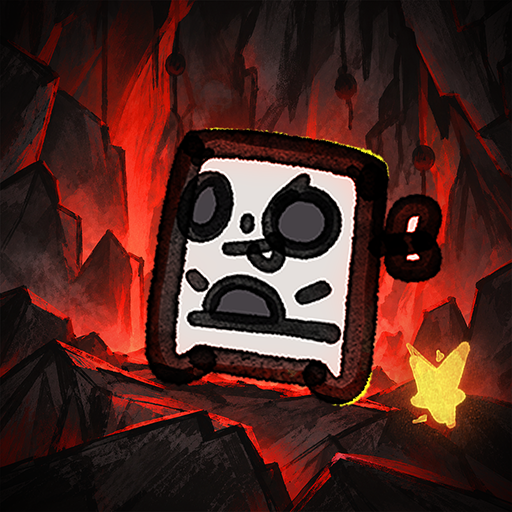
Everything on the belt is a real object with an actual size. If a slab is three cells wide, it needs three lanes to move. Sometimes you'll rotate a piece just to squeeze it through a tight spot. Sometimes you won't, and it'll sit there clogging everything behind it.Make your factory run like CLOCKWORK without CLOGGING the lanes. Clog-work. Get it? Glue, cut, rotate and transport pieces to the hub. Optimise your designs, push your score higher, and see how you compare with other players on the in-game leaderboards.Filter by colour, size, or number of cells. Decide what gets cut, what gets pushed, and what gets left alone. You can hook almost anything into the logic layer and control when it acts. There's no single way to solve a problem. How you build it is up to you. And yes, there is dark mode.The demo gives you three figures to build, ending with a more complex house where you'll need to get both the shape and colours right. There's no time limit, so take as long as you need to work it out. The full game has many more tiers, eventually working your way up to pieces as large as 32x32.More content: Many more figures to build, with shapes that get harder to crack.In-game leaderboards: The first 100 seeds each have their own leaderboard. Pick a figure and see how far you can push your throughput.Achievements: Just achievements. To show that you know what you're doing.Screenshot mode: Take one huge screenshot of your entire factory. Really large maps may need to be split into several images or exported at a lower resolution.CLOGWORK is being made by one developer and is still in active development. Some graphics, sounds and music are placeholders for now, and I'll replace and improve them as development continues.
Más detalles

1. Descargar el instalador de MEmu y finalice la instalación

2. Iniciar MEmu y abrir Google Play en la página de inicio

3. Buscar Clogwork en Google Play
Install
4. Descargar y instalar Clogwork
5. Hacer click al icono para iniciar

6. Disfruta jugando Clogwork en PC con MEmu
MEmu App Player es el mejor emulador de Android gratuito y 50 millones de personas ya están disfrutando su magnífica experiencia jugando en Android. La tecnología de virtualización de MEmu te permite jugar a miles de juegos Android suavemente en tu PC, incluso los más intensivos gráficamente.
Pantalla más grande con mejores gráficos; Larga duración, sin limitación de batería o datos móviles.
Soporte completo de keymapping para un control preciso del teclado y el mouse o gamepad.
Múltiples cuentas de juegos o tareas en una sola PC a la vez con el administrador de instancias múltiples.
Play Clogwork on PC by following steps: