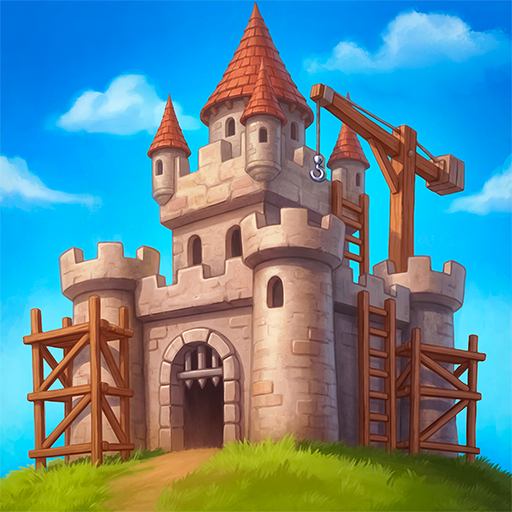
Clogwork
Dikemas kini
Versi Semasa
Ditawarkan Oleh

Dengan semangat anda untuk bermain Clogwork, tangan anda tidak seharusnya terhad pada skrin kecil telefon anda. Main seperti profesional dan kendalikan sepenuhnya permainan anda dengan papan kekunci dan tetikus. MEmu menawarkan semua perkara yang anda harapkan. Muat turun dan mainkan Clogwork di PC. Main selagi anda mahu, tidak ada batasan bateri, data mudah alih dan panggilan yang mengganggu. MEmu 9 yang baru adalah pilihan terbaik untuk bermain Clogwork di PC. Disiapkan dengan kepakaran kami, sistem pemetaan kunci pratetap yang indah menjadikan Clogwork permainan PC sebenar. Dikodkan dengan penyerapan kami, pengurus multi-instance menjadikan bermain 2 atau lebih akaun pada peranti yang sama mungkin. Dan yang paling penting, enjin emulasi eksklusif kami dapat melepaskan potensi penuh PC anda, menjadikan semuanya lancar.Kami tidak hanya peduli bagaimana anda bermain, tetapi juga keseluruhan proses menikmati kebahagiaan permainan.
Tunjukkan Lagi
Muat turun Clogwork pada PC dengan MEmu Android Emulator. Nikmati bermain di skrin besar Everything on the belt is a real object with an actual size.
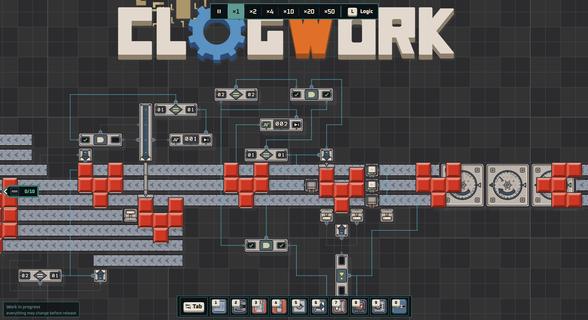
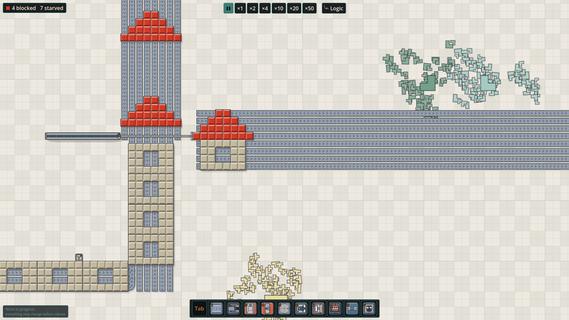
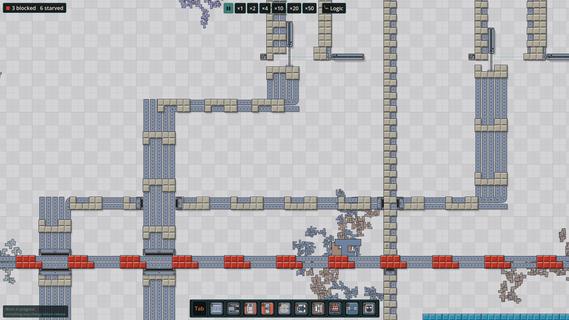
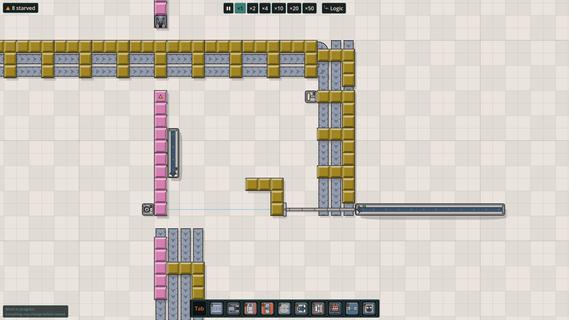
Everything on the belt is a real object with an actual size. If a slab is three cells wide, it needs three lanes to move. Sometimes you'll rotate a piece just to squeeze it through a tight spot. Sometimes you won't, and it'll sit there clogging everything behind it.Make your factory run like CLOCKWORK without CLOGGING the lanes. Clog-work. Get it? Glue, cut, rotate and transport pieces to the hub. Optimise your designs, push your score higher, and see how you compare with other players on the in-game leaderboards.Filter by colour, size, or number of cells. Decide what gets cut, what gets pushed, and what gets left alone. You can hook almost anything into the logic layer and control when it acts. There's no single way to solve a problem. How you build it is up to you. And yes, there is dark mode.The demo gives you three figures to build, ending with a more complex house where you'll need to get both the shape and colours right. There's no time limit, so take as long as you need to work it out. The full game has many more tiers, eventually working your way up to pieces as large as 32x32.More content: Many more figures to build, with shapes that get harder to crack.In-game leaderboards: The first 100 seeds each have their own leaderboard. Pick a figure and see how far you can push your throughput.Achievements: Just achievements. To show that you know what you're doing.Screenshot mode: Take one huge screenshot of your entire factory. Really large maps may need to be split into several images or exported at a lower resolution.CLOGWORK is being made by one developer and is still in active development. Some graphics, sounds and music are placeholders for now, and I'll replace and improve them as development continues.
Tunjukkan Lagi

1. Muat turun pemasang MEmu dan selesaikan persediaan

2. Mulakan MEnu kemudian buka Google Play di desktop

3. Cari Clogwork di Google Play
Install
4. Muat turun dan Pasang Clogwork
5. Apabila selesai pemasangan, menekan ikon itu untuk memulakan

6. Nikmati bermain Clogwork di komputer dengan MEmu
MEmu Play adalah emulator Android terbaik dan 100 juta orang sudah menikmati pengalaman permainan Androidnya yang luar biasa. Teknologi virtualisasi MEmu memberi kuasa kepada anda untuk bermain beribu-ribu permainan Android dengan lancar di komputar anda, malah yang paling intensif grafik.
Skrin lebih besar dengan grafik yang lebih baik; Tempoh yang panjang, tanpa had bateri atau data mudah alih.
Sokongan Keymapping penuh untuk kawalan tepat papan kekunci dan tetikus atau gamepad.
Pelbagai akaun permainan atau tugas pada satu PC sekaligus dengan pengurus pelbagai contoh.
Play Clogwork on PC by following steps: