Background Video Recorder Pro
Diupdate
Versi Saat Ini
1780550466
Ditawarkan Oleh

Hentilah khawatir tentang biaya berlebihan saat menggunakan Background Video Recorder Pro di ponsel Anda, bebaskan diri Anda dari layar kecil dan nikmati menggunakan aplikasi pada tampilan yang lebih besar. Mulai sekarang, dapatkan pengalaman full-screen di aplikasi Anda dengan keyboard dan mouse. MEmu menyediakan semua fitur mengejutkan yang Anda harapkan: cepat menginstal dan mudah menggunakan, kontrol intuitif, tidak ada lagi batasan baterai, data seluler dan panggilan yang mengganggu. MEmu 9 yang baru adalah pilihan terbaik untuk menggunakan Background Video Recorder Pro di komputer Anda. Bersandi dengan absorpsi kami, manajer multi-instance memungkinkan pembukaan 2 akun atau lebih pada saat yang bersamaan. Dan yang paling penting, mesin emulasi eksklusif kami dapat melepaskan potensi penuh PC Anda, menjadikan semuanya lancar dan menyenangkan.
Tampilkan Lebih banyak
Unduh Background Video Recorder Pro di PC dengan Emulator Android MEmu. Nikmati permainan pada layar yang besar. Aplikasi ini membantu Anda merekam video di latar belakang bahkan dengan layar tertutup.
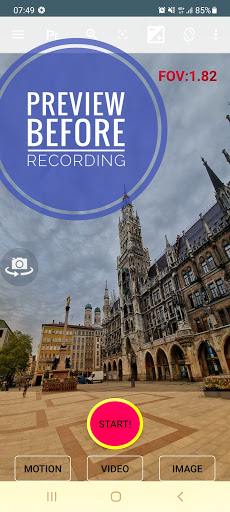
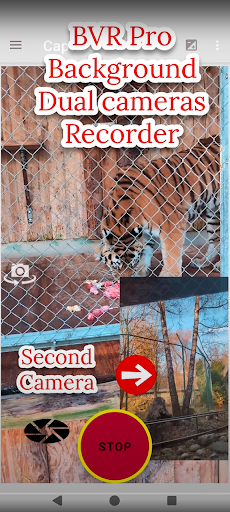

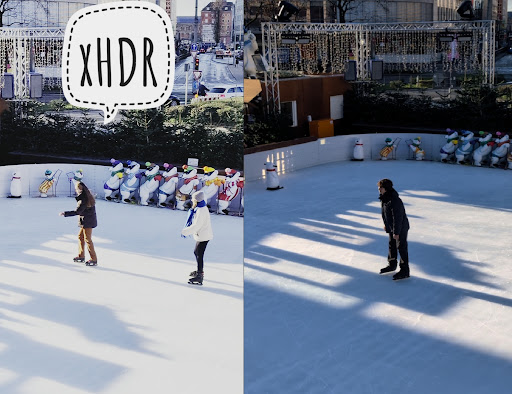
Aplikasi ini membantu Anda merekam video di latar belakang bahkan dengan layar tertutup. Fitur berguna lainnya: perekam layar kamera ganda, overlay, filter, dash cam, deteksi gerakan menggunakan AI, remote kamera untuk Wear OS Anda, pemantauan bayi, streaming video, perekaman terjadwal, pengambilan gambar beruntun.
Anda juga dapat mengontrol kamera menggunakan tombol volume atau salah satu dari 3 widget pendukung.
"Tombol merah besar" - perekaman video.
"Tombol hijau besar" - deteksi gerakan.
https://www.youtube.com/shorts/carL0rsfw6I
"Tombol oranye besar" - pengambilan gambar beruntun + malam/HDR/bokeh.
https://youtu.be/vjn_cifx4Vo
Gunakan kekuatan Gemini untuk berbicara dengan ponsel Anda, katakan "rekam 5 detik"
https://www.youtube.com/shorts/p-qrfxfvQz0
Widget Revolution - pratinjau dan zoom dari peluncur. Juga: foto bergerak.
https://youtube.com/shorts/enLm4Dmyy2E
https://www.youtube.com/watch?v=S7jjsoakjS4
Filter cameraX - pencampuran warna
https://youtube.com/shorts/KzO8Shewnlk
https://youtube.com/shorts/Dm-D7NKUIeE
Kamera ganda
https://youtube.com/shorts/-4cDC3kdbJM
Perekam layar kamera ganda + stiker:
https://www.youtube.com/shorts/onEognB6--w
Camerax (premium) - perekaman kamera HDR 10 bit ganda pop-up:
https://youtu.be/LuEsWXpSLHs
Overlay latar belakang: dengan gambar, teks, atau waktu yang dimuat.
https://youtu.be/JWzqp4p7Ij0
Filter koreksi gamma cahaya rendah
https://youtu.be/fRWFkO1WUN8
Tutorial deteksi gerakan:
https://youtu.be/wok88i6aQBs
https://youtu.be/g7dpYED6k08
Kamera dasbor ganda
https://youtu.be/msByNqBC-W4
https://youtu.be/p4wopq8pqqU
Premium - perekam layar + streaming kamera ganda + masker bulat atau selfie
Templat:
https://youtube.com/shorts/0c5kEacrPoo
Monitor bayi & pendukung https://www.bvr-pro.com situs web:
https://www.youtube.com/watch?v=zf1A93PcShw
Keamanan rumah: pantau hingga 4 kamera dari sistem keamanan kami Situs web:
https://bvr-pro.com/stream
https://youtu.be/gBV4U6uOywE
Fitur tambahan:
1. Mulai merekam menggunakan tombol volume.
Remote Wear OS - Kamera HDR ganda 10 bit.
https://youtu.be/eWKwQC5T0QQ
Pratinjau, rekam, tangkap, deteksi gerakan AI, putar kamera, zoom, flash, walkie talkie.
Gerakan lambat latar belakang
https://youtu.be/PUdXACAlF2s
OCR teks
https://youtu.be/aHsZWjOLkuo
Android TV - Streaming 30 FPS real-time + AI. Deteksi gerak X 4 kamera:
https://www.youtube.com/watch?v=w0SNcFSHLYE
https://www.youtube.com/watch?v=KovtrQeF5N0
https://www.youtube.com/watch?v=ocPtnhlUn78
Kamera ganda pada perangkat yang didukung:
https://youtu.be/jmKMjVGnS_o
https://youtu.be/CURKycGRF2Q
Pemberitahuan penting:
1. Praktik terbaik: https://www.youtube.com/watch?v=WoLSq32DIew
2. Jalankan pengaturan: wizard izin.
3. https://dontkillmyapp.com/
4. Ini mencakup 3 ikon dengan 3 fitur berbeda - Anda dapat menonaktifkan 2 dari pengaturan:
https://www.youtube.com/watch?v=yGQWhMf1f5g
5. Nonaktifkan "buka kunci wajah". Dua aplikasi tidak dapat mengakses kamera secara bersamaan.
6. Jangan membuka kamera di aplikasi lain saat merekam.
7. Eksposur panjang menghasilkan video dengan frame rate rendah.
8. Untuk kualitas video terbaik: coba resolusi beta (tidak stabil) & ubah bitrate.
Saat terdeteksi, Anda dapat:
1. Mengambil gambar.
2. Membunyikan alarm.
3. Pengguna premium juga dapat merekam video.
Bahasa: Hindi, Jerman, Spanyol, Portugis, Arab, dan lainnya.
Panduan cara penggunaan:
https://www.arbelsolutions.com/howto.html
Privasi Anda penting:
https://www.arbelsolutions.com/PrivacyPolicy.html
Saran atau pertanyaan? Kami akan senang mendengar dari Anda mailto:arbelsolutions@gmail.com
Sebagian besar fungsi gratis, versi premium mencakup:
1. Tanpa iklan
2. CameraX.
3. Menyimpan ke kartu SD yang dapat dilepas
4. Wear OS.
5. Pemantauan bayi.
6. Simpan video saat terdeteksi gerakan.
7. Unggah video ke Google Drive.
8. Pantau hingga 4 kamera secara bersamaan (bukan hanya 1).
8. Ulangi perekaman terjadwal.
Menjadi pengguna premium: tekan tombol "beli premium" di menu utama.
Jika Anda menyukai aplikasi ini, beri peringkat 5 bintang . Kami akan sangat menghargainya.
Ikuti kami:
https://www.facebook.com/Background-video-recorder-Ultimate-121145775953677/
Tampilkan Lebih banyak

1. Unduh dan instal MEmu APP

2. Menjalankan MEmu lalu buka Google Play di halaman

3. Cari Background Video Recorder Pro di Google Play
Install
4. Unduh dan instal Background Video Recorder Pro
5. Setelah insatl APP selesai,klik ikon untuk mulai

6. Nikmati bermain Background Video Recorder Pro di PC dengan MEmu
MEmu Play adalah emulator Android gratis terbaik dan 50 Juta orang sudah menikmati pengalaman luar biasa dalam Aplikasi Android. Teknologi virtualisasi MEmu memberi kekuasaan untuk memainkan ribuan Aplikasi Android dengan lancar di PC anda, bahkan Aplikasi dengan grafis yang paling tinggi.
Layar lebih besar dengan grafis yang lebih baik; durasi panjang, tanpa batasan baterai atau data seluler.
Didukung penuh oleh Pemetaan tombol yang lengkap untuk keakuratan kontrol keyboard dan mouse maupun gamepad.
Membuka beberapa akun game atau tugas di waktu yang sama hanya pada satu PC, dengan Multi-Instance manager.
Use Background Video Recorder Pro on PC by following steps:






![Brica BPRO5 AE3[S] PC](https://dl.memuplay.com/new_market/img/com.dawnwin.OD186Cam.icon.2024-12-31-01-18-04.png)