VPN Blue - a convenient VPN
Diupdate
Versi Saat Ini
1.0.6
Ditawarkan Oleh

Hentilah khawatir tentang biaya berlebihan saat menggunakan VPN Blue - a convenient VPN di ponsel Anda, bebaskan diri Anda dari layar kecil dan nikmati menggunakan aplikasi pada tampilan yang lebih besar. Mulai sekarang, dapatkan pengalaman full-screen di aplikasi Anda dengan keyboard dan mouse. MEmu menyediakan semua fitur mengejutkan yang Anda harapkan: cepat menginstal dan mudah menggunakan, kontrol intuitif, tidak ada lagi batasan baterai, data seluler dan panggilan yang mengganggu. MEmu 9 yang baru adalah pilihan terbaik untuk menggunakan VPN Blue - a convenient VPN di komputer Anda. Bersandi dengan absorpsi kami, manajer multi-instance memungkinkan pembukaan 2 akun atau lebih pada saat yang bersamaan. Dan yang paling penting, mesin emulasi eksklusif kami dapat melepaskan potensi penuh PC Anda, menjadikan semuanya lancar dan menyenangkan.
Tampilkan Lebih banyak
Nikmati pengalaman luar biasa menggunakan VPN Blue - a convenient VPN di PC dengan MEmu Play. Emulator Android gratis dan canggih ini menyediakan ribuan aplikasi Android untuk versi desktop. Nikmati koneksi yang lancar bersama teman dan tingkatkan pekerjaan Anda dengan efisiensi yang lebih tinggi! Our VPN gives you secure, fast, and unrestricted access to websites and online services.
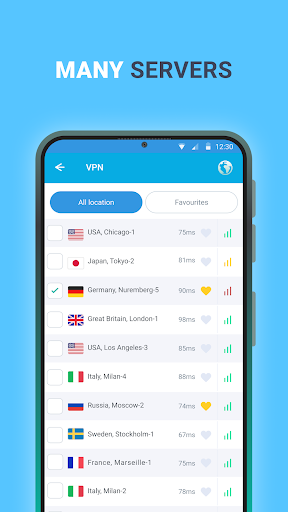
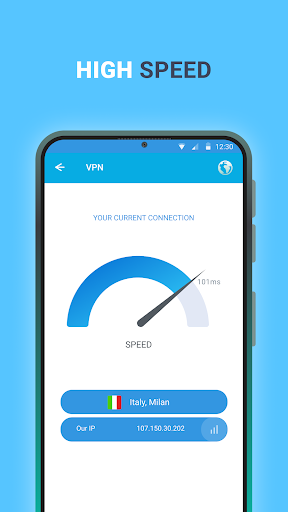
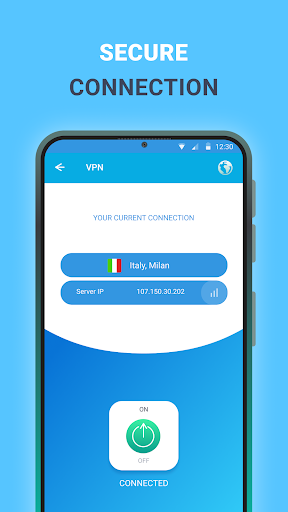
Our VPN gives you secure, fast, and unrestricted access to websites and online services. With just one tap, you can browse freely, protect your privacy, and stay connected wherever you are. Enjoy smoother gaming, bypass restrictions, and keep your data safe at all times.
Why choose our VPN?
Strong security and privacy
Browse with confidence using a secure connection that helps protect your personal data. Your IP address stays hidden, and your online activity remains private.
Fast free servers around the world
Connect to a wide range of servers across multiple countries and enjoy quick, stable performance wherever you are.
Easy to use
Download the app, open it, and tap Connect to get online instantly. No complicated setup required.
Fewer ads, better experience
Use the app with minimal interruptions and enjoy a cleaner, more comfortable experience.
Stable connection worldwide
Whether you are at home, on mobile data, or traveling, our VPN is designed to keep your connection reliable.
24/7 customer support
Our support team is available anytime to answer questions and help resolve issues.
Privacy Policy: https://docs.google.com/document/d/1iKq8rnj7IIDWW4m_DBjx5saAzsdmBtGvtVnwbc54IoM
Terms of Service: https://docs.google.com/document/d/19frdep3_HPB8pXL9pCydH_8Zny8FstmlKCvG3ULkaL0
Tampilkan Lebih banyak

1. Unduh dan instal MEmu APP

2. Menjalankan MEmu lalu buka Google Play di halaman

3. Cari VPN Blue - a convenient VPN di Google Play
Install
4. Unduh dan instal VPN Blue - a convenient VPN
5. Setelah insatl APP selesai,klik ikon untuk mulai

6. Nikmati bermain VPN Blue - a convenient VPN di PC dengan MEmu
MEmu Play adalah emulator Android gratis terbaik dan 50 Juta orang sudah menikmati pengalaman luar biasa dalam Aplikasi Android. Teknologi virtualisasi MEmu memberi kekuasaan untuk memainkan ribuan Aplikasi Android dengan lancar di PC anda, bahkan Aplikasi dengan grafis yang paling tinggi.
Layar lebih besar dengan grafis yang lebih baik; durasi panjang, tanpa batasan baterai atau data seluler.
Didukung penuh oleh Pemetaan tombol yang lengkap untuk keakuratan kontrol keyboard dan mouse maupun gamepad.
Membuka beberapa akun game atau tugas di waktu yang sama hanya pada satu PC, dengan Multi-Instance manager.
Use VPN Blue - a convenient VPN on PC by following steps: