VPN Blue - a convenient VPN
Aktualisiert
Aktuelle Version
1.0.6
Angeboten von

Machen Sie sich keine Sorgen mehr über überhöhte Gebühren, wenn Sie VPN Blue - a convenient VPN auf Ihrem Mobiltelefon verwenden, befreien Sie sich von dem winzigen Bildschirm und genießen Sie die Nutzung der App auf einem viel größeren Display. Von nun an können Sie Ihre App mit Tastatur und Maus im Vollbildmodus nutzen. MEmu bietet Ihnen all die überraschenden Funktionen, die Sie erwartet haben: schnelle Installation und einfache Einrichtung, intuitive Steuerung, keine Einschränkungen mehr durch Batterie, mobile Daten und störende Anrufe. Der brandneue MEmu 9 ist die beste Wahl für die Nutzung von VPN Blue - a convenient VPN auf Ihrem Computer. Mit unserer Absorption kodiert, ermöglicht der Multi-Instanz-Manager die Eröffnung von 2 oder mehr Konten zur gleichen Zeit. Und das Wichtigste, unsere exklusive Emulations-Engine kann das volle Potenzial Ihres PCs freisetzen und alles reibungslos und angenehm gestalten.
Mehr anzeigen
Genieße VPN Blue - a convenient VPN auf deinem PC mit MEmu Play in einer fantastischen Version. Dieser leistungsstarke, kostenlose Android-Emulator bietet dir Zugriff auf Tausende von Android-Apps für deinen Desktop. Bleib mit Freunden in Kontakt und arbeite effizienter! Our VPN gives you secure, fast, and unrestricted access to websites and online services.
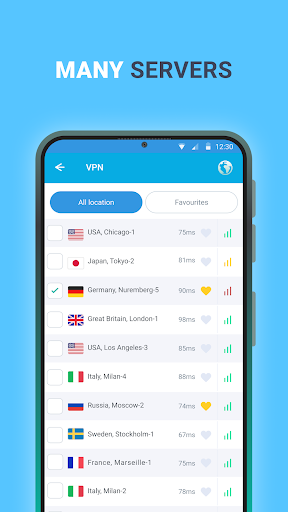
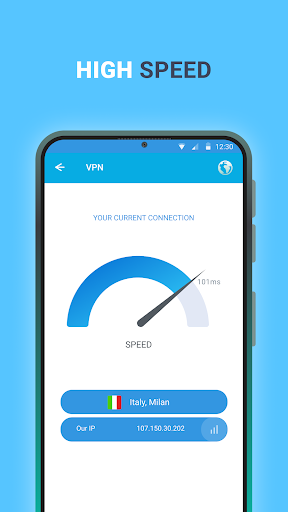
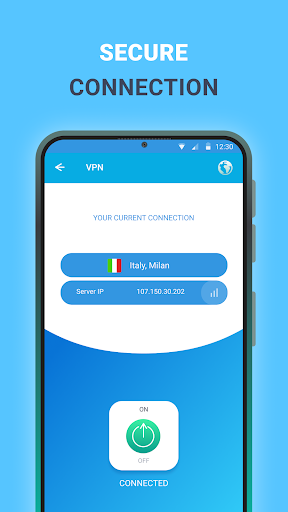
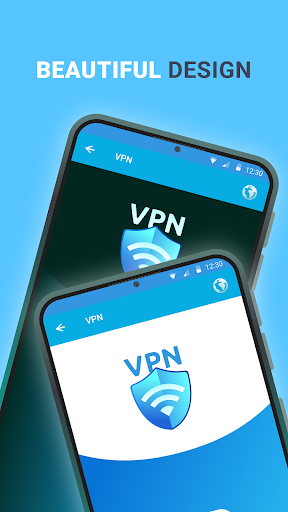
Our VPN gives you secure, fast, and unrestricted access to websites and online services. With just one tap, you can browse freely, protect your privacy, and stay connected wherever you are. Enjoy smoother gaming, bypass restrictions, and keep your data safe at all times.
Why choose our VPN?
Strong security and privacy
Browse with confidence using a secure connection that helps protect your personal data. Your IP address stays hidden, and your online activity remains private.
Fast free servers around the world
Connect to a wide range of servers across multiple countries and enjoy quick, stable performance wherever you are.
Easy to use
Download the app, open it, and tap Connect to get online instantly. No complicated setup required.
Fewer ads, better experience
Use the app with minimal interruptions and enjoy a cleaner, more comfortable experience.
Stable connection worldwide
Whether you are at home, on mobile data, or traveling, our VPN is designed to keep your connection reliable.
24/7 customer support
Our support team is available anytime to answer questions and help resolve issues.
Privacy Policy: https://docs.google.com/document/d/1iKq8rnj7IIDWW4m_DBjx5saAzsdmBtGvtVnwbc54IoM
Terms of Service: https://docs.google.com/document/d/19frdep3_HPB8pXL9pCydH_8Zny8FstmlKCvG3ULkaL0
Mehr anzeigen

1. Laden das MEmu-Installationsprogramm herunter und beenden die Installation

2. MEmu starten und Google Play auf der Homepage öffnen

3. Suchen VPN Blue - a convenient VPN in Google Play
Install
4. Herunterladen und Installieren VPN Blue - a convenient VPN
5. Klicken nach Abschluss der Installation auf das Symbol, um es zu starten

6. Verwenden Sie MEmu, um VPN Blue - a convenient VPN auf Ihrem PC zu nutzen
MEmu Play ist aktuell der beste kostenlose Android-Emulator und bietet 50 Millionen Nutzern ein überragendes Android-App-Erlebnis. Dank der Virtualisierungstechnologie von MEmu können Sie Tausende von Android-Apps problemlos auf Ihrem Computer nutzen, selbst solche mit hohen Grafikanforderungen.
BGrößeres Bild mit besserer Grafik; Keine unterbrechungen, keine sorgen um Akku
Komplette Tastenbelegung unterstützt mit Maus und Tastatur oder Controller
Mit dem „Multi-Instance-Manager“ können Sie mehrere Spielkonten oder Spiele gleichzeitig auf einem PC ausführen.
Use VPN Blue - a convenient VPN on PC by following steps: