VPN Blue - a convenient VPN
更新日
現在のバージョン
1.0.6
提供元

スマートフォンは不要!パソコンと同じようにキーボードとマウスで操作できます。MEmu Playは、あなたが待ち望んでいたすべての楽しみをお届けします。バッテリー残量や小さな画面を気にすることなく、VPN Blue - a convenient VPNをご利用ください。最新のMEmu 9は、VPN Blue - a convenient VPNをPCで体験するのに最適です!完璧なキーマッピングシステムにより、PCのようなスムーズな操作性を実現します。マルチインスタンス機能により、複数のアプリケーションを同時に実行できます。独自の仮想化エンジンがPCのパフォーマンスを最大限に引き出します。アプリを使用するだけでなく、高品質な体験を得ることができます。
もっと見る
MEmu Playを使えば、PCでVPN Blue - a convenient VPNを快適に楽しめます。何千ものAndroidアプリをデスクトップ版で利用できる、パワフルな無料Androidエミュレーターです。友達とつながり、より効率的に作品を磨き上げましょう! Our VPN gives you secure, fast, and unrestricted access to websites and online services.
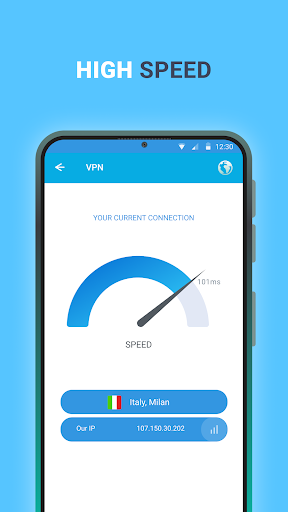
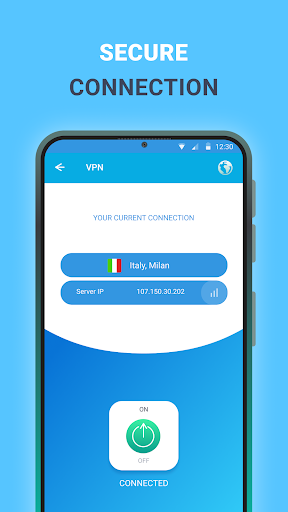
Our VPN gives you secure, fast, and unrestricted access to websites and online services. With just one tap, you can browse freely, protect your privacy, and stay connected wherever you are. Enjoy smoother gaming, bypass restrictions, and keep your data safe at all times.
Why choose our VPN?
Strong security and privacy
Browse with confidence using a secure connection that helps protect your personal data. Your IP address stays hidden, and your online activity remains private.
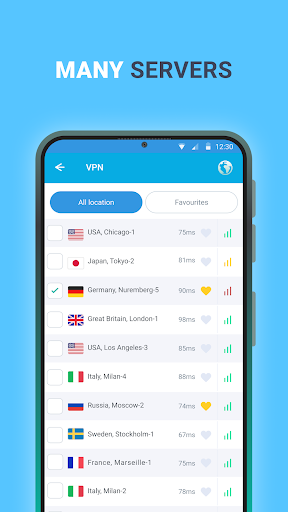
Fast free servers around the world
Connect to a wide range of servers across multiple countries and enjoy quick, stable performance wherever you are.
Easy to use
Download the app, open it, and tap Connect to get online instantly. No complicated setup required.
Fewer ads, better experience
Use the app with minimal interruptions and enjoy a cleaner, more comfortable experience.
Stable connection worldwide
Whether you are at home, on mobile data, or traveling, our VPN is designed to keep your connection reliable.
24/7 customer support
Our support team is available anytime to answer questions and help resolve issues.
Privacy Policy: https://docs.google.com/document/d/1iKq8rnj7IIDWW4m_DBjx5saAzsdmBtGvtVnwbc54IoM
Terms of Service: https://docs.google.com/document/d/19frdep3_HPB8pXL9pCydH_8Zny8FstmlKCvG3ULkaL0
もっと見る

1. MEmuインストーラーをダウンロードしてセットアップを完了する

2. MEmuを起動し、デスクトップでのPlayストアを開く

3. PlayストアでVPN Blue - a convenient VPNを検索する
Install
4. VPN Blue - a convenient VPNをダウンロードしてインストールする
5. インストールが完了したら、アイコンをクリックしてスタート

6. MEmuを使ってパソコンでVPN Blue - a convenient VPNを体験する
MEmu Playは現在、最高の無料Androidエミュレーターであり、5,000万人のユーザーが優れたAndroidアプリ体験を楽しんでいます。MEmuの仮想化テクノロジーにより、数千ものAndroidアプリをコンピューターでスムーズに実行できます。
大画面でより精細;無限の待機、電池とドラフィックの極限を超え
キーボード・マウス・コントローラーを全力でサポート、より快適
マルチインスタンスで複数のゲームを同時に実行
Use VPN Blue - a convenient VPN on PC by following steps: