VPN Blue - a convenient VPN
Güncellendi
Mevcut Sürüm
1.0.6
Sunan

Cep telefonunda VPN Blue - a convenient VPN kullanırken fazla şarjlardan endişelenme, kendini küçük ekrandan kurtar ve uygulamayı çok daha büyük bir ekranda kullanmanın tadını çıkar. Şu andan itibaren, klavye ve fare ile uygulamayı tam ekran da kullanmayı dene. MEmu, beklediğin tüm şaşırtıcı özellikleri sunar: hızlı ve kolay kurulum, sezgisel kontroller, bunun dışında pil sınırı, mobil veri ve rahatsız edici aramalar artık yok. Yepyeni MEmu 9, bilgisayarında VPN Blue - a convenient VPN kullanmanın en iyi seçimidir. Emilimimizle kodlanan çok örnekli yönetici, aynı anda 2 veya daha fazla hesap açmayı mümkün kılar. Ve en önemlisi, özel emülasyon motorumuz PC'nin tüm potansiyelini serbest bırakabilir, her şeyi pürüzsüz ve eğlenceli hale getirebilir.
Daha fazla göster
MEmu Play ile bilgisayarınızda VPN Blue - a convenient VPN kullanmanın mükemmel deneyimini yaşayın. Masaüstü sürümleri için binlerce Android uygulaması sunan güçlü ve ücretsiz bir Android emülatörüdür. Arkadaşlarınızla bağlantı kurmanın ve çalışmalarınızı daha verimli bir şekilde geliştirmenin keyfini çıkarın! Our VPN gives you secure, fast, and unrestricted access to websites and online services.
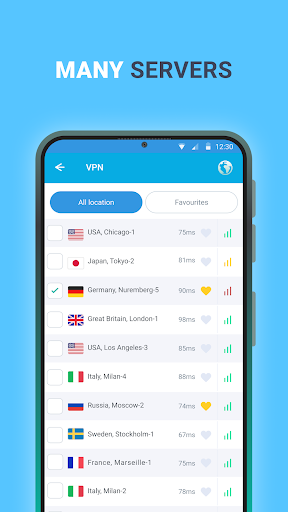
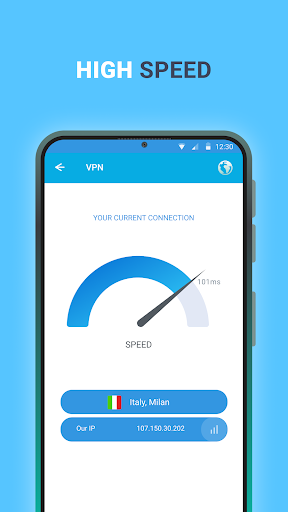
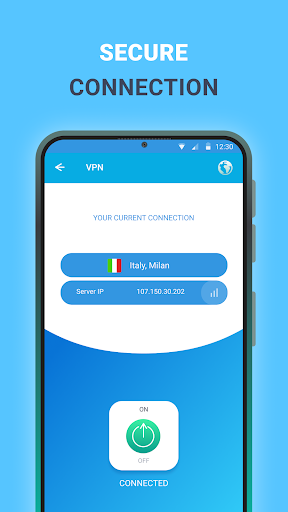
Our VPN gives you secure, fast, and unrestricted access to websites and online services. With just one tap, you can browse freely, protect your privacy, and stay connected wherever you are. Enjoy smoother gaming, bypass restrictions, and keep your data safe at all times.
Why choose our VPN?
Strong security and privacy
Browse with confidence using a secure connection that helps protect your personal data. Your IP address stays hidden, and your online activity remains private.
Fast free servers around the world
Connect to a wide range of servers across multiple countries and enjoy quick, stable performance wherever you are.
Easy to use
Download the app, open it, and tap Connect to get online instantly. No complicated setup required.
Fewer ads, better experience
Use the app with minimal interruptions and enjoy a cleaner, more comfortable experience.
Stable connection worldwide
Whether you are at home, on mobile data, or traveling, our VPN is designed to keep your connection reliable.
24/7 customer support
Our support team is available anytime to answer questions and help resolve issues.
Privacy Policy: https://docs.google.com/document/d/1iKq8rnj7IIDWW4m_DBjx5saAzsdmBtGvtVnwbc54IoM
Terms of Service: https://docs.google.com/document/d/19frdep3_HPB8pXL9pCydH_8Zny8FstmlKCvG3ULkaL0
Daha fazla göster

1. MEmu yükleyicisini indirin ve kurulumu tamamlayın

2. MEmu'yu başlatın ve ana sayfada Google Play'i açın

3. Google Play'de VPN Blue - a convenient VPN arayın
Install
4. VPN Blue - a convenient VPN indirin ve yükleyin
5. Kurulum tamamlandığında başlamak için simgeye tıklayın

6. VPN Blue - a convenient VPN'i PC'de için MEmu'yu kullanın
MEmu Play, 50 milyon kullanıcısıyla en iyi ücretsiz Android emülatörüdür ve en üst düzey Android uygulama deneyiminin keyfini çıkarır. MEmu'nun sanallaştırma teknolojisi, en zorlu uygulamalar da dahil olmak üzere binlerce uygulamayı bilgisayarınızda sorunsuz bir şekilde çalıştırmanızı sağlar.
Daha büyük ekranla daha iyi grafiklere sahip; Pil veya mobil veri sınırlaması olmaksızın uzun süre.
Keymapping klavye ve fare veya gamepad'in hassas kontrolü için destek verir.
Multi-Instance yöneticisi ile tek bir bilgisayarda aynı anda birden fazla oyun hesabı veya görev gerçekleşilebilir.
Use VPN Blue - a convenient VPN on PC by following steps: