Arrow Puzzle 3D - Arrows Out
Aggiornata
Versione corrente
1.0.0
Offerta da

Vista tutta la passione dimostrata nel giocare a Arrow Puzzle 3D - Arrows Out, le tue mani non dovrebbero essere limitate al minuscolo schermo di un telefono. Gioca come un professionista e ottieni il pieno controllo del gioco con tastiera e mouse. MEmu ti offre tutto ciò che ti aspetti. Scarica e gioca a Arrow Puzzle 3D - Arrows Out su PC. Gioca quanto vuoi, niente più limitazioni di batteria, dati mobili e chiamate inquietanti. Il nuovissimo MEmu 9 è la scelta migliore per giocare a Arrow Puzzle 3D - Arrows Out su PC. Realizzato sulla base della nostra esperienza, lo squisito sistema di mappatura dei tasti preimpostati rende Arrow Puzzle 3D - Arrows Out un vero e proprio gioco per PC. MEmu è un gestore multi-instanza che permette di giocare con 2 o più account sullo stesso dispositivo. E la cosa più importante, il nostro esclusivo motore di emulazione può liberare tutto il potenziale del tuo PC, rendendo tutto fluido.
Mostra altro
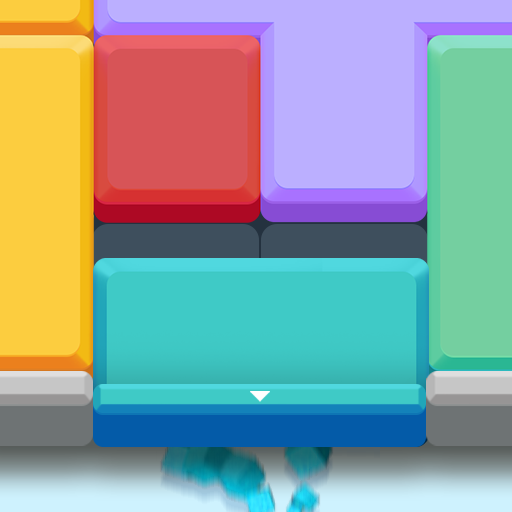
Scarica Arrow Puzzle 3D - Arrows Out su PC con MEmu Android Emulator. Divertiti giocando sul grande schermo. Arrow Puzzle 3D is a puzzle game that teases your brain as you tap arrows in the right order to clear a 3D board.
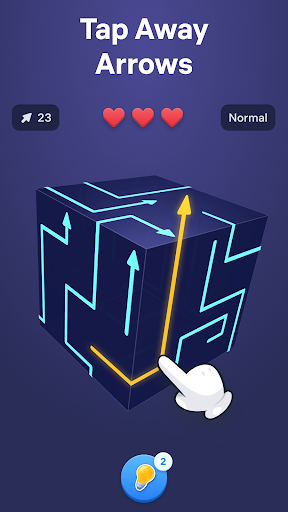
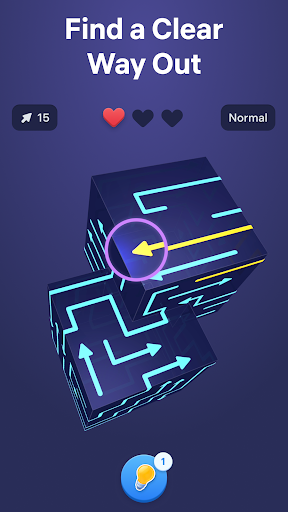
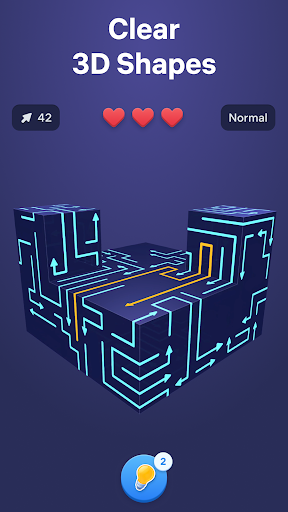
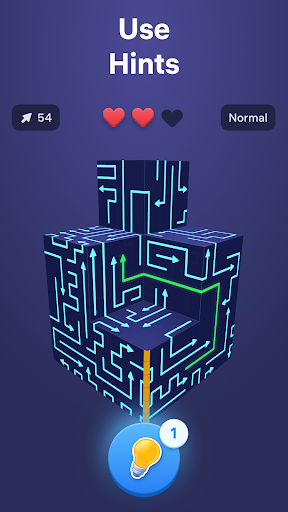
Arrow Puzzle 3D is a puzzle game that teases your brain as you tap arrows in the right order to clear a 3D board. Find free paths, open more space with every move, and watch each shape open up as the puzzle unfolds. The added depth of the 3D layouts makes every level mentally engaging, rewarding careful observation, smart planning, and satisfying solutions.
Why you'll love Arrow Puzzle 3D:
• Relaxing gameplay
Arrow Puzzle 3D combines calm visuals with clever challenges that are easy to follow and rewarding to solve. Every board feels clear and readable while still pushing you to think ahead.
• Simple controls, satisfying flow
Tap arrows when their path is free and clear the board piece by piece. The controls are easy to learn, making offline tap games smooth, accessible, and satisfying from the very first level.
• Smart puzzle challenge
As new obstacles appear and layouts become more complex, each puzzle asks for more careful planning. Every move changes the board, creating fresh arrow out situations and new ways to progress.
How to play:
• Study the 3D board and see where each arrow points.
• Tap arrows only when nothing blocks their movement.
• Remove pieces in the right order to create more space.
• Clear the full shape to solve each arrow puzzle game.
• Use hints when stuck and enjoy the smooth tap away gameplay.
How to master the arrow game:
• Start with moves that open larger areas of the board.
• Think a few taps ahead before making your next choice.
• Watch how every action changes the puzzle.
• Use logic and stay focused to solve harder puzzles and more advanced 3D layouts.
Free puzzle games for adults become more satisfying when every move creates visible progress. Arrow Puzzle 3D combines smooth tap away mechanics, clear visual logic, and smart 3D design to keep each challenge engaging from start to finish. Every new board introduces fresh layouts, blocked paths, and clever solutions that reward careful thinking without breaking the calm flow of the game.
From quick breaks to longer sessions, the offline arrow game delivers a smooth balance of challenge and relaxation. Clear satisfying 3D shapes, discover the right way out, and enjoy the steady rhythm of smart puzzles that become more rewarding with every move.
Terms of Use:
https://easybrain.com/terms
Privacy Policy:
https://easybrain.com/privacy
Mostra altro

1. Scarica il programma di installazione di MEmu e completa l'installazione

2. Avvia il Memu e apri il Google Play sulla homepage

3. Cerca Arrow Puzzle 3D - Arrows Out in Google Play
Install
4. Scarica e installa Arrow Puzzle 3D - Arrows Out
5. Al termine dell'installazione, fai clic sull'icona per avviar

6. Divertiti giocando a Arrow Puzzle 3D - Arrows Out su PC con MEmu
MEmu App Player è il miglior emulatore Android gratuito, utilizzato da 50 milioni di persone per ottenere un'esperienza di gioco Android superba. La tecnilogia di virtualizzazione MEmu ti permette di giocare a migliaia di giochi Android con semplicità sul tuo computer, anche i giochi con la grafica più esigente.
Schermo più grande con una grafica migliore; Lunga durata, senza limitazione di batteria o dati mobili.
Supporto completo per mappa di tastiera per un controllo preciso di tastiera e mouse o gamepad.
Multipli account di gioco o attività su un singolo PC contemporaneamente con il gestore di multi istanza.
Play Arrow Puzzle 3D - Arrows Out on PC by following steps: