Arrow Puzzle 3D - Arrows Out
Zaktualizowano
Aktualna wersja
1.0.0
Sprzedawca

Przy całej swojej pasji do grania w Arrow Puzzle 3D - Arrows Out, twoje ręce nie powinny być ograniczone na małym ekranie telefonu. Graj jak zawodowiec i uzyskaj pełną kontrolę nad grą za pomocą klawiatury i myszy. MEmu oferuje ci wszystko, czego oczekujesz. Pobierz i graj Arrow Puzzle 3D - Arrows Out na PC. Graj tak długo, jak chcesz, bez ograniczeń baterii, danych komórkowych i niepokojących połączeń. Zupełnie nowy MEmu 9 to najlepszy wybór do grania w Arrow Puzzle 3D - Arrows Out na PC. Przygotowany dzięki naszej wiedzy, znakomity, wstępnie ustawiony system mapowania klawiszy sprawia, że Arrow Puzzle 3D - Arrows Out jest prawdziwą grą na PC. Zakodowany naszą absorpcją, menedżer wielu instancji umożliwia granie na 2 lub więcej kontach na tym samym urządzeniu. A co najważniejsze, nasz emulator może uwolnić pełny potencjał twojego komputera, sprawić, że wszystko będzie płynne. Dbamy nie tylko o to, jak grasz, ale także o cały proces czerpania radości z grania.
Pokaż więcej
Ciesz się wspaniałym doświadczeniem podczas grania w Arrow Puzzle 3D - Arrows Out na komputerze z aplikacją MEMU App Player. Jest to potężny darmowy emulator Androida pozwalający grać w tysiące gier na Androida. Arrow Puzzle 3D is a puzzle game that teases your brain as you tap arrows in the right order to clear a 3D board.
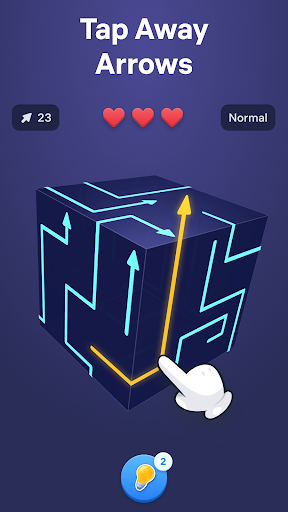
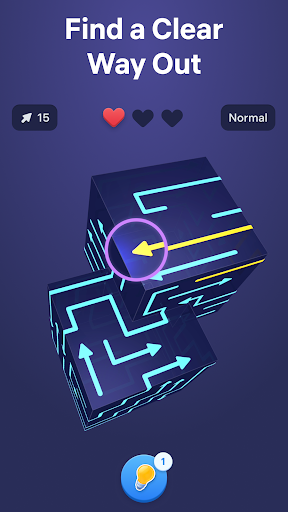
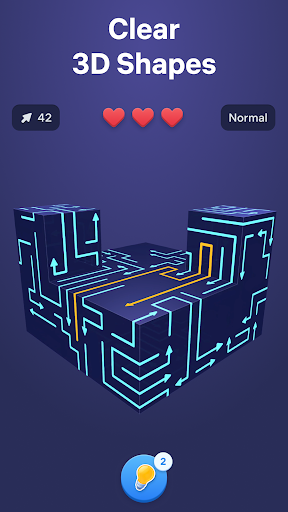
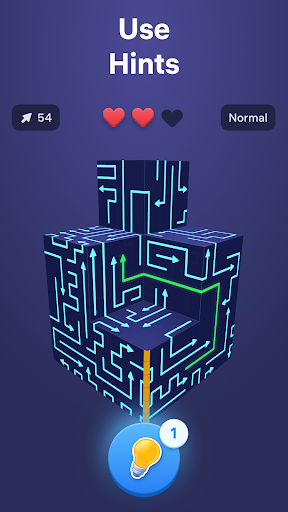
Arrow Puzzle 3D is a puzzle game that teases your brain as you tap arrows in the right order to clear a 3D board. Find free paths, open more space with every move, and watch each shape open up as the puzzle unfolds. The added depth of the 3D layouts makes every level mentally engaging, rewarding careful observation, smart planning, and satisfying solutions.
Why you'll love Arrow Puzzle 3D:
• Relaxing gameplay
Arrow Puzzle 3D combines calm visuals with clever challenges that are easy to follow and rewarding to solve. Every board feels clear and readable while still pushing you to think ahead.
• Simple controls, satisfying flow
Tap arrows when their path is free and clear the board piece by piece. The controls are easy to learn, making offline tap games smooth, accessible, and satisfying from the very first level.
• Smart puzzle challenge
As new obstacles appear and layouts become more complex, each puzzle asks for more careful planning. Every move changes the board, creating fresh arrow out situations and new ways to progress.
How to play:
• Study the 3D board and see where each arrow points.
• Tap arrows only when nothing blocks their movement.
• Remove pieces in the right order to create more space.
• Clear the full shape to solve each arrow puzzle game.
• Use hints when stuck and enjoy the smooth tap away gameplay.
How to master the arrow game:
• Start with moves that open larger areas of the board.
• Think a few taps ahead before making your next choice.
• Watch how every action changes the puzzle.
• Use logic and stay focused to solve harder puzzles and more advanced 3D layouts.
Free puzzle games for adults become more satisfying when every move creates visible progress. Arrow Puzzle 3D combines smooth tap away mechanics, clear visual logic, and smart 3D design to keep each challenge engaging from start to finish. Every new board introduces fresh layouts, blocked paths, and clever solutions that reward careful thinking without breaking the calm flow of the game.
From quick breaks to longer sessions, the offline arrow game delivers a smooth balance of challenge and relaxation. Clear satisfying 3D shapes, discover the right way out, and enjoy the steady rhythm of smart puzzles that become more rewarding with every move.
Terms of Use:
https://easybrain.com/terms
Privacy Policy:
https://easybrain.com/privacy
Pokaż więcej

1. Pobierz instalator MEmu i zakończ instalację

2. Uruchom MEmu, a następnie otwórz Google Play na pulpicie

3. Wyszukaj Arrow Puzzle 3D - Arrows Out w Google Play
Install
4. Pobierz i zainstaluj Arrow Puzzle 3D - Arrows Out
5. Po zakończeniu instalacji kliknij ikonę, aby rozpocząć

6. Ciesz się grą Arrow Puzzle 3D - Arrows Out na PC z MEmu
MEmu Play to najlepszy emulator Androida, a 100 milionów ludzi już korzysta z jego i dosta doskonałe wrażenia z gier na Androida. Technologia wirtualizacji MEmu umożliwia płynne granie w tysiące gier Androida na komputerze, nawet tych najbardziej wymagających grafiki.
Większy ekran z lepszą grafiką; Długi czas, bez ograniczeń baterii lub danych mobilnych.
Pełna obsługa mapowania klawiszy dla precyzyjnego sterowania klawiaturą i myszą lub gamepadem.
Wiele kont gier lub zadań na jednym komputerze jednocześnie z menedżerem wielu instancji.
Play Arrow Puzzle 3D - Arrows Out on PC by following steps: