Arrow Puzzle 3D - Arrows Out
Atualizada
Versão atual
1.0.0
Oferecido por

Com toda a sua paixão por jogar Arrow Puzzle 3D - Arrows Out, não deixe os polegares te atrapalharem em uma pequena tela do seu celular. Jogue como um profissional e tenha controle total do seu jogo com teclado e mouse. O MEmu oferece todas as coisas que você está esperando. Baixe e jogue Arrow Puzzle 3D - Arrows Out no PC. Jogue o tempo que quiser, sem mais limitações de bateria, dados móveis e aquelas ligações enquanto estiver jogando. O novíssimo MEmu 9 é a melhor escolha de jogar Arrow Puzzle 3D - Arrows Out no PC. Com grandes novidades no sistema de mapeamento que faz Arrow Puzzle 3D - Arrows Out um jogo de PC real. Nossa equipe melhorou o gerenciamento de várias instâncias do Android, reduzindo tempo de reprodução de 2 ou mais contas no mesmo dispositivo. O mais importante, nosso mecanimos de emulação exclusivo pode liberar todo o potencial do seu PC sem travamentos, rodando tudo liso. Nós nos preocupamos não apenas com você joga, mas com todo o processo de desfrutar de 100% do seu jogo favorito.
Mostre mais
Download do Arrow Puzzle 3D - Arrows Out no PC com MEmu Android Emulador: Divirta-se jogando na tela grande. Arrow Puzzle 3D is a puzzle game that teases your brain as you tap arrows in the right order to clear a 3D board.
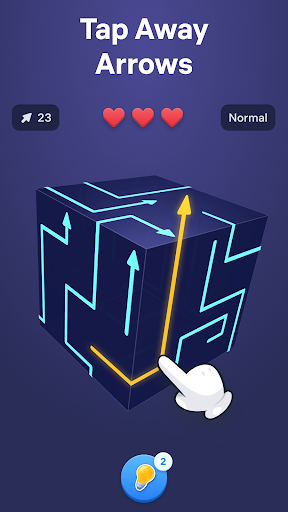
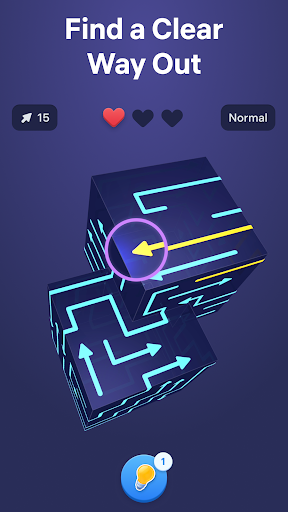
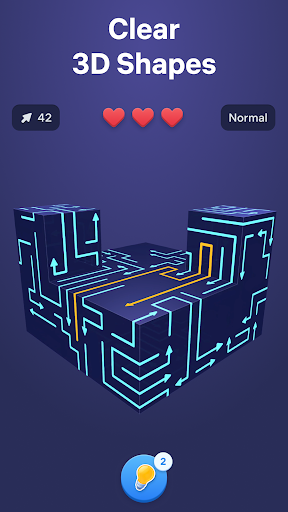
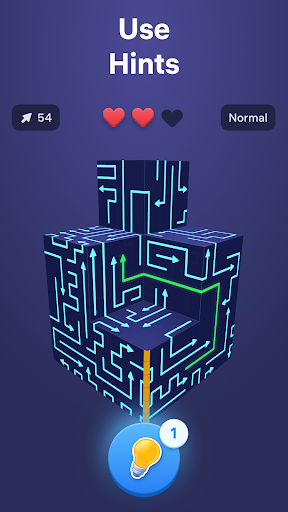
Arrow Puzzle 3D is a puzzle game that teases your brain as you tap arrows in the right order to clear a 3D board. Find free paths, open more space with every move, and watch each shape open up as the puzzle unfolds. The added depth of the 3D layouts makes every level mentally engaging, rewarding careful observation, smart planning, and satisfying solutions.
Why you'll love Arrow Puzzle 3D:
• Relaxing gameplay
Arrow Puzzle 3D combines calm visuals with clever challenges that are easy to follow and rewarding to solve. Every board feels clear and readable while still pushing you to think ahead.
• Simple controls, satisfying flow
Tap arrows when their path is free and clear the board piece by piece. The controls are easy to learn, making offline tap games smooth, accessible, and satisfying from the very first level.
• Smart puzzle challenge
As new obstacles appear and layouts become more complex, each puzzle asks for more careful planning. Every move changes the board, creating fresh arrow out situations and new ways to progress.
How to play:
• Study the 3D board and see where each arrow points.
• Tap arrows only when nothing blocks their movement.
• Remove pieces in the right order to create more space.
• Clear the full shape to solve each arrow puzzle game.
• Use hints when stuck and enjoy the smooth tap away gameplay.
How to master the arrow game:
• Start with moves that open larger areas of the board.
• Think a few taps ahead before making your next choice.
• Watch how every action changes the puzzle.
• Use logic and stay focused to solve harder puzzles and more advanced 3D layouts.
Free puzzle games for adults become more satisfying when every move creates visible progress. Arrow Puzzle 3D combines smooth tap away mechanics, clear visual logic, and smart 3D design to keep each challenge engaging from start to finish. Every new board introduces fresh layouts, blocked paths, and clever solutions that reward careful thinking without breaking the calm flow of the game.
From quick breaks to longer sessions, the offline arrow game delivers a smooth balance of challenge and relaxation. Clear satisfying 3D shapes, discover the right way out, and enjoy the steady rhythm of smart puzzles that become more rewarding with every move.
Terms of Use:
https://easybrain.com/terms
Privacy Policy:
https://easybrain.com/privacy
Mostre mais

1. Faça o download do instalador do MEmu e conclua a instalação

2. Inicie o MEmu e depois abra o Google Play na página inicial

3. Pesquise Arrow Puzzle 3D - Arrows Out no Google Play
Install
4. Baixe e Instale Arrow Puzzle 3D - Arrows Out
5. Na conclusão da instalação, clique no ícone para iniciar

6. Divirta-se jogando Arrow Puzzle 3D - Arrows Out no PC com MEmu
O MEmu App Player é o melhor emulador de Android grátis e 50 milhões de pessoas já desfrutam de sua excelente experiência de jogos no Android. A tecnologia de virtualização do MEmu permite que você jogue milhares de jogos do Android sem problemas no seu PC, mesmo os com gráficos mais intensivos.
Tela maior com gráficos melhores; Longa duração e sem limitação de bateria ou dados móveis.
Suporte completo ao Mapaeamento de Teclas para controle preciso do teclado e mouse ou gamepad.
Várias contas de jogos ou tarefas em um único PC de uma só vez com o Gerenciador de várias instâncias.
Play Arrow Puzzle 3D - Arrows Out on PC by following steps: