Arrow Puzzle 3D - Arrows Out
Actualizada
Versión actual
1.0.0
Ofrecida por

Con toda tu pasión para jugar Arrow Puzzle 3D - Arrows Out, no se supone que tus manos estén limitadas en una pequeña pantalla de tu teléfono. Juega como un profesional y obtén el control total de tu juego con el teclado y el mouse. MEmu le ofrece todas las cosas que espera. Descargar y jugar Arrow Puzzle 3D - Arrows Out en PC. Juega todo el tiempo que quieras, sin más limitaciones de batería, datos móviles y llamadas molestas. El nuevo MEmu 9 es la mejor opción para jugar Arrow Puzzle 3D - Arrows Out en PC. Preparado con nuestra experiencia, el exquisito sistema de keymapping preestablecido convierte a Arrow Puzzle 3D - Arrows Out en un verdadero juego de PC. Codificado con nuestra absorción, el administrador de instancias múltiples hace posible jugar 2 o más cuentas en el mismo dispositivo. Y lo más importante, nuestro exclusivo motor de emulación puede liberar todo el potencial de su PC, hacer que todo sea más fluido. Nos importa no solo cómo juegas, sino también todo el proceso de disfrutar de la felicidad de los juegos.
Más detalles
Descargar Arrow Puzzle 3D - Arrows Out en PC con MEmu Android Emulador. Disfruta jugando en la pentalla grande. Arrow Puzzle 3D is a puzzle game that teases your brain as you tap arrows in the right order to clear a 3D board.
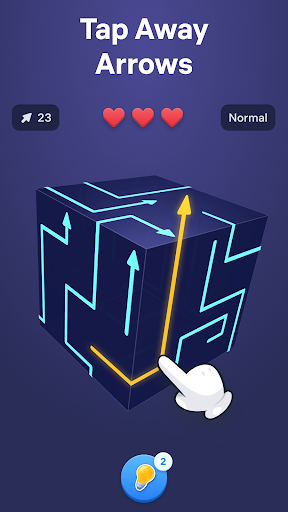
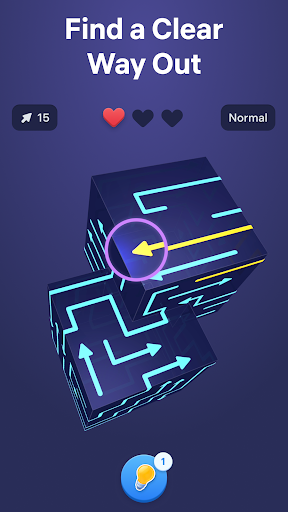
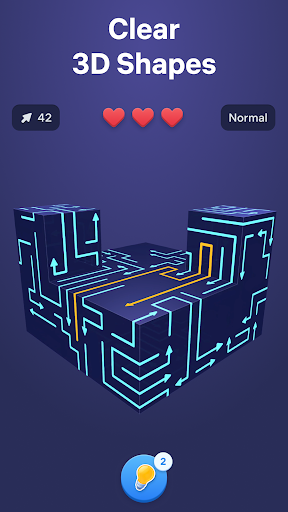
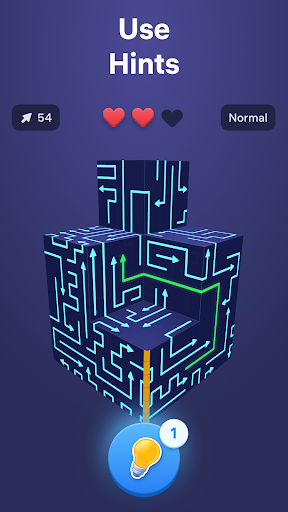
Arrow Puzzle 3D is a puzzle game that teases your brain as you tap arrows in the right order to clear a 3D board. Find free paths, open more space with every move, and watch each shape open up as the puzzle unfolds. The added depth of the 3D layouts makes every level mentally engaging, rewarding careful observation, smart planning, and satisfying solutions.
Why you'll love Arrow Puzzle 3D:
• Relaxing gameplay
Arrow Puzzle 3D combines calm visuals with clever challenges that are easy to follow and rewarding to solve. Every board feels clear and readable while still pushing you to think ahead.
• Simple controls, satisfying flow
Tap arrows when their path is free and clear the board piece by piece. The controls are easy to learn, making offline tap games smooth, accessible, and satisfying from the very first level.
• Smart puzzle challenge
As new obstacles appear and layouts become more complex, each puzzle asks for more careful planning. Every move changes the board, creating fresh arrow out situations and new ways to progress.
How to play:
• Study the 3D board and see where each arrow points.
• Tap arrows only when nothing blocks their movement.
• Remove pieces in the right order to create more space.
• Clear the full shape to solve each arrow puzzle game.
• Use hints when stuck and enjoy the smooth tap away gameplay.
How to master the arrow game:
• Start with moves that open larger areas of the board.
• Think a few taps ahead before making your next choice.
• Watch how every action changes the puzzle.
• Use logic and stay focused to solve harder puzzles and more advanced 3D layouts.
Free puzzle games for adults become more satisfying when every move creates visible progress. Arrow Puzzle 3D combines smooth tap away mechanics, clear visual logic, and smart 3D design to keep each challenge engaging from start to finish. Every new board introduces fresh layouts, blocked paths, and clever solutions that reward careful thinking without breaking the calm flow of the game.
From quick breaks to longer sessions, the offline arrow game delivers a smooth balance of challenge and relaxation. Clear satisfying 3D shapes, discover the right way out, and enjoy the steady rhythm of smart puzzles that become more rewarding with every move.
Terms of Use:
https://easybrain.com/terms
Privacy Policy:
https://easybrain.com/privacy
Más detalles

1. Descargar el instalador de MEmu y finalice la instalación

2. Iniciar MEmu y abrir Google Play en la página de inicio

3. Buscar Arrow Puzzle 3D - Arrows Out en Google Play
Install
4. Descargar y instalar Arrow Puzzle 3D - Arrows Out
5. Hacer click al icono para iniciar

6. Disfruta jugando Arrow Puzzle 3D - Arrows Out en PC con MEmu
MEmu App Player es el mejor emulador de Android gratuito y 50 millones de personas ya están disfrutando su magnífica experiencia jugando en Android. La tecnología de virtualización de MEmu te permite jugar a miles de juegos Android suavemente en tu PC, incluso los más intensivos gráficamente.
Pantalla más grande con mejores gráficos; Larga duración, sin limitación de batería o datos móviles.
Soporte completo de keymapping para un control preciso del teclado y el mouse o gamepad.
Múltiples cuentas de juegos o tareas en una sola PC a la vez con el administrador de instancias múltiples.
Play Arrow Puzzle 3D - Arrows Out on PC by following steps: