Arrow Puzzle 3D - Arrows Out
อัปเดตเมื่อ
เวอร์ชันปัจจุบัน
1.0.0
ให้บริการโดย

เวลาคุณเล่น Arrow Puzzle 3D - Arrows Out, คุณอาจรู้สึกว่ามือคุณอาจบังจอแล้วทำให้ไม่ได้เล่นแบบเต็มที่. เล่นแบบไร้ขีดจำกัดด้วยเม้าส์และคีย์บอร์ด. MEmu มีตัวเลือกหลายอย่างให้คุณใช้งานเกมที่คุณเล่นแบบที่คุณต้องการ. ดาวน์โหลดและเล่น Arrow Puzzle 3D - Arrows Out บน PC. เล่นนานแค่ไหนก็ได้, ไม่ต้องชาร์จแบตเตอรี่, หรือเจอคนโทรเข้ามาระหว่างเล่น. MEmu 9 เป็นตัวเลือกสำหรับการเล่น Arrow Puzzle 3D - Arrows Out บน PC. ทางทีมงานเราได้ปรับแต่งเกม, ปรับให้เล่นเกมบางเกมได้เหมือนเล่น Arrow Puzzle 3D - Arrows Out เป็นเกม PC เช่นเล็งด้วยเม้าส์หรือใช้คีย์บอร์ด. ระบบของเรายังทำให้คุณสามารถเปิดเล่นได้มากกว่า 2 เกมพร้อมๆกันในคอมของคุณ. และที่สำคัญที่สุด, ระบบโปรแกรมของเราสามารถทำให้คุณใช้ระบบของ PC ทำให้เกมลื่นเหมือนกับใช้โทรศัพท์รุ่นล่าสุด. เราไม่ได้ดูแลเรื่องการเล่นเกม, แต่เราดูแลถึงความสนุกสนานที่คุณได้จากการเล่นด้วย.
แสดงเพิ่มเติม
ดาวน์โหลด Arrow Puzzle 3D - Arrows Out บน PC ด้วย MEmu Android Emulator สนุกกับการเล่นบนหน้าจอขนาดใหญ่ Arrow Puzzle 3D is a puzzle game that teases your brain as you tap arrows in the right order to clear a 3D board.
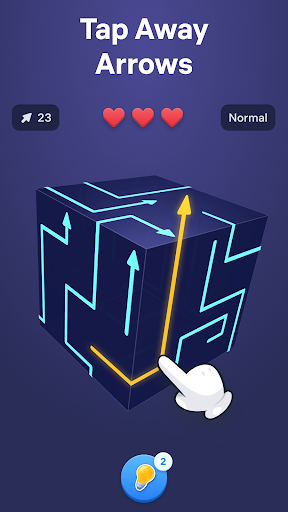
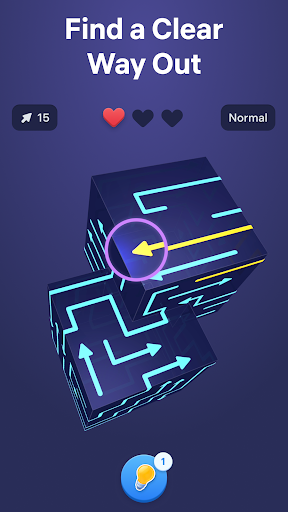
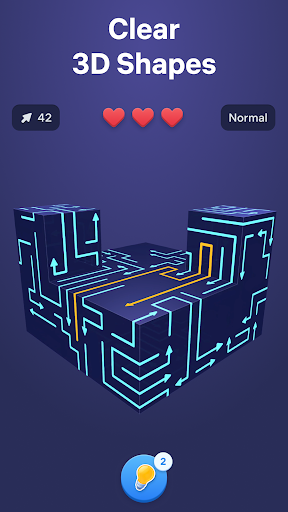
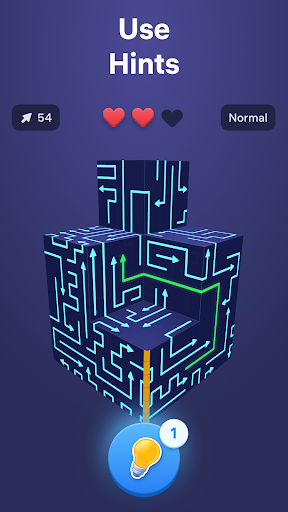
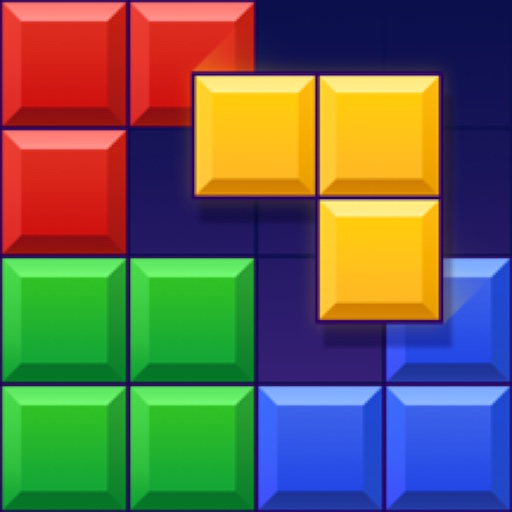
Arrow Puzzle 3D is a puzzle game that teases your brain as you tap arrows in the right order to clear a 3D board. Find free paths, open more space with every move, and watch each shape open up as the puzzle unfolds. The added depth of the 3D layouts makes every level mentally engaging, rewarding careful observation, smart planning, and satisfying solutions.
Why you'll love Arrow Puzzle 3D:
• Relaxing gameplay
Arrow Puzzle 3D combines calm visuals with clever challenges that are easy to follow and rewarding to solve. Every board feels clear and readable while still pushing you to think ahead.
• Simple controls, satisfying flow
Tap arrows when their path is free and clear the board piece by piece. The controls are easy to learn, making offline tap games smooth, accessible, and satisfying from the very first level.
• Smart puzzle challenge
As new obstacles appear and layouts become more complex, each puzzle asks for more careful planning. Every move changes the board, creating fresh arrow out situations and new ways to progress.
How to play:
• Study the 3D board and see where each arrow points.
• Tap arrows only when nothing blocks their movement.
• Remove pieces in the right order to create more space.
• Clear the full shape to solve each arrow puzzle game.
• Use hints when stuck and enjoy the smooth tap away gameplay.
How to master the arrow game:
• Start with moves that open larger areas of the board.
• Think a few taps ahead before making your next choice.
• Watch how every action changes the puzzle.
• Use logic and stay focused to solve harder puzzles and more advanced 3D layouts.
Free puzzle games for adults become more satisfying when every move creates visible progress. Arrow Puzzle 3D combines smooth tap away mechanics, clear visual logic, and smart 3D design to keep each challenge engaging from start to finish. Every new board introduces fresh layouts, blocked paths, and clever solutions that reward careful thinking without breaking the calm flow of the game.
From quick breaks to longer sessions, the offline arrow game delivers a smooth balance of challenge and relaxation. Clear satisfying 3D shapes, discover the right way out, and enjoy the steady rhythm of smart puzzles that become more rewarding with every move.
Terms of Use:
https://easybrain.com/terms
Privacy Policy:
https://easybrain.com/privacy
แสดงเพิ่มเติม

1. ดาวน์โหลดตัวติดตั้ง MEmu และสิ้นสุดการติดตั้ง

2. เริ่ม MEmu จากนั้นเปิด Google Play บนหน้าแรก

3. ค้นหา Arrow Puzzle 3D - Arrows Out ใน Google Play
Install
4. ดาวน์โหลดและติดตั้ง Arrow Puzzle 3D - Arrows Out
5. เมื่อติดตั้งเสร็จให้คลิกที่ไอคอนเพื่อเริ่มใช้งาน

6. สนุกกับการเล่น Arrow Puzzle 3D - Arrows Out บนพีซีด้วย MEmu
MEmu App Player เป็นอีมูเลเตอร์ Android ที่ดีที่สุดและผู้คนกว่า 50 ล้านคนเพลิดเพลินไปกับประสบการณ์การเล่นเกม Android ที่ยอดเยี่ยม เทคโนโลยีการจำลองเสมือนของ MEmu ช่วยให้คุณเล่นเกม Android หลายพันเกมได้อย่างราบรื่นบนพีซีของคุณแม้แต่เกมที่ต้องใช้กราฟิกมากที่สุด
จอใหญ่และกราฟฟิกสวยกว่า; เล่นได้นาน, ไม่ต้องใช้แบตเตอรี่โทรศัพท์หรือเน็ตโทรศัพท์.
ระบบปรับแต่งปุ่มคีย์บอร์ดและเม้าส์ตามที่คุณเลือก
เล่นมากกว่าหนึ่งเกมบน PC ในเวลาเดียวกันด้วยระบบหลายจอหรือ Multi-Instance manager.
Play Arrow Puzzle 3D - Arrows Out on PC by following steps: