Hypnospace Outlaw
Aggiornata
Versione corrente
Offerta da

Vista tutta la passione dimostrata nel giocare a Hypnospace Outlaw, le tue mani non dovrebbero essere limitate al minuscolo schermo di un telefono. Gioca come un professionista e ottieni il pieno controllo del gioco con tastiera e mouse. MEmu ti offre tutto ciò che ti aspetti. Scarica e gioca a Hypnospace Outlaw su PC. Gioca quanto vuoi, niente più limitazioni di batteria, dati mobili e chiamate inquietanti. Il nuovissimo MEmu 9 è la scelta migliore per giocare a Hypnospace Outlaw su PC. Realizzato sulla base della nostra esperienza, lo squisito sistema di mappatura dei tasti preimpostati rende Hypnospace Outlaw un vero e proprio gioco per PC. MEmu è un gestore multi-instanza che permette di giocare con 2 o più account sullo stesso dispositivo. E la cosa più importante, il nostro esclusivo motore di emulazione può liberare tutto il potenziale del tuo PC, rendendo tutto fluido.
Mostra altro
Scarica Hypnospace Outlaw su PC con MEmu Android Emulator. Divertiti giocando sul grande schermo. *NOTICE*: Game content is currently available in English only.
*NOTICE*: Game content is currently available in English only. Play the beginning for free. A one-time in-app purchase unlocks the full game. No ads.
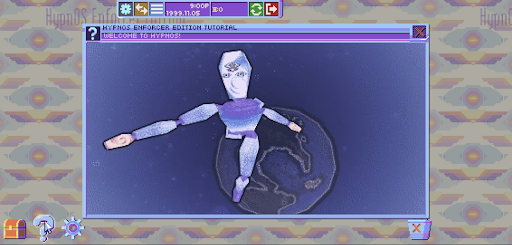
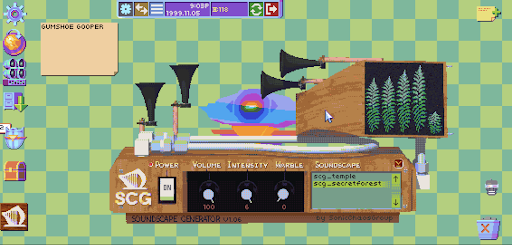
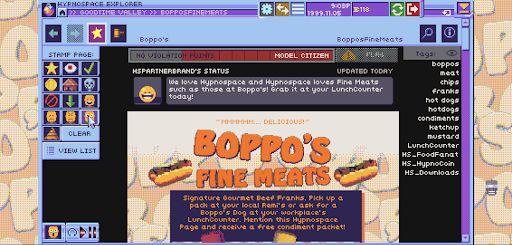
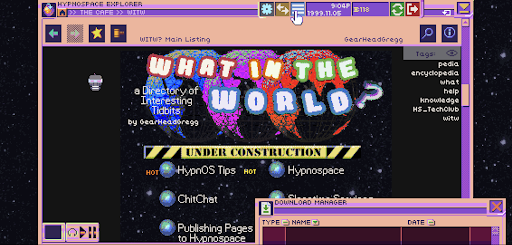
Hypnospace Outlaw is a '90s internet simulator in which you scour Hypnospace's wide variety of weird and wonderful websites to hunt down wrongdoers, while also keeping an eye on your inbox, avoiding viruses and adware, and downloading a plethora of apps that may or may not be useful.
As part of your job as a Hypnospace Enforcer, you'll be watching out for copyright infringement, internet bullying and more, with reports and rewards coming direct from the Hypnospace Patrol Department to your inbox. In your spare time, you can customize your HypnOS desktop however you see fit, with a variety of downloads, wallpapers, screensavers and helper bots to keep you company.
So slip on your Hypnospace Headband™, and keep these key directives in mind:
- Crawl through Cyberspace: Scour the darkest corners of the Web for scumbag users who violate Hypnospace law!
- Dangers and delights: Download groovy GIFS and MIDI files, but watch out for adware, toolbars and hackers!
- Treasure hunting: Do your job to earn HypnoCoins, or ignore your inbox and go hunting for hidden pages, downloads and secrets!
- Relive your childhood: Equip obnoxious screensavers and skins for your desktop, and wiggle your mouse pointer around to make pages load faster!
Optimized for mobile with full touch controls and revamped UI!
Mostra altro

1. Scarica il programma di installazione di MEmu e completa l'installazione

2. Avvia il Memu e apri il Google Play sulla homepage

3. Cerca Hypnospace Outlaw in Google Play
Install
4. Scarica e installa Hypnospace Outlaw
5. Al termine dell'installazione, fai clic sull'icona per avviar

6. Divertiti giocando a Hypnospace Outlaw su PC con MEmu
MEmu App Player è il miglior emulatore Android gratuito, utilizzato da 50 milioni di persone per ottenere un'esperienza di gioco Android superba. La tecnilogia di virtualizzazione MEmu ti permette di giocare a migliaia di giochi Android con semplicità sul tuo computer, anche i giochi con la grafica più esigente.
Schermo più grande con una grafica migliore; Lunga durata, senza limitazione di batteria o dati mobili.
Supporto completo per mappa di tastiera per un controllo preciso di tastiera e mouse o gamepad.
Multipli account di gioco o attività su un singolo PC contemporaneamente con il gestore di multi istanza.
Play Hypnospace Outlaw on PC by following steps: