Last Valkyrie: Gunlily
Aggiornata
Versione corrente
Offerta da

Vista tutta la passione dimostrata nel giocare a Last Valkyrie: Gunlily, le tue mani non dovrebbero essere limitate al minuscolo schermo di un telefono. Gioca come un professionista e ottieni il pieno controllo del gioco con tastiera e mouse. MEmu ti offre tutto ciò che ti aspetti. Scarica e gioca a Last Valkyrie: Gunlily su PC. Gioca quanto vuoi, niente più limitazioni di batteria, dati mobili e chiamate inquietanti. Il nuovissimo MEmu 9 è la scelta migliore per giocare a Last Valkyrie: Gunlily su PC. Realizzato sulla base della nostra esperienza, lo squisito sistema di mappatura dei tasti preimpostati rende Last Valkyrie: Gunlily un vero e proprio gioco per PC. MEmu è un gestore multi-instanza che permette di giocare con 2 o più account sullo stesso dispositivo. E la cosa più importante, il nostro esclusivo motore di emulazione può liberare tutto il potenziale del tuo PC, rendendo tutto fluido.
Mostra altro
Scarica Last Valkyrie: Gunlily su PC con MEmu Android Emulator. Divertiti giocando sul grande schermo. ast Valkyrie: Gunlily.



ast Valkyrie: Gunlily
Welcome to a world shattered by apocalypse.
Alien technology reshaped human civilization. The old empire forged the Valkyrie corps through brutal human modification programs. Countless young girls were turned into living weapons, while the truth of these atrocities was buried deep beneath ruins. Gather the surviving fugitive valkyries. Journey across frozen tundras, vast oceans and fractured city states, collect incriminating archives and stand against the formidable New Order regime.
【Game Features】
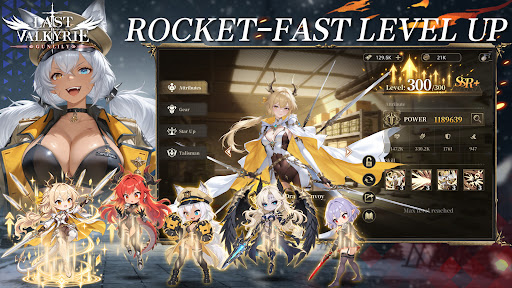
▸ Relaxed Idle RPG Gameplay Gain resources even while offline. Build your combat squad wisely and advance through stages with auto battle. Experience the full grand storyline during your spare fragmented time.
▸ Deep Post apocalyptic Story driven Experience Immersive motion comic style main story. Multiple conflicting factions: Templar Knights, the reclusive Hellsing clan, and the neutral Silver Union trade syndicate. Each valkyrie has her own unique back story. Uncover the dreadful conspiracy behind the Tyrant Purge Protocol.
▸ Strategic Squad Building Collect dozens of valkyrie heroines with one of a kind modified combat powers. Mix faction synergies, equipment and exclusive special skills to build your squad for PVE dungeons and tough boss encounters.
▸ Cinematic Hand drawn 2D Anime Cut scenes Key story moments brought to life with hand drawn 2D anime PV. Grim dark wasteland art style, delivering an authentic motion comic viewing experience.
▸ Comprehensive Character Progression Level up, awakening, equipment refinement and affinity systems unlock personal character episodes. Uncover the tragic past hidden under each heroine’s experimental scars.
Beneath the false golden age built upon lies, the doomsday clock keeps ticking. Flight is over, and resistance begins. Travel from frozen tundra to storm ravaged northern seas. Lead your valkyries and fight for all those who yearn to survive.
Mostra altro

1. Scarica il programma di installazione di MEmu e completa l'installazione

2. Avvia il Memu e apri il Google Play sulla homepage

3. Cerca Last Valkyrie: Gunlily in Google Play
Install
4. Scarica e installa Last Valkyrie: Gunlily
5. Al termine dell'installazione, fai clic sull'icona per avviar

6. Divertiti giocando a Last Valkyrie: Gunlily su PC con MEmu
MEmu App Player è il miglior emulatore Android gratuito, utilizzato da 50 milioni di persone per ottenere un'esperienza di gioco Android superba. La tecnilogia di virtualizzazione MEmu ti permette di giocare a migliaia di giochi Android con semplicità sul tuo computer, anche i giochi con la grafica più esigente.
Schermo più grande con una grafica migliore; Lunga durata, senza limitazione di batteria o dati mobili.
Supporto completo per mappa di tastiera per un controllo preciso di tastiera e mouse o gamepad.
Multipli account di gioco o attività su un singolo PC contemporaneamente con il gestore di multi istanza.
Play Last Valkyrie: Gunlily on PC by following steps: