Last Valkyrie: Gunlily
Aktualisiert
Aktuelle Version
Angeboten von

Bei all Ihrer Leidenschaft für das Spielen von Last Valkyrie: Gunlily sollten Ihre Hände nicht auf einen winzigen Bildschirm Ihres Telefons beschränkt sein. Spielen Sie wie ein Profi und übernehmen Sie die volle Kontrolle über Ihr Spiel mit Tastatur und Maus. MEmu bietet Ihnen all die Dinge, die Sie erwarten. Laden Sie Last Valkyrie: Gunlily herunter und spielen Sie es auf dem PC. Spielen Sie so lange, wie Sie wollen, ohne Grenzwerte für Akku, mobile Daten und störende Anrufe. Das brandneue MEmu 9 ist die beste Wahl, um Last Valkyrie: Gunlily auf dem PC zu spielen. Das exquisite voreingestellte Tastaturbelegungssystem, das mit unserem Fachwissen vorbereitet wurde, macht Last Valkyrie: Gunlily zu einem echten PC-Spiel. Der MEmu Multi-Instanz-Manager ermöglicht das Spielen von 2 oder mehr Konten auf demselben Gerät. Und das Wichtigste: Unsere exklusive Emulations-Engine kann das volle Potenzial Ihres PCs freisetzen und für reibungslose Abläufe sorgen.
Mehr anzeigen
Laden Sie Play Last Valkyrie: Gunlily auf dem PC mit MEmu Android Emulator. Viel Spaß beim Spielen auf großmundieren. ast Valkyrie: Gunlily.



ast Valkyrie: Gunlily
Welcome to a world shattered by apocalypse.
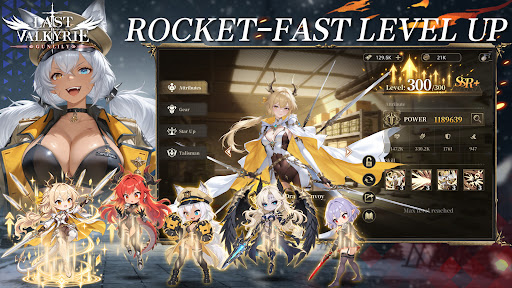
Alien technology reshaped human civilization. The old empire forged the Valkyrie corps through brutal human modification programs. Countless young girls were turned into living weapons, while the truth of these atrocities was buried deep beneath ruins. Gather the surviving fugitive valkyries. Journey across frozen tundras, vast oceans and fractured city states, collect incriminating archives and stand against the formidable New Order regime.
【Game Features】
▸ Relaxed Idle RPG Gameplay Gain resources even while offline. Build your combat squad wisely and advance through stages with auto battle. Experience the full grand storyline during your spare fragmented time.
▸ Deep Post apocalyptic Story driven Experience Immersive motion comic style main story. Multiple conflicting factions: Templar Knights, the reclusive Hellsing clan, and the neutral Silver Union trade syndicate. Each valkyrie has her own unique back story. Uncover the dreadful conspiracy behind the Tyrant Purge Protocol.
▸ Strategic Squad Building Collect dozens of valkyrie heroines with one of a kind modified combat powers. Mix faction synergies, equipment and exclusive special skills to build your squad for PVE dungeons and tough boss encounters.
▸ Cinematic Hand drawn 2D Anime Cut scenes Key story moments brought to life with hand drawn 2D anime PV. Grim dark wasteland art style, delivering an authentic motion comic viewing experience.
▸ Comprehensive Character Progression Level up, awakening, equipment refinement and affinity systems unlock personal character episodes. Uncover the tragic past hidden under each heroine’s experimental scars.
Beneath the false golden age built upon lies, the doomsday clock keeps ticking. Flight is over, and resistance begins. Travel from frozen tundra to storm ravaged northern seas. Lead your valkyries and fight for all those who yearn to survive.
Mehr anzeigen

1. Laden das MEmu-Installationsprogramm herunter und beenden die Installation

2. MEmu starten und Google Play auf der Homepage öffnen

3. Suchen Last Valkyrie: Gunlily in Google Play
Install
4. Herunterladen und Installieren Last Valkyrie: Gunlily
5. Klicken nach Abschluss der Installation auf das Symbol, um es zu starten

6. Viel Spaß beim Spielen von Last Valkyrie: Gunlily auf dem PC mit MEmu
MEmu App Player ist der beste kostenlose Android-Emulator und 50 Millionen Menschen genießen bereits seine hervorragende Android-Gaming-Erfahrung. Mit der MEmu-Virtualisierungstechnologie können Sie Tausende von Android-Spielen problemlos auf Ihrem PC spielen, selbst bei grafikintensiven Spielen.
BGrößeres Bild mit besserer Grafik; Keine unterbrechungen, keine sorgen um Akku
Komplette Tastenbelegung unterstützt mit Maus und Tastatur oder Controller
Mit dem „Multi-Instance-Manager“ können Sie mehrere Spielkonten oder Spiele gleichzeitig auf einem PC ausführen.
Play Last Valkyrie: Gunlily on PC by following steps: