Last Valkyrie: Gunlily
Updated
Current Version
Offered By

With your passion for Last Valkyrie: Gunlily, you shouldn’t have to limit yourself to the small screen of a phone. Play like a pro and take full control of the game using a keyboard and mouse. MEmu gives you everything you’re looking for. Download and play Last Valkyrie: Gunlily on PC. Play as long as you want — no more worries about battery life, mobile data, or unexpected calls. The all-new MEmu 9 is the best way to play Last Valkyrie: Gunlily on PC. With our expertly designed keymapping system, Last Valkyrie: Gunlily feels just like a real PC game. The MEmu multi-instance manager lets you run two or more accounts on the same device at the same time. Most importantly, our exclusive emulation engine unlocks your PC’s full potential, delivering smooth and seamless performance.
Show more
Download Last Valkyrie: Gunlily on PC with MEmu Android Emulator. Enjoy playing on big screen. ast Valkyrie: Gunlily.


ast Valkyrie: Gunlily
Welcome to a world shattered by apocalypse.
Alien technology reshaped human civilization. The old empire forged the Valkyrie corps through brutal human modification programs. Countless young girls were turned into living weapons, while the truth of these atrocities was buried deep beneath ruins. Gather the surviving fugitive valkyries. Journey across frozen tundras, vast oceans and fractured city states, collect incriminating archives and stand against the formidable New Order regime.
【Game Features】
▸ Relaxed Idle RPG Gameplay Gain resources even while offline. Build your combat squad wisely and advance through stages with auto battle. Experience the full grand storyline during your spare fragmented time.
▸ Deep Post apocalyptic Story driven Experience Immersive motion comic style main story. Multiple conflicting factions: Templar Knights, the reclusive Hellsing clan, and the neutral Silver Union trade syndicate. Each valkyrie has her own unique back story. Uncover the dreadful conspiracy behind the Tyrant Purge Protocol.
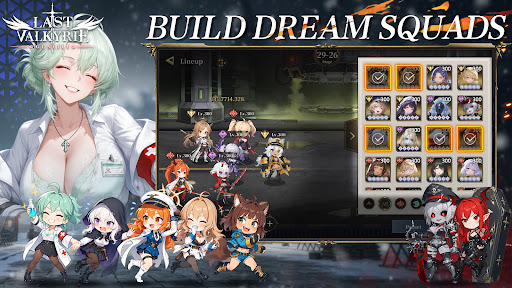
▸ Strategic Squad Building Collect dozens of valkyrie heroines with one of a kind modified combat powers. Mix faction synergies, equipment and exclusive special skills to build your squad for PVE dungeons and tough boss encounters.
▸ Cinematic Hand drawn 2D Anime Cut scenes Key story moments brought to life with hand drawn 2D anime PV. Grim dark wasteland art style, delivering an authentic motion comic viewing experience.
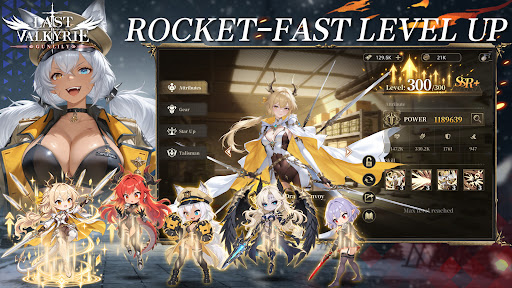
▸ Comprehensive Character Progression Level up, awakening, equipment refinement and affinity systems unlock personal character episodes. Uncover the tragic past hidden under each heroine’s experimental scars.
Beneath the false golden age built upon lies, the doomsday clock keeps ticking. Flight is over, and resistance begins. Travel from frozen tundra to storm ravaged northern seas. Lead your valkyries and fight for all those who yearn to survive.
Show more

1. Download MEmu installer and finish the setup

2. Start MEmu then open Google Play on the desktop

3. Search Last Valkyrie: Gunlily in Google Play
Install
4. Download and Install Last Valkyrie: Gunlily
5. On install completion click the icon to start

6. Enjoy playing Last Valkyrie: Gunlily on PC with MEmu
MEmu Play is the best Android emulator and 100 million people already enjoy its superb Android gaming experience. The MEmu virtualization technology empowers you to play thousands of Android games smoothly on your PC, even the most graphic-intensive ones.
Bigger screen with better graphics; Long duration, without limitation of battery or mobile data.
Full Keymapping support for precise control of keyboard and mouse or gamepad.
Multiple game accounts or tasks on single PC at one time with Multi-Instance manager.
Play Last Valkyrie: Gunlily on PC by following steps: