Last Valkyrie: Gunlily
Actualizada
Versión actual
Ofrecida por

Con toda tu pasión para jugar Last Valkyrie: Gunlily, no se supone que tus manos estén limitadas en una pequeña pantalla de tu teléfono. Juega como un profesional y obtén el control total de tu juego con el teclado y el mouse. MEmu le ofrece todas las cosas que espera. Descargar y jugar Last Valkyrie: Gunlily en PC. Juega todo el tiempo que quieras, sin más limitaciones de batería, datos móviles y llamadas molestas. El nuevo MEmu 9 es la mejor opción para jugar Last Valkyrie: Gunlily en PC. Preparado con nuestra experiencia, el exquisito sistema de keymapping preestablecido convierte a Last Valkyrie: Gunlily en un verdadero juego de PC. Codificado con nuestra absorción, el administrador de instancias múltiples hace posible jugar 2 o más cuentas en el mismo dispositivo. Y lo más importante, nuestro exclusivo motor de emulación puede liberar todo el potencial de su PC, hacer que todo sea más fluido. Nos importa no solo cómo juegas, sino también todo el proceso de disfrutar de la felicidad de los juegos.
Más detalles
Descargar Last Valkyrie: Gunlily en PC con MEmu Android Emulador. Disfruta jugando en la pentalla grande. ast Valkyrie: Gunlily.



ast Valkyrie: Gunlily
Welcome to a world shattered by apocalypse.
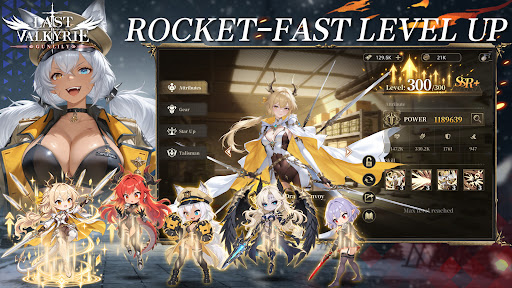
Alien technology reshaped human civilization. The old empire forged the Valkyrie corps through brutal human modification programs. Countless young girls were turned into living weapons, while the truth of these atrocities was buried deep beneath ruins. Gather the surviving fugitive valkyries. Journey across frozen tundras, vast oceans and fractured city states, collect incriminating archives and stand against the formidable New Order regime.
【Game Features】
▸ Relaxed Idle RPG Gameplay Gain resources even while offline. Build your combat squad wisely and advance through stages with auto battle. Experience the full grand storyline during your spare fragmented time.
▸ Deep Post apocalyptic Story driven Experience Immersive motion comic style main story. Multiple conflicting factions: Templar Knights, the reclusive Hellsing clan, and the neutral Silver Union trade syndicate. Each valkyrie has her own unique back story. Uncover the dreadful conspiracy behind the Tyrant Purge Protocol.
▸ Strategic Squad Building Collect dozens of valkyrie heroines with one of a kind modified combat powers. Mix faction synergies, equipment and exclusive special skills to build your squad for PVE dungeons and tough boss encounters.
▸ Cinematic Hand drawn 2D Anime Cut scenes Key story moments brought to life with hand drawn 2D anime PV. Grim dark wasteland art style, delivering an authentic motion comic viewing experience.
▸ Comprehensive Character Progression Level up, awakening, equipment refinement and affinity systems unlock personal character episodes. Uncover the tragic past hidden under each heroine’s experimental scars.
Beneath the false golden age built upon lies, the doomsday clock keeps ticking. Flight is over, and resistance begins. Travel from frozen tundra to storm ravaged northern seas. Lead your valkyries and fight for all those who yearn to survive.
Más detalles

1. Descargar el instalador de MEmu y finalice la instalación

2. Iniciar MEmu y abrir Google Play en la página de inicio

3. Buscar Last Valkyrie: Gunlily en Google Play
Install
4. Descargar y instalar Last Valkyrie: Gunlily
5. Hacer click al icono para iniciar

6. Disfruta jugando Last Valkyrie: Gunlily en PC con MEmu
MEmu App Player es el mejor emulador de Android gratuito y 50 millones de personas ya están disfrutando su magnífica experiencia jugando en Android. La tecnología de virtualización de MEmu te permite jugar a miles de juegos Android suavemente en tu PC, incluso los más intensivos gráficamente.
Pantalla más grande con mejores gráficos; Larga duración, sin limitación de batería o datos móviles.
Soporte completo de keymapping para un control preciso del teclado y el mouse o gamepad.
Múltiples cuentas de juegos o tareas en una sola PC a la vez con el administrador de instancias múltiples.
Play Last Valkyrie: Gunlily on PC by following steps: