Mad Ducks: Roguelike Defense
Aggiornata
Versione corrente
Offerta da

Vista tutta la passione dimostrata nel giocare a Mad Ducks: Roguelike Defense, le tue mani non dovrebbero essere limitate al minuscolo schermo di un telefono. Gioca come un professionista e ottieni il pieno controllo del gioco con tastiera e mouse. MEmu ti offre tutto ciò che ti aspetti. Scarica e gioca a Mad Ducks: Roguelike Defense su PC. Gioca quanto vuoi, niente più limitazioni di batteria, dati mobili e chiamate inquietanti. Il nuovissimo MEmu 9 è la scelta migliore per giocare a Mad Ducks: Roguelike Defense su PC. Realizzato sulla base della nostra esperienza, lo squisito sistema di mappatura dei tasti preimpostati rende Mad Ducks: Roguelike Defense un vero e proprio gioco per PC. MEmu è un gestore multi-instanza che permette di giocare con 2 o più account sullo stesso dispositivo. E la cosa più importante, il nostro esclusivo motore di emulazione può liberare tutto il potenziale del tuo PC, rendendo tutto fluido.
Mostra altro
Scarica Mad Ducks: Roguelike Defense su PC con MEmu Android Emulator. Divertiti giocando sul grande schermo. ■ One duck.
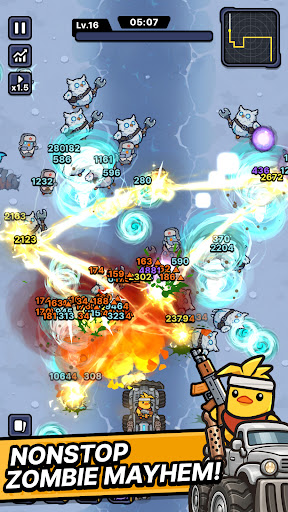
■ One duck. One war truck. A road full of zombies.
The world has fallen and every highway is crawling with the undead.
All that's left is one very angry duck.
Climb into the war truck, hit the gas, and never stop moving.
■ Defense that moves
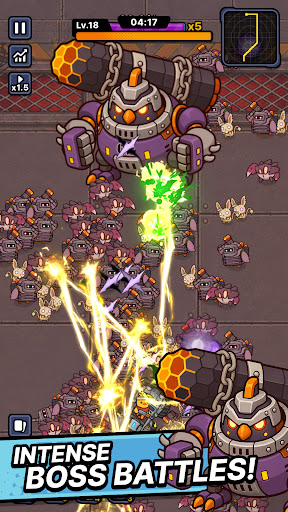
Push forward through waves of zombies closing in from both sides.
This isn't a game about holding a line — it's about breaking through it.
No idle auto-play. Every second asks for a decision.
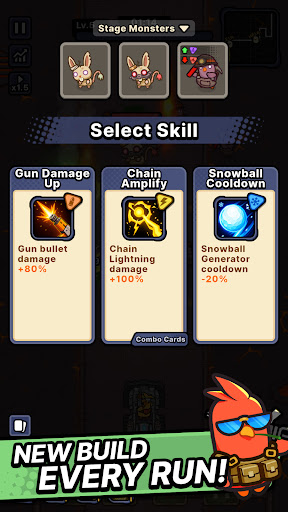
■ Roguelike runs, never the same twice
Pick one weapon at a time as you drive.
Torch the horde with a flamethrower. Melt them down with a venom cannon.
Call down lightning strikes. Cut straight through with a laser cannon.
Or erase the whole road with a proton energy cannon.
Every weapon combination builds a different run.
The same stage never plays out the same way.
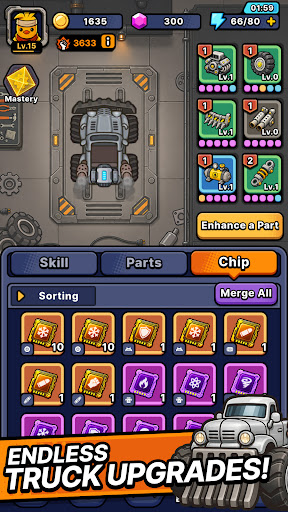
■ Upgrade the war truck
The further you drive, the heavier you roll.
Reinforce your truck, stack on more firepower, and push deeper every run.
■ From zombie farms to ghost towns
Burning farmland. Sandstorm-swept desert highways. A fog-covered ghost city.
Each region brings its own zombies and bosses.
Read enemy types and bring the right weapon.
■ Endless road mode
How far can you get?
Take on an unending horde and push your distance record as far as it goes.
Start the engine. See you down the road.
Mostra altro

1. Scarica il programma di installazione di MEmu e completa l'installazione

2. Avvia il Memu e apri il Google Play sulla homepage

3. Cerca Mad Ducks: Roguelike Defense in Google Play
Install
4. Scarica e installa Mad Ducks: Roguelike Defense
5. Al termine dell'installazione, fai clic sull'icona per avviar

6. Divertiti giocando a Mad Ducks: Roguelike Defense su PC con MEmu
MEmu App Player è il miglior emulatore Android gratuito, utilizzato da 50 milioni di persone per ottenere un'esperienza di gioco Android superba. La tecnilogia di virtualizzazione MEmu ti permette di giocare a migliaia di giochi Android con semplicità sul tuo computer, anche i giochi con la grafica più esigente.
Schermo più grande con una grafica migliore; Lunga durata, senza limitazione di batteria o dati mobili.
Supporto completo per mappa di tastiera per un controllo preciso di tastiera e mouse o gamepad.
Multipli account di gioco o attività su un singolo PC contemporaneamente con il gestore di multi istanza.
Play Mad Ducks: Roguelike Defense on PC by following steps: