Mad Ducks: Roguelike Defense
Updated
Current Version
Offered By

With your passion for Mad Ducks: Roguelike Defense, you shouldn’t have to limit yourself to the small screen of a phone. Play like a pro and take full control of the game using a keyboard and mouse. MEmu gives you everything you’re looking for. Download and play Mad Ducks: Roguelike Defense on PC. Play as long as you want — no more worries about battery life, mobile data, or unexpected calls. The all-new MEmu 9 is the best way to play Mad Ducks: Roguelike Defense on PC. With our expertly designed keymapping system, Mad Ducks: Roguelike Defense feels just like a real PC game. The MEmu multi-instance manager lets you run two or more accounts on the same device at the same time. Most importantly, our exclusive emulation engine unlocks your PC’s full potential, delivering smooth and seamless performance.
Show more
Download Mad Ducks: Roguelike Defense on PC with MEmu Android Emulator. Enjoy playing on big screen. ■ One duck.
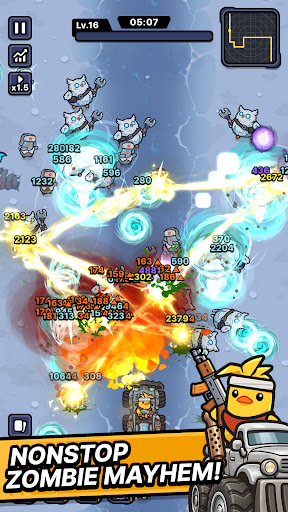
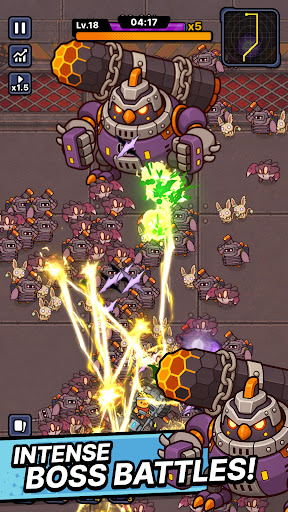
■ One duck. One war truck. A road full of zombies.
The world has fallen and every highway is crawling with the undead.
All that's left is one very angry duck.
Climb into the war truck, hit the gas, and never stop moving.
■ Defense that moves
Push forward through waves of zombies closing in from both sides.
This isn't a game about holding a line — it's about breaking through it.
No idle auto-play. Every second asks for a decision.
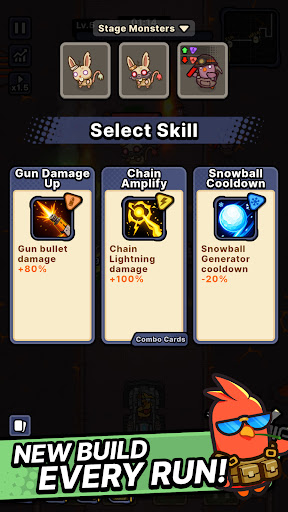
■ Roguelike runs, never the same twice
Pick one weapon at a time as you drive.
Torch the horde with a flamethrower. Melt them down with a venom cannon.
Call down lightning strikes. Cut straight through with a laser cannon.
Or erase the whole road with a proton energy cannon.
Every weapon combination builds a different run.
The same stage never plays out the same way.
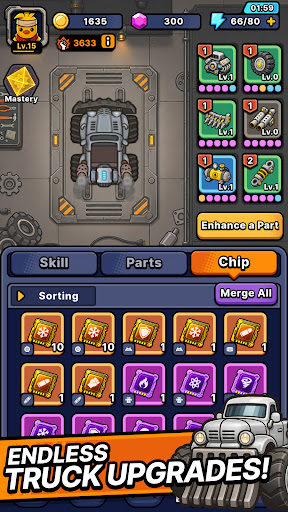
■ Upgrade the war truck
The further you drive, the heavier you roll.
Reinforce your truck, stack on more firepower, and push deeper every run.
■ From zombie farms to ghost towns
Burning farmland. Sandstorm-swept desert highways. A fog-covered ghost city.
Each region brings its own zombies and bosses.
Read enemy types and bring the right weapon.
■ Endless road mode
How far can you get?
Take on an unending horde and push your distance record as far as it goes.
Start the engine. See you down the road.
Show more

1. Download MEmu installer and finish the setup

2. Start MEmu then open Google Play on the desktop

3. Search Mad Ducks: Roguelike Defense in Google Play
Install
4. Download and Install Mad Ducks: Roguelike Defense
5. On install completion click the icon to start

6. Enjoy playing Mad Ducks: Roguelike Defense on PC with MEmu
MEmu Play is the best Android emulator and 100 million people already enjoy its superb Android gaming experience. The MEmu virtualization technology empowers you to play thousands of Android games smoothly on your PC, even the most graphic-intensive ones.
Bigger screen with better graphics; Long duration, without limitation of battery or mobile data.
Full Keymapping support for precise control of keyboard and mouse or gamepad.
Multiple game accounts or tasks on single PC at one time with Multi-Instance manager.
Play Mad Ducks: Roguelike Defense on PC by following steps: