Medabots S
Aggiornata
Versione corrente
Offerta da

Vista tutta la passione dimostrata nel giocare a Medabots S, le tue mani non dovrebbero essere limitate al minuscolo schermo di un telefono. Gioca come un professionista e ottieni il pieno controllo del gioco con tastiera e mouse. MEmu ti offre tutto ciò che ti aspetti. Scarica e gioca a Medabots S su PC. Gioca quanto vuoi, niente più limitazioni di batteria, dati mobili e chiamate inquietanti. Il nuovissimo MEmu 9 è la scelta migliore per giocare a Medabots S su PC. Realizzato sulla base della nostra esperienza, lo squisito sistema di mappatura dei tasti preimpostati rende Medabots S un vero e proprio gioco per PC. MEmu è un gestore multi-instanza che permette di giocare con 2 o più account sullo stesso dispositivo. E la cosa più importante, il nostro esclusivo motore di emulazione può liberare tutto il potenziale del tuo PC, rendendo tutto fluido.
Mostra altro
Scarica Medabots S su PC con MEmu Android Emulator. Divertiti giocando sul grande schermo. Experience the thrilling 3v3 command-based robot battles known as "Robattles," now fully optimized for your smartphone!
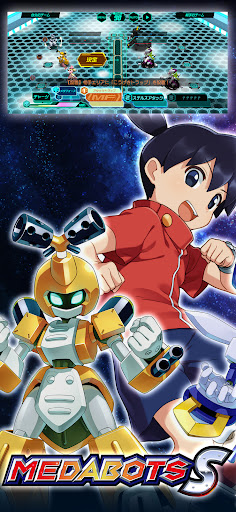
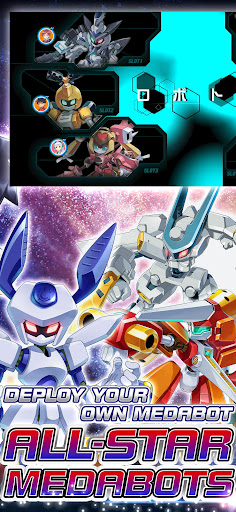
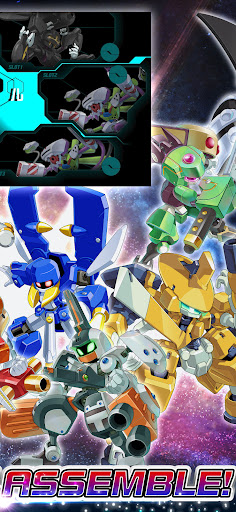
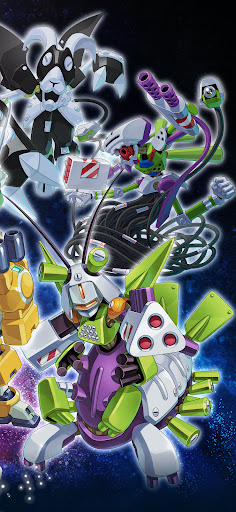
Experience the thrilling 3v3 command-based robot battles known as "Robattles," now fully optimized for your smartphone!
▼Game Features
・The iconic 3v3 command battle system from the Medabots series is finally on mobile!
・Deep customization features taken to the next level!
・Immerse yourself in a completely original, gripping story!
・Fan-favorite characters from across the entire series history join the fight!
▼Game System
【Customization】
・Collect a vast array of parts and Medals through various in-game activities!
・Equip parts and Medals strategically, balancing roles and compatibility.
・Endless combinations! Finding the perfect setup for your strategy is the key to victory.
【Training & Upgrades】
・Power up your favorite gear with an all-new parts upgrade system!
・Deepen your strategy by leveling up the specific parts you love.
【Command Battle System】
・Engage in strategic and tactical 3v3 robot battles.
・Select commands for each part and watch your Medabots spring into action!
・Unleash devastating skills the moment your Medabot reaches the Active Line!
・Destroy the head part of the enemy leader to claim ultimate victory!
・Conquer original quests exclusive to this title with your customized squad!
▼About Medabots
Medabots are autonomous friend robots with their own artificial intelligence and personalities. A Medabot is built by attaching four parts—the Head, Right Arm, Left Arm, and Legs—to a metal framework called a "Tinpet," and inserting a "Medal" that acts as its brain. Standing at about 1 meter tall, they possess intelligence and emotions that rival or even surpass humans.
They exploded in popularity due to the ease of swapping parts and a unique world where they can even be bought at convenience stores! Their presence spread like wildfire alongside the boom of "Robattle"—the ultimate tactical sport where Medabots face off in battle.
© Imagineer Co., Ltd.
Mostra altro

1. Scarica il programma di installazione di MEmu e completa l'installazione

2. Avvia il Memu e apri il Google Play sulla homepage

3. Cerca Medabots S in Google Play
Install
4. Scarica e installa Medabots S
5. Al termine dell'installazione, fai clic sull'icona per avviar

6. Divertiti giocando a Medabots S su PC con MEmu
MEmu App Player è il miglior emulatore Android gratuito, utilizzato da 50 milioni di persone per ottenere un'esperienza di gioco Android superba. La tecnilogia di virtualizzazione MEmu ti permette di giocare a migliaia di giochi Android con semplicità sul tuo computer, anche i giochi con la grafica più esigente.
Schermo più grande con una grafica migliore; Lunga durata, senza limitazione di batteria o dati mobili.
Supporto completo per mappa di tastiera per un controllo preciso di tastiera e mouse o gamepad.
Multipli account di gioco o attività su un singolo PC contemporaneamente con il gestore di multi istanza.
Play Medabots S on PC by following steps: