Medabots S
Zaktualizowano
Aktualna wersja
Sprzedawca

Przy całej swojej pasji do grania w Medabots S, twoje ręce nie powinny być ograniczone na małym ekranie telefonu. Graj jak zawodowiec i uzyskaj pełną kontrolę nad grą za pomocą klawiatury i myszy. MEmu oferuje ci wszystko, czego oczekujesz. Pobierz i graj Medabots S na PC. Graj tak długo, jak chcesz, bez ograniczeń baterii, danych komórkowych i niepokojących połączeń. Zupełnie nowy MEmu 9 to najlepszy wybór do grania w Medabots S na PC. Przygotowany dzięki naszej wiedzy, znakomity, wstępnie ustawiony system mapowania klawiszy sprawia, że Medabots S jest prawdziwą grą na PC. Zakodowany naszą absorpcją, menedżer wielu instancji umożliwia granie na 2 lub więcej kontach na tym samym urządzeniu. A co najważniejsze, nasz emulator może uwolnić pełny potencjał twojego komputera, sprawić, że wszystko będzie płynne. Dbamy nie tylko o to, jak grasz, ale także o cały proces czerpania radości z grania.
Pokaż więcej
Ciesz się wspaniałym doświadczeniem podczas grania w Medabots S na komputerze z aplikacją MEMU App Player. Jest to potężny darmowy emulator Androida pozwalający grać w tysiące gier na Androida. Experience the thrilling 3v3 command-based robot battles known as "Robattles," now fully optimized for your smartphone!
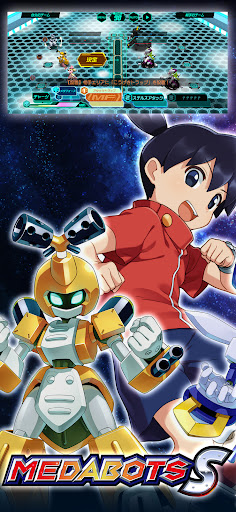
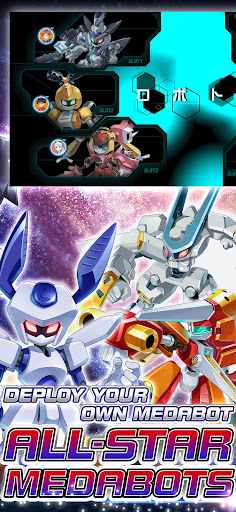
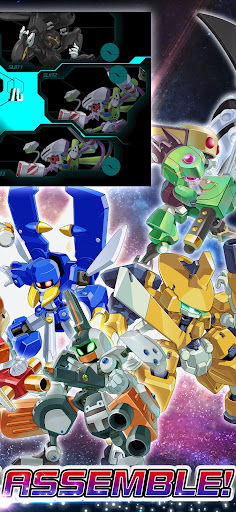
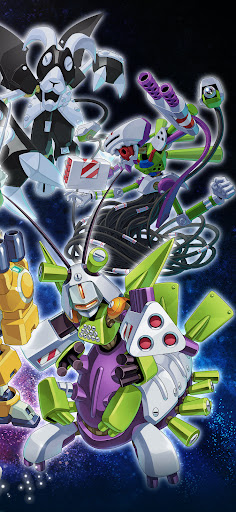
Experience the thrilling 3v3 command-based robot battles known as "Robattles," now fully optimized for your smartphone!
▼Game Features
・The iconic 3v3 command battle system from the Medabots series is finally on mobile!
・Deep customization features taken to the next level!
・Immerse yourself in a completely original, gripping story!
・Fan-favorite characters from across the entire series history join the fight!
▼Game System
【Customization】
・Collect a vast array of parts and Medals through various in-game activities!
・Equip parts and Medals strategically, balancing roles and compatibility.
・Endless combinations! Finding the perfect setup for your strategy is the key to victory.
【Training & Upgrades】
・Power up your favorite gear with an all-new parts upgrade system!
・Deepen your strategy by leveling up the specific parts you love.
【Command Battle System】
・Engage in strategic and tactical 3v3 robot battles.
・Select commands for each part and watch your Medabots spring into action!
・Unleash devastating skills the moment your Medabot reaches the Active Line!
・Destroy the head part of the enemy leader to claim ultimate victory!
・Conquer original quests exclusive to this title with your customized squad!
▼About Medabots
Medabots are autonomous friend robots with their own artificial intelligence and personalities. A Medabot is built by attaching four parts—the Head, Right Arm, Left Arm, and Legs—to a metal framework called a "Tinpet," and inserting a "Medal" that acts as its brain. Standing at about 1 meter tall, they possess intelligence and emotions that rival or even surpass humans.
They exploded in popularity due to the ease of swapping parts and a unique world where they can even be bought at convenience stores! Their presence spread like wildfire alongside the boom of "Robattle"—the ultimate tactical sport where Medabots face off in battle.
© Imagineer Co., Ltd.
Pokaż więcej

1. Pobierz instalator MEmu i zakończ instalację

2. Uruchom MEmu, a następnie otwórz Google Play na pulpicie

3. Wyszukaj Medabots S w Google Play
Install
4. Pobierz i zainstaluj Medabots S
5. Po zakończeniu instalacji kliknij ikonę, aby rozpocząć

6. Ciesz się grą Medabots S na PC z MEmu
MEmu Play to najlepszy emulator Androida, a 100 milionów ludzi już korzysta z jego i dosta doskonałe wrażenia z gier na Androida. Technologia wirtualizacji MEmu umożliwia płynne granie w tysiące gier Androida na komputerze, nawet tych najbardziej wymagających grafiki.
Większy ekran z lepszą grafiką; Długi czas, bez ograniczeń baterii lub danych mobilnych.
Pełna obsługa mapowania klawiszy dla precyzyjnego sterowania klawiaturą i myszą lub gamepadem.
Wiele kont gier lub zadań na jednym komputerze jednocześnie z menedżerem wielu instancji.
Play Medabots S on PC by following steps: