Medabots S
Actualizada
Versión actual
Ofrecida por

Con toda tu pasión para jugar Medabots S, no se supone que tus manos estén limitadas en una pequeña pantalla de tu teléfono. Juega como un profesional y obtén el control total de tu juego con el teclado y el mouse. MEmu le ofrece todas las cosas que espera. Descargar y jugar Medabots S en PC. Juega todo el tiempo que quieras, sin más limitaciones de batería, datos móviles y llamadas molestas. El nuevo MEmu 9 es la mejor opción para jugar Medabots S en PC. Preparado con nuestra experiencia, el exquisito sistema de keymapping preestablecido convierte a Medabots S en un verdadero juego de PC. Codificado con nuestra absorción, el administrador de instancias múltiples hace posible jugar 2 o más cuentas en el mismo dispositivo. Y lo más importante, nuestro exclusivo motor de emulación puede liberar todo el potencial de su PC, hacer que todo sea más fluido. Nos importa no solo cómo juegas, sino también todo el proceso de disfrutar de la felicidad de los juegos.
Más detalles
Descargar Medabots S en PC con MEmu Android Emulador. Disfruta jugando en la pentalla grande. Experience the thrilling 3v3 command-based robot battles known as "Robattles," now fully optimized for your smartphone!
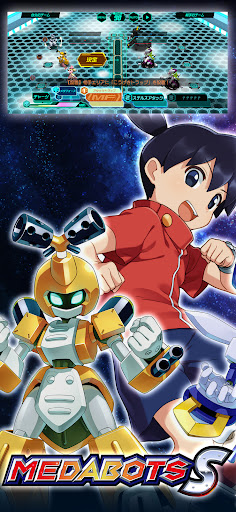
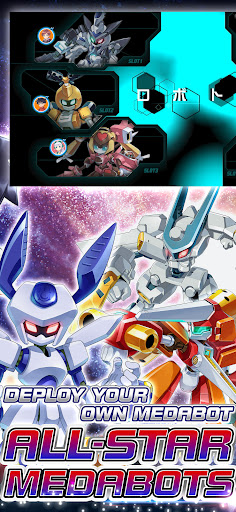
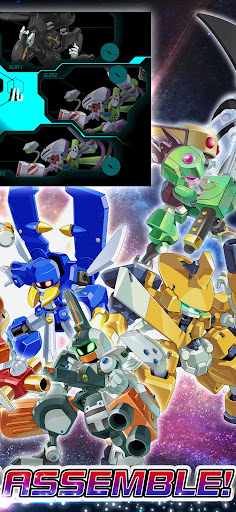
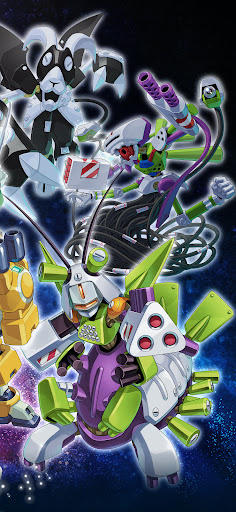
Experience the thrilling 3v3 command-based robot battles known as "Robattles," now fully optimized for your smartphone!
▼Game Features
・The iconic 3v3 command battle system from the Medabots series is finally on mobile!
・Deep customization features taken to the next level!
・Immerse yourself in a completely original, gripping story!
・Fan-favorite characters from across the entire series history join the fight!
▼Game System
【Customization】
・Collect a vast array of parts and Medals through various in-game activities!
・Equip parts and Medals strategically, balancing roles and compatibility.
・Endless combinations! Finding the perfect setup for your strategy is the key to victory.
【Training & Upgrades】
・Power up your favorite gear with an all-new parts upgrade system!
・Deepen your strategy by leveling up the specific parts you love.
【Command Battle System】
・Engage in strategic and tactical 3v3 robot battles.
・Select commands for each part and watch your Medabots spring into action!
・Unleash devastating skills the moment your Medabot reaches the Active Line!
・Destroy the head part of the enemy leader to claim ultimate victory!
・Conquer original quests exclusive to this title with your customized squad!
▼About Medabots
Medabots are autonomous friend robots with their own artificial intelligence and personalities. A Medabot is built by attaching four parts—the Head, Right Arm, Left Arm, and Legs—to a metal framework called a "Tinpet," and inserting a "Medal" that acts as its brain. Standing at about 1 meter tall, they possess intelligence and emotions that rival or even surpass humans.
They exploded in popularity due to the ease of swapping parts and a unique world where they can even be bought at convenience stores! Their presence spread like wildfire alongside the boom of "Robattle"—the ultimate tactical sport where Medabots face off in battle.
© Imagineer Co., Ltd.
Más detalles

1. Descargar el instalador de MEmu y finalice la instalación

2. Iniciar MEmu y abrir Google Play en la página de inicio

3. Buscar Medabots S en Google Play
Install
4. Descargar y instalar Medabots S
5. Hacer click al icono para iniciar

6. Disfruta jugando Medabots S en PC con MEmu
MEmu App Player es el mejor emulador de Android gratuito y 50 millones de personas ya están disfrutando su magnífica experiencia jugando en Android. La tecnología de virtualización de MEmu te permite jugar a miles de juegos Android suavemente en tu PC, incluso los más intensivos gráficamente.
Pantalla más grande con mejores gráficos; Larga duración, sin limitación de batería o datos móviles.
Soporte completo de keymapping para un control preciso del teclado y el mouse o gamepad.
Múltiples cuentas de juegos o tareas en una sola PC a la vez con el administrador de instancias múltiples.
Play Medabots S on PC by following steps: