Moonlighter 2: The Endless Vault
Aggiornata
Versione corrente
Offerta da

Vista tutta la passione dimostrata nel giocare a Moonlighter 2: The Endless Vault, le tue mani non dovrebbero essere limitate al minuscolo schermo di un telefono. Gioca come un professionista e ottieni il pieno controllo del gioco con tastiera e mouse. MEmu ti offre tutto ciò che ti aspetti. Scarica e gioca a Moonlighter 2: The Endless Vault su PC. Gioca quanto vuoi, niente più limitazioni di batteria, dati mobili e chiamate inquietanti. Il nuovissimo MEmu 9 è la scelta migliore per giocare a Moonlighter 2: The Endless Vault su PC. Realizzato sulla base della nostra esperienza, lo squisito sistema di mappatura dei tasti preimpostati rende Moonlighter 2: The Endless Vault un vero e proprio gioco per PC. MEmu è un gestore multi-instanza che permette di giocare con 2 o più account sullo stesso dispositivo. E la cosa più importante, il nostro esclusivo motore di emulazione può liberare tutto il potenziale del tuo PC, rendendo tutto fluido.
Mostra altro
Scarica Moonlighter 2: The Endless Vault su PC con MEmu Android Emulator. Divertiti giocando sul grande schermo. Moonlighter 2: The Endless Vault is the eagerly awaited sequel to the indie hit that masterfully blends dungeon crawling with shopkeeping.
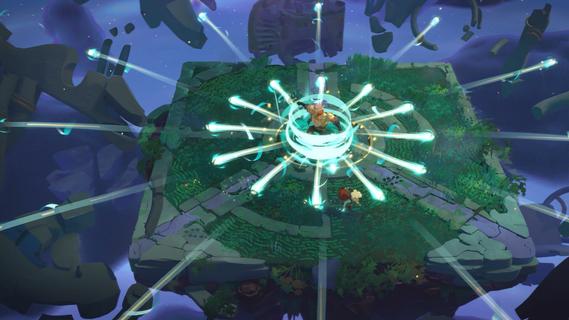
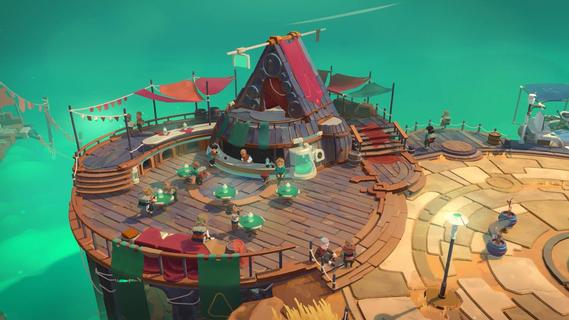
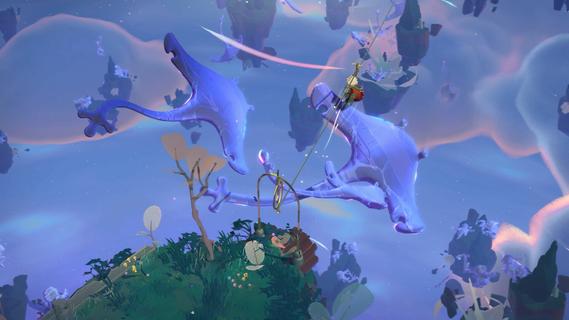
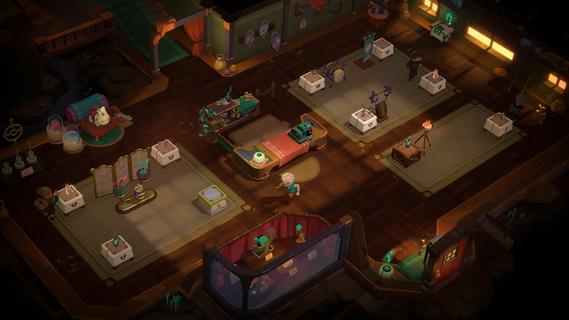
Moonlighter 2: The Endless Vault is the eagerly awaited sequel to the indie hit that masterfully blends dungeon crawling with shopkeeping. This new installment elevates the original’s core concept by transitioning from 2D pixel art to fully realized 3D graphics, offering a fresh, modern look while maintaining the charm that fans loved. Players once again step into the shoes of Will, a fearless adventurer and clever merchant, who finds himself stranded in the mysterious village of Tresna after losing his home dimension. In Moonlighter 2, players explore vibrant, procedurally generated dungeons filled with dynamic challenges, new enemies, and rare treasures. The roguelike elements have been deepened significantly, ensuring that no two runs are the same. This unpredictability demands that players constantly adapt their strategies, making each expedition thrilling and unique. Combat is more varied with a wider arsenal of weapons including swords, gauntlets, and even unconventional tools like brooms, each offering distinct playstyles to tackle the diverse foes encountered. Back in Tresna, the focus on shopkeeping is more dynamic and strategic than ever. Players must manage and grow their shop by carefully arranging relics in their inventory to maximize profits, haggling with customers, and investing earnings to upgrade both their store and equipment. The village itself is a living hub where players can support local businesses and unlock new opportunities, contributing to Tresna’s revival and their own commercial success. The game’s design encourages balancing the dual life of adventurer and merchant: venturing into dangerous realms to gather loot, then returning home to turn that loot into profit. This loop is enriched by a variety of upgrades, customization options, and temporary perks that keep gameplay engaging. The soundtrack, composed by Christopher Larkin of Hollow Knight fame, adds a memorable atmospheric layer that enhances both exploration and shopkeeping moments. Moonlighter 2: The Endless Vault is planned for release on PlayStation 5, Xbox Series X|S, and PC via Steam in 2025. With its expanded scope, refined mechanics, and captivating story, it promises to deliver a deep, rewarding experience for fans of action RPGs and roguelikes alike. Players will find themselves drawn into a world where every decision matters, every run is fresh, and the balance between blade and barter defines their fate.
Mostra altro

1. Scarica il programma di installazione di MEmu e completa l'installazione

2. Avvia il Memu e apri il Google Play sulla homepage

3. Cerca Moonlighter 2: The Endless Vault in Google Play
Install
4. Scarica e installa Moonlighter 2: The Endless Vault
5. Al termine dell'installazione, fai clic sull'icona per avviar

6. Divertiti giocando a Moonlighter 2: The Endless Vault su PC con MEmu
MEmu App Player è il miglior emulatore Android gratuito, utilizzato da 50 milioni di persone per ottenere un'esperienza di gioco Android superba. La tecnilogia di virtualizzazione MEmu ti permette di giocare a migliaia di giochi Android con semplicità sul tuo computer, anche i giochi con la grafica più esigente.
Schermo più grande con una grafica migliore; Lunga durata, senza limitazione di batteria o dati mobili.
Supporto completo per mappa di tastiera per un controllo preciso di tastiera e mouse o gamepad.
Multipli account di gioco o attività su un singolo PC contemporaneamente con il gestore di multi istanza.
Play Moonlighter 2: The Endless Vault on PC by following steps: