Moonlighter 2: The Endless Vault
Atualizada
Versão atual
Oferecido por

Com toda a sua paixão por jogar Moonlighter 2: The Endless Vault, não deixe os polegares te atrapalharem em uma pequena tela do seu celular. Jogue como um profissional e tenha controle total do seu jogo com teclado e mouse. O MEmu oferece todas as coisas que você está esperando. Baixe e jogue Moonlighter 2: The Endless Vault no PC. Jogue o tempo que quiser, sem mais limitações de bateria, dados móveis e aquelas ligações enquanto estiver jogando. O novíssimo MEmu 9 é a melhor escolha de jogar Moonlighter 2: The Endless Vault no PC. Com grandes novidades no sistema de mapeamento que faz Moonlighter 2: The Endless Vault um jogo de PC real. Nossa equipe melhorou o gerenciamento de várias instâncias do Android, reduzindo tempo de reprodução de 2 ou mais contas no mesmo dispositivo. O mais importante, nosso mecanimos de emulação exclusivo pode liberar todo o potencial do seu PC sem travamentos, rodando tudo liso. Nós nos preocupamos não apenas com você joga, mas com todo o processo de desfrutar de 100% do seu jogo favorito.
Mostre mais
Download do Moonlighter 2: The Endless Vault no PC com MEmu Android Emulador: Divirta-se jogando na tela grande. Moonlighter 2: The Endless Vault is the eagerly awaited sequel to the indie hit that masterfully blends dungeon crawling with shopkeeping.
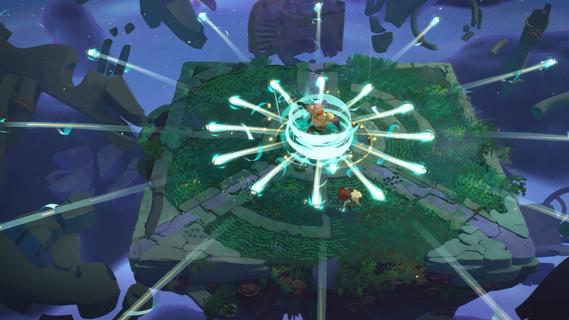

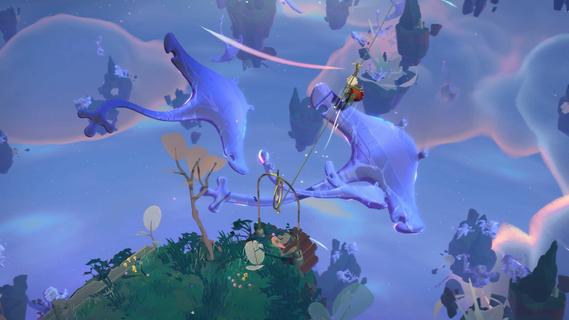
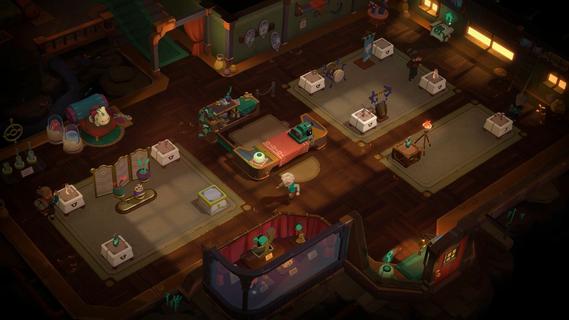
Moonlighter 2: The Endless Vault is the eagerly awaited sequel to the indie hit that masterfully blends dungeon crawling with shopkeeping. This new installment elevates the original’s core concept by transitioning from 2D pixel art to fully realized 3D graphics, offering a fresh, modern look while maintaining the charm that fans loved. Players once again step into the shoes of Will, a fearless adventurer and clever merchant, who finds himself stranded in the mysterious village of Tresna after losing his home dimension. In Moonlighter 2, players explore vibrant, procedurally generated dungeons filled with dynamic challenges, new enemies, and rare treasures. The roguelike elements have been deepened significantly, ensuring that no two runs are the same. This unpredictability demands that players constantly adapt their strategies, making each expedition thrilling and unique. Combat is more varied with a wider arsenal of weapons including swords, gauntlets, and even unconventional tools like brooms, each offering distinct playstyles to tackle the diverse foes encountered. Back in Tresna, the focus on shopkeeping is more dynamic and strategic than ever. Players must manage and grow their shop by carefully arranging relics in their inventory to maximize profits, haggling with customers, and investing earnings to upgrade both their store and equipment. The village itself is a living hub where players can support local businesses and unlock new opportunities, contributing to Tresna’s revival and their own commercial success. The game’s design encourages balancing the dual life of adventurer and merchant: venturing into dangerous realms to gather loot, then returning home to turn that loot into profit. This loop is enriched by a variety of upgrades, customization options, and temporary perks that keep gameplay engaging. The soundtrack, composed by Christopher Larkin of Hollow Knight fame, adds a memorable atmospheric layer that enhances both exploration and shopkeeping moments. Moonlighter 2: The Endless Vault is planned for release on PlayStation 5, Xbox Series X|S, and PC via Steam in 2025. With its expanded scope, refined mechanics, and captivating story, it promises to deliver a deep, rewarding experience for fans of action RPGs and roguelikes alike. Players will find themselves drawn into a world where every decision matters, every run is fresh, and the balance between blade and barter defines their fate.
Mostre mais

1. Faça o download do instalador do MEmu e conclua a instalação

2. Inicie o MEmu e depois abra o Google Play na página inicial

3. Pesquise Moonlighter 2: The Endless Vault no Google Play
Install
4. Baixe e Instale Moonlighter 2: The Endless Vault
5. Na conclusão da instalação, clique no ícone para iniciar

6. Divirta-se jogando Moonlighter 2: The Endless Vault no PC com MEmu
O MEmu App Player é o melhor emulador de Android grátis e 50 milhões de pessoas já desfrutam de sua excelente experiência de jogos no Android. A tecnologia de virtualização do MEmu permite que você jogue milhares de jogos do Android sem problemas no seu PC, mesmo os com gráficos mais intensivos.
Tela maior com gráficos melhores; Longa duração e sem limitação de bateria ou dados móveis.
Suporte completo ao Mapaeamento de Teclas para controle preciso do teclado e mouse ou gamepad.
Várias contas de jogos ou tarefas em um único PC de uma só vez com o Gerenciador de várias instâncias.
Play Moonlighter 2: The Endless Vault on PC by following steps: