Moonlighter 2: The Endless Vault
Aktualisiert
Aktuelle Version
Angeboten von

Bei all Ihrer Leidenschaft für das Spielen von Moonlighter 2: The Endless Vault sollten Ihre Hände nicht auf einen winzigen Bildschirm Ihres Telefons beschränkt sein. Spielen Sie wie ein Profi und übernehmen Sie die volle Kontrolle über Ihr Spiel mit Tastatur und Maus. MEmu bietet Ihnen all die Dinge, die Sie erwarten. Laden Sie Moonlighter 2: The Endless Vault herunter und spielen Sie es auf dem PC. Spielen Sie so lange, wie Sie wollen, ohne Grenzwerte für Akku, mobile Daten und störende Anrufe. Das brandneue MEmu 9 ist die beste Wahl, um Moonlighter 2: The Endless Vault auf dem PC zu spielen. Das exquisite voreingestellte Tastaturbelegungssystem, das mit unserem Fachwissen vorbereitet wurde, macht Moonlighter 2: The Endless Vault zu einem echten PC-Spiel. Der MEmu Multi-Instanz-Manager ermöglicht das Spielen von 2 oder mehr Konten auf demselben Gerät. Und das Wichtigste: Unsere exklusive Emulations-Engine kann das volle Potenzial Ihres PCs freisetzen und für reibungslose Abläufe sorgen.
Mehr anzeigen
Laden Sie Play Moonlighter 2: The Endless Vault auf dem PC mit MEmu Android Emulator. Viel Spaß beim Spielen auf großmundieren. Moonlighter 2: The Endless Vault is the eagerly awaited sequel to the indie hit that masterfully blends dungeon crawling with shopkeeping.
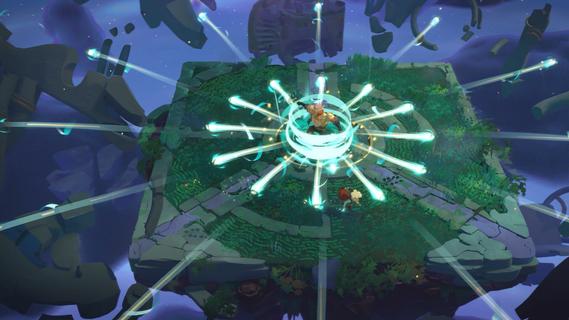
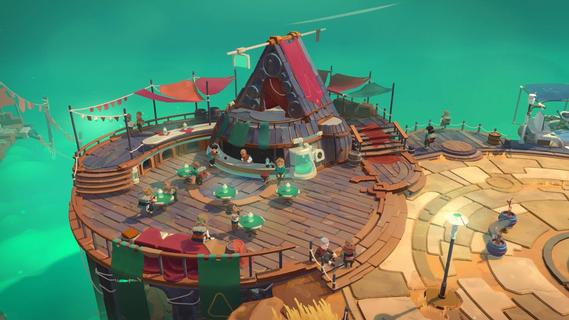
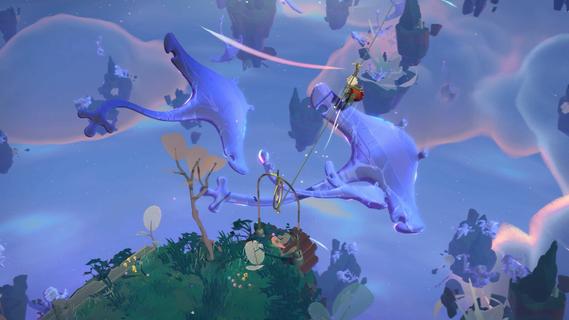
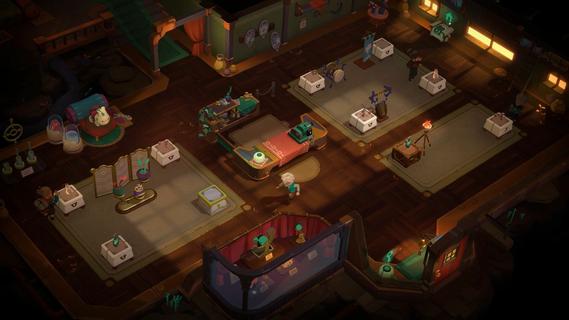
Moonlighter 2: The Endless Vault is the eagerly awaited sequel to the indie hit that masterfully blends dungeon crawling with shopkeeping. This new installment elevates the original’s core concept by transitioning from 2D pixel art to fully realized 3D graphics, offering a fresh, modern look while maintaining the charm that fans loved. Players once again step into the shoes of Will, a fearless adventurer and clever merchant, who finds himself stranded in the mysterious village of Tresna after losing his home dimension. In Moonlighter 2, players explore vibrant, procedurally generated dungeons filled with dynamic challenges, new enemies, and rare treasures. The roguelike elements have been deepened significantly, ensuring that no two runs are the same. This unpredictability demands that players constantly adapt their strategies, making each expedition thrilling and unique. Combat is more varied with a wider arsenal of weapons including swords, gauntlets, and even unconventional tools like brooms, each offering distinct playstyles to tackle the diverse foes encountered. Back in Tresna, the focus on shopkeeping is more dynamic and strategic than ever. Players must manage and grow their shop by carefully arranging relics in their inventory to maximize profits, haggling with customers, and investing earnings to upgrade both their store and equipment. The village itself is a living hub where players can support local businesses and unlock new opportunities, contributing to Tresna’s revival and their own commercial success. The game’s design encourages balancing the dual life of adventurer and merchant: venturing into dangerous realms to gather loot, then returning home to turn that loot into profit. This loop is enriched by a variety of upgrades, customization options, and temporary perks that keep gameplay engaging. The soundtrack, composed by Christopher Larkin of Hollow Knight fame, adds a memorable atmospheric layer that enhances both exploration and shopkeeping moments. Moonlighter 2: The Endless Vault is planned for release on PlayStation 5, Xbox Series X|S, and PC via Steam in 2025. With its expanded scope, refined mechanics, and captivating story, it promises to deliver a deep, rewarding experience for fans of action RPGs and roguelikes alike. Players will find themselves drawn into a world where every decision matters, every run is fresh, and the balance between blade and barter defines their fate.
Mehr anzeigen

1. Laden das MEmu-Installationsprogramm herunter und beenden die Installation

2. MEmu starten und Google Play auf der Homepage öffnen

3. Suchen Moonlighter 2: The Endless Vault in Google Play
Install
4. Herunterladen und Installieren Moonlighter 2: The Endless Vault
5. Klicken nach Abschluss der Installation auf das Symbol, um es zu starten

6. Viel Spaß beim Spielen von Moonlighter 2: The Endless Vault auf dem PC mit MEmu
MEmu App Player ist der beste kostenlose Android-Emulator und 50 Millionen Menschen genießen bereits seine hervorragende Android-Gaming-Erfahrung. Mit der MEmu-Virtualisierungstechnologie können Sie Tausende von Android-Spielen problemlos auf Ihrem PC spielen, selbst bei grafikintensiven Spielen.
BGrößeres Bild mit besserer Grafik; Keine unterbrechungen, keine sorgen um Akku
Komplette Tastenbelegung unterstützt mit Maus und Tastatur oder Controller
Mit dem „Multi-Instance-Manager“ können Sie mehrere Spielkonten oder Spiele gleichzeitig auf einem PC ausführen.
Play Moonlighter 2: The Endless Vault on PC by following steps: