PANDOLAND
Aggiornata
Versione corrente
3.2.0
Offerta da

Vista tutta la passione dimostrata nel giocare a PANDOLAND, le tue mani non dovrebbero essere limitate al minuscolo schermo di un telefono. Gioca come un professionista e ottieni il pieno controllo del gioco con tastiera e mouse. MEmu ti offre tutto ciò che ti aspetti. Scarica e gioca a PANDOLAND su PC. Gioca quanto vuoi, niente più limitazioni di batteria, dati mobili e chiamate inquietanti. Il nuovissimo MEmu 9 è la scelta migliore per giocare a PANDOLAND su PC. Realizzato sulla base della nostra esperienza, lo squisito sistema di mappatura dei tasti preimpostati rende PANDOLAND un vero e proprio gioco per PC. MEmu è un gestore multi-instanza che permette di giocare con 2 o più account sullo stesso dispositivo. E la cosa più importante, il nostro esclusivo motore di emulazione può liberare tutto il potenziale del tuo PC, rendendo tutto fluido.
Mostra altro
Scarica PANDOLAND su PC con MEmu Android Emulator. Divertiti giocando sul grande schermo. Pre-order Now & Unlock the Adventure!
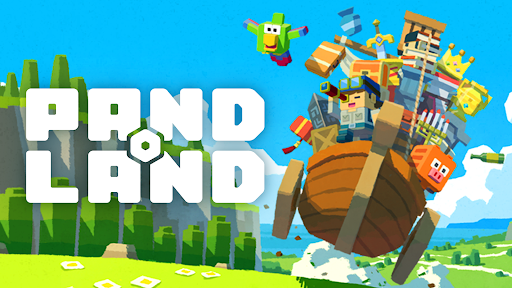
Pre-order Now & Unlock the Adventure!
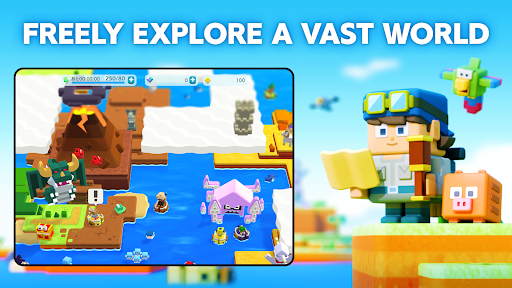
Explore a vast open world your way—let the treasure hunt begin!
▼FREELY EXPLORE A VAST WORLD
Step into the uncharted lands of PANDOLAND, where you choose your own path!
Clear the clouds to reveal new territories, uncover hidden secrets, and set off on a journey filled with thrilling discoveries and unforgettable encounters!
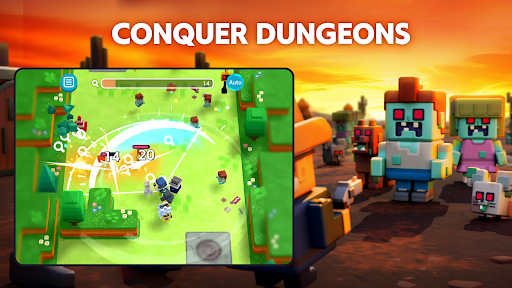
▼COLLECT, POWER-UP & CONQUER
Challenge dungeons to recruit unique companions and claim legendary treasures!
Keep collecting, filling up your Dex, and strengthening your team to take on greater challenges.
With over 500 companions and valuable treasures, create the ultimate team to explore new frontiers!
▼TEAM-UP FOR GREATER REWARDS
Adventure is better with friends! Invite your allies and connect with fellow explorers.
Track their Adventure Records to uncover rare quests and hidden treasures waiting to be found!
The world of PANDOLAND is yours to discover. Are you ready to embark on the journey?
▼Who Should Play PANDOLAND?
This adventure is perfect for:
✔ Fans of RPGs, adventure, action, casual, and open-world games
✔ Players who love collecting characters and leveling them up
✔ Gamers looking for an easy-to-pick-up, beginner-friendly experience
✔ Solo adventurers and multiplayer enthusiasts alike
✔ Those who enjoy teaming up with friends and family for epic quests
✔ Explorers who want a vast open world with player support
✔ Players seeking cooperative challenges and intense battles
✔ Fans of action RPGs with multiplayer co-op to take down powerful enemies
✔ Anyone who loves Action RPGs and collection games that are easy to play on the go
✔ Players who want both action-packed combat and deep character progression
✔ Gamers looking for a one-handed RPG/action/open-world experience
✔ Those who enjoy relaxing exploration with thrilling boss fights
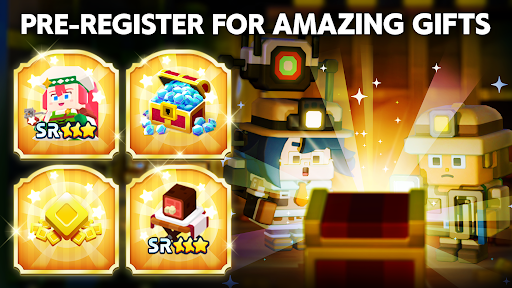
▼Pre-order Bonus Rewards
Start your journey with amazing in-game rewards!
- 15,000 Diamonds (Earned over 30 days of consecutive login)
- SR Character: Charlotte x1 (Highest Rarity!)
- SR Item: Meat on the Bone x1 (Boost Your Strength!)
- 500 Coins to kickstart your adventure!
The world of PANDOLAND is waiting. Pre-order now and begin your adventure!
Official Website
Official YouTube
Official Facebook
Mostra altro

1. Scarica il programma di installazione di MEmu e completa l'installazione

2. Avvia il Memu e apri il Google Play sulla homepage

3. Cerca PANDOLAND in Google Play
Install
4. Scarica e installa PANDOLAND
5. Al termine dell'installazione, fai clic sull'icona per avviar

6. Divertiti giocando a PANDOLAND su PC con MEmu
MEmu App Player è il miglior emulatore Android gratuito, utilizzato da 50 milioni di persone per ottenere un'esperienza di gioco Android superba. La tecnilogia di virtualizzazione MEmu ti permette di giocare a migliaia di giochi Android con semplicità sul tuo computer, anche i giochi con la grafica più esigente.
Schermo più grande con una grafica migliore; Lunga durata, senza limitazione di batteria o dati mobili.
Supporto completo per mappa di tastiera per un controllo preciso di tastiera e mouse o gamepad.
Multipli account di gioco o attività su un singolo PC contemporaneamente con il gestore di multi istanza.
Play PANDOLAND on PC by following steps: