PaPa Paladin: OG Idle RPG
Aggiornata
Versione corrente
Offerta da

Vista tutta la passione dimostrata nel giocare a PaPa Paladin: OG Idle RPG, le tue mani non dovrebbero essere limitate al minuscolo schermo di un telefono. Gioca come un professionista e ottieni il pieno controllo del gioco con tastiera e mouse. MEmu ti offre tutto ciò che ti aspetti. Scarica e gioca a PaPa Paladin: OG Idle RPG su PC. Gioca quanto vuoi, niente più limitazioni di batteria, dati mobili e chiamate inquietanti. Il nuovissimo MEmu 9 è la scelta migliore per giocare a PaPa Paladin: OG Idle RPG su PC. Realizzato sulla base della nostra esperienza, lo squisito sistema di mappatura dei tasti preimpostati rende PaPa Paladin: OG Idle RPG un vero e proprio gioco per PC. MEmu è un gestore multi-instanza che permette di giocare con 2 o più account sullo stesso dispositivo. E la cosa più importante, il nostro esclusivo motore di emulazione può liberare tutto il potenziale del tuo PC, rendendo tutto fluido.
Mostra altro
Scarica PaPa Paladin: OG Idle RPG su PC con MEmu Android Emulator. Divertiti giocando sul grande schermo. Once a legendary idle RPG hero… now just your average middle-aged guy, Bob!
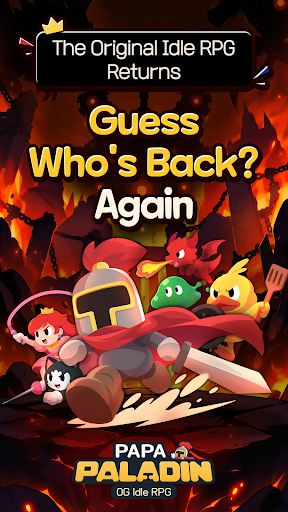
Once a legendary idle RPG hero… now just your average middle-aged guy, Bob!
After 12 years of mastering the art of idling, he can't stay on the couch forever.
Time to conquer another world! Let's gooo!
Bob's Epic Comeback Rewards
Think a legend would return empty-handed?
Get 10,000 Summon Tickets and 12,345 Diamonds! (For real!)
Action RPG with a Side of Dad Jokes
Blast incoming monsters with the cheesiest dad jokes imaginable!
"Why did the skeleton lose the fight? He didn't have the guts!" Terrible puns and painfully cheesy finishing moves!
2⃣ Two Screens, Double the Fun!
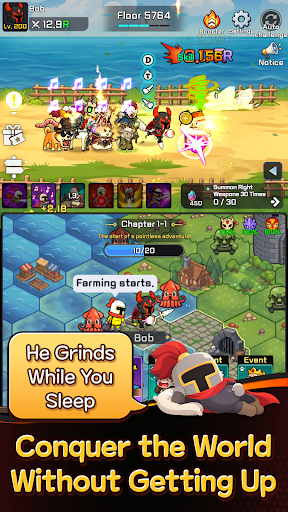
Fighting up top, fighting down below… this old guy sure is busy!
Double-screen battles that are twice as fun to watch!
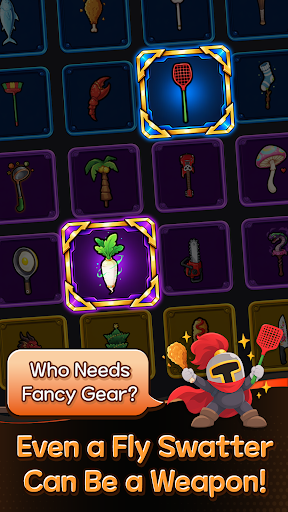
A Chicken Drumstick as a Weapon?!
Fly swatter or chicken drumstick, if it beats monsters, it's legendary!
Left hand, right hand—just keep swinging!
No Friends? I've Got a Whole Crew!
Gone are the days of fighting the Demon King alone!
Here comes Bob's trusty crew! That's middle-aged networking for you!
Another World, Another Load of Crazy Stuff! LOL
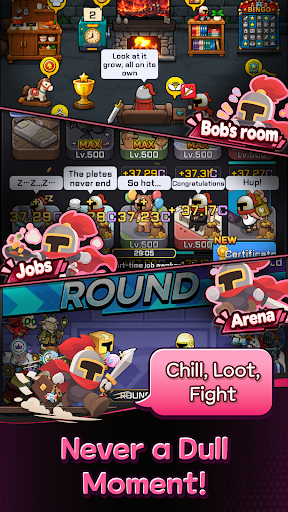
Work part-time jobs, mine minerals, explore the world map, and defeat bosses!
It's an idle RPG, but there's never a dull moment!
The legend of legends, the idle RPG veteran returns!
Even in idle RPGs, experience pays off!
────────────────
※ WARNING: His helmet used to be impossible to remove… Not anymore.
※ This game works best when you're watching it.
Mostra altro

1. Scarica il programma di installazione di MEmu e completa l'installazione

2. Avvia il Memu e apri il Google Play sulla homepage

3. Cerca PaPa Paladin: OG Idle RPG in Google Play
Install
4. Scarica e installa PaPa Paladin: OG Idle RPG
5. Al termine dell'installazione, fai clic sull'icona per avviar

6. Divertiti giocando a PaPa Paladin: OG Idle RPG su PC con MEmu
MEmu App Player è il miglior emulatore Android gratuito, utilizzato da 50 milioni di persone per ottenere un'esperienza di gioco Android superba. La tecnilogia di virtualizzazione MEmu ti permette di giocare a migliaia di giochi Android con semplicità sul tuo computer, anche i giochi con la grafica più esigente.
Schermo più grande con una grafica migliore; Lunga durata, senza limitazione di batteria o dati mobili.
Supporto completo per mappa di tastiera per un controllo preciso di tastiera e mouse o gamepad.
Multipli account di gioco o attività su un singolo PC contemporaneamente con il gestore di multi istanza.
Play PaPa Paladin: OG Idle RPG on PC by following steps: