Star Blaster: Shooting Game
Aggiornata
Versione corrente
02.32.03.00
Offerta da

Vista tutta la passione dimostrata nel giocare a Star Blaster: Shooting Game, le tue mani non dovrebbero essere limitate al minuscolo schermo di un telefono. Gioca come un professionista e ottieni il pieno controllo del gioco con tastiera e mouse. MEmu ti offre tutto ciò che ti aspetti. Scarica e gioca a Star Blaster: Shooting Game su PC. Gioca quanto vuoi, niente più limitazioni di batteria, dati mobili e chiamate inquietanti. Il nuovissimo MEmu 9 è la scelta migliore per giocare a Star Blaster: Shooting Game su PC. Realizzato sulla base della nostra esperienza, lo squisito sistema di mappatura dei tasti preimpostati rende Star Blaster: Shooting Game un vero e proprio gioco per PC. MEmu è un gestore multi-instanza che permette di giocare con 2 o più account sullo stesso dispositivo. E la cosa più importante, il nostro esclusivo motore di emulazione può liberare tutto il potenziale del tuo PC, rendendo tutto fluido.
Mostra altro
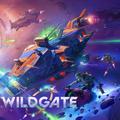
Scarica Star Blaster: Shooting Game su PC con MEmu Android Emulator. Divertiti giocando sul grande schermo. Star Blaster è un roguelike offline ambientato in un universo spaziale fantascientifico, dove ogni partita è diversa.
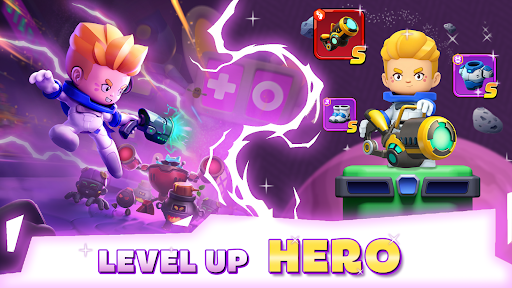
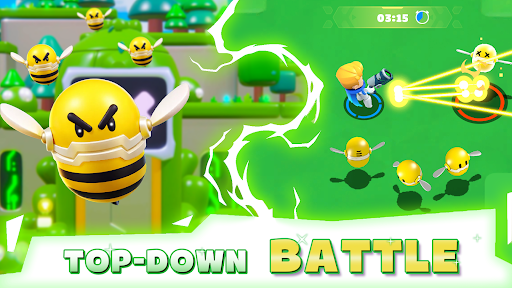
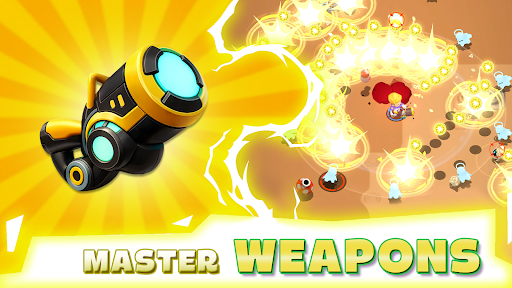
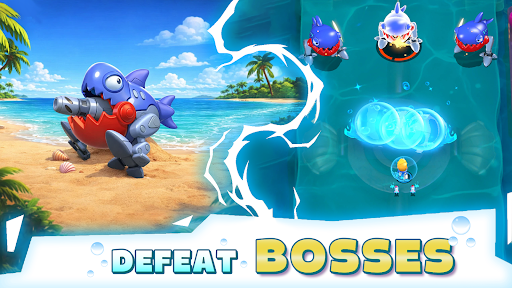
Star Blaster è un roguelike offline ambientato in un universo spaziale fantascientifico, dove ogni partita è diversa. Vestirai i panni di un astronauta solitario che combatte contro ondate di robot in tutta la galassia, acquisendo abilità, diventando più forte e cercando di sopravvivere un po' più a lungo ogni volta.
Azione roguelike infinita:
Sei pronto a sopravvivere nella galassia? Diventa un guerriero spaziale e tuffati in un roguelike offline dove ogni partita porta nuove abilità, nuovi nemici e nuove sfide. Combatti, adattati e spingiti oltre ogni limite. In questo sparatutto roguelike ricco di azione, la tua sopravvivenza dipende dalle tue decisioni. Annienta ondate di nemici, schiva attacchi letali e affronta potenti boss. È una battaglia all'ultimo sangue nello spazio. Riuscirai a sopravvivere abbastanza a lungo da dominare la partita?
Crea il tuo stile di gioco RPG:
Questo non è solo uno sparatutto, è un RPG roguelike in cui crei il tuo personaggio. Potenzia le abilità, combina le capacità e plasma il tuo eroe a modo tuo. Ti concentrerai sul danno puro, sulla difesa o su combo uniche? Ogni partita ti offre nuove scelte e infinite possibilità. Diventa più forte dopo ogni battaglia e sviluppa uno stile di gioco che ti si addica. Non ci sono due partite uguali.
Esplora una galassia fantascientifica:
Entra in un pericoloso universo spaziale pieno di pianeti misteriosi, macchine letali e ambientazioni futuristiche. Viaggia attraverso la galassia, scopri minacce nascoste e combatti contro ondate di nemici in un mondo in continua evoluzione. Questo gioco d'azione fantascientifico unisce intense battaglie ed esplorazione infinita in un'unica esperienza.
Potenziati e sopravvivi:
Raccogli potenti potenziamenti, sblocca nuove abilità e spingiti sempre più in là nella sfida. Più vai avanti, più diventa difficile. I nemici diventano più forti, i boss più letali e solo i migliori giocatori sopravvivono. In questo gioco offline gratuito, ogni partita è un'opportunità per migliorare, adattarti e andare oltre.
Caratteristiche del gioco:
● Abilità casuali a ogni partita: crea il tuo stile di gioco e adattati man mano che procedi
● Azione frenetica con meno grinding e più decisioni di combattimento realistiche
● Esplora un universo spaziale fantascientifico con livelli e mappe diversificati
● Affronta ondate di nemici e sconfiggi boss impegnativi
● Potenzia il tuo eroe con la progressione RPG e potenti equipaggiamenti
● Una vera esperienza roguelike offline che puoi giocare quando vuoi
Seguici per le ultime notizie e aggiornamenti!
• Facebook: facebook.com/StarBlasterHub
• Discord: discord.gg/ZeQxeuVugg
• E-mail di supporto: starblaster.support@enigmapubltd.com
Mostra altro

1. Scarica il programma di installazione di MEmu e completa l'installazione

2. Avvia il Memu e apri il Google Play sulla homepage

3. Cerca Star Blaster: Shooting Game in Google Play
Install
4. Scarica e installa Star Blaster: Shooting Game
5. Al termine dell'installazione, fai clic sull'icona per avviar

6. Divertiti giocando a Star Blaster: Shooting Game su PC con MEmu
MEmu App Player è il miglior emulatore Android gratuito, utilizzato da 50 milioni di persone per ottenere un'esperienza di gioco Android superba. La tecnilogia di virtualizzazione MEmu ti permette di giocare a migliaia di giochi Android con semplicità sul tuo computer, anche i giochi con la grafica più esigente.
Schermo più grande con una grafica migliore; Lunga durata, senza limitazione di batteria o dati mobili.
Supporto completo per mappa di tastiera per un controllo preciso di tastiera e mouse o gamepad.
Multipli account di gioco o attività su un singolo PC contemporaneamente con il gestore di multi istanza.
Play Star Blaster: Shooting Game on PC by following steps: