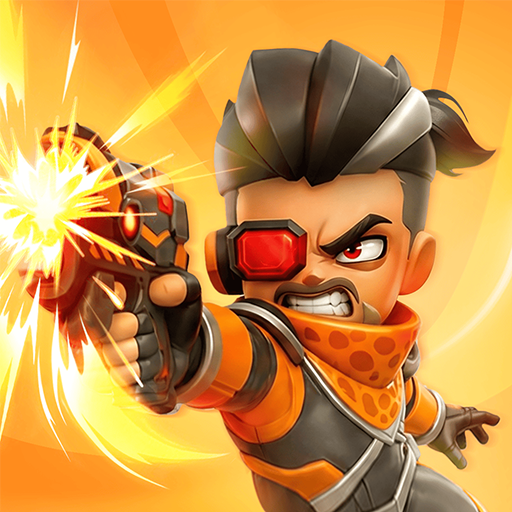
Star Blaster: Shooting Game
Zaktualizowano
Aktualna wersja
02.32.03.00
Sprzedawca

Przy całej swojej pasji do grania w Star Blaster: Shooting Game, twoje ręce nie powinny być ograniczone na małym ekranie telefonu. Graj jak zawodowiec i uzyskaj pełną kontrolę nad grą za pomocą klawiatury i myszy. MEmu oferuje ci wszystko, czego oczekujesz. Pobierz i graj Star Blaster: Shooting Game na PC. Graj tak długo, jak chcesz, bez ograniczeń baterii, danych komórkowych i niepokojących połączeń. Zupełnie nowy MEmu 9 to najlepszy wybór do grania w Star Blaster: Shooting Game na PC. Przygotowany dzięki naszej wiedzy, znakomity, wstępnie ustawiony system mapowania klawiszy sprawia, że Star Blaster: Shooting Game jest prawdziwą grą na PC. Zakodowany naszą absorpcją, menedżer wielu instancji umożliwia granie na 2 lub więcej kontach na tym samym urządzeniu. A co najważniejsze, nasz emulator może uwolnić pełny potencjał twojego komputera, sprawić, że wszystko będzie płynne. Dbamy nie tylko o to, jak grasz, ale także o cały proces czerpania radości z grania.
Pokaż więcej
Ciesz się wspaniałym doświadczeniem podczas grania w Star Blaster: Shooting Game na komputerze z aplikacją MEMU App Player. Jest to potężny darmowy emulator Androida pozwalający grać w tysiące gier na Androida. Star Blaster to gra typu roguelike offline osadzona w kosmicznym uniwersum science fiction, w której każda rozgrywka jest inna.
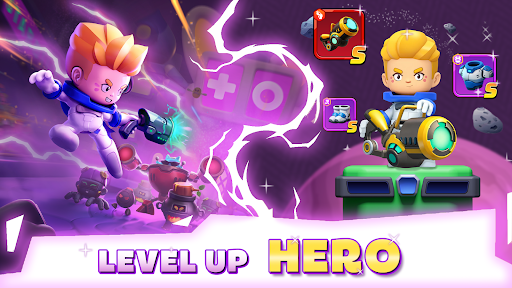
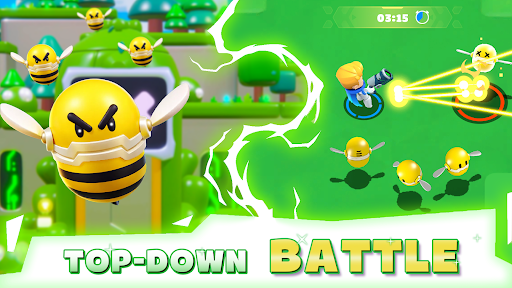
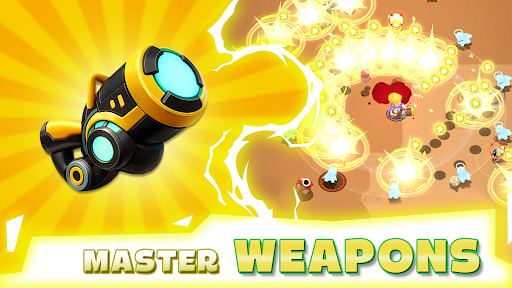
Star Blaster to gra typu roguelike offline osadzona w kosmicznym uniwersum science fiction, w której każda rozgrywka jest inna. Wcielisz się w samotnego astronautę, który przedziera się przez fale maszyn w galaktyce, zdobywając umiejętności, stając się silniejszy i próbując za każdym razem przetrwać odrobinę dłużej.
Niekończąca się akcja w stylu roguelike:
Czy jesteś gotowy na przetrwanie w galaktyce? Zostań kosmicznym wojownikiem i zanurz się w grze typu roguelike offline, w której każda rozgrywka przynosi nowe umiejętności, nowych wrogów i nowe wyzwania. Walcz, adaptuj się i posuwaj się naprzód za każdym razem. W tej pełnej akcji strzelance typu roguelike, Twoje przetrwanie zależy od Twoich decyzji. Przebijaj się przez fale wrogów, unikaj śmiertelnych ataków i stawiaj czoła potężnym bossom. To walka na śmierć i życie w kosmosie. Czy uda Ci się przetrwać wystarczająco długo, aby zdominować rozgrywkę?
Stwórz swój styl gry RPG:
To nie jest zwykła strzelanka – to gra RPG typu roguelike, w której tworzysz własną konfigurację postaci. Ulepszaj umiejętności, łącz zdolności i kształtuj swojego bohatera na swój sposób. Skupisz się na surowych obrażeniach, obronie czy unikalnych kombinacjach? Każda rozgrywka daje nowe wybory i nieograniczone możliwości. Stań się silniejszy po każdej bitwie i wypracuj styl gry, który do Ciebie pasuje. Żadne dwie rozgrywki nie są takie same.
Eksploruj galaktykę science fiction:
Wkrocz do niebezpiecznego kosmicznego wszechświata pełnego tajemniczych planet, śmiercionośnych maszyn i futurystycznych środowisk. Podróżuj po galaktyce, odkrywaj ukryte zagrożenia i walcz z falami wrogów w stale ewoluującym świecie. Ta gra akcji science fiction łączy intensywne bitwy i niekończącą się eksplorację w jednym doświadczeniu.
Ulepszaj i przetrwaj:
Zbieraj potężne ulepszenia, odblokowuj nowe umiejętności i podejmuj coraz trudniejsze wyzwania. Im dalej zajdziesz, tym trudniej. Wrogowie stają się silniejsi, bossowie bardziej zabójczy, a przetrwają tylko najlepsi gracze. W tej darmowej grze offline każda rozgrywka to szansa na rozwój, adaptację i zajście dalej niż kiedykolwiek wcześniej.
Cechy gry:
● Losowe umiejętności w każdej rozgrywce – stwórz własny styl gry i dostosuj się do niego w trakcie rozgrywki
● Szybka akcja z mniejszą ilością grindu, a bardziej realistycznymi decyzjami w walce
● Eksploruj kosmiczny wszechświat science fiction z różnorodnymi poziomami i mapami
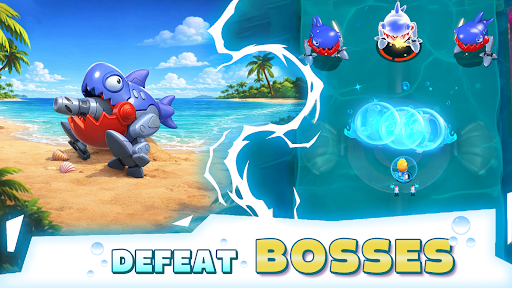
● Staw czoła falom wrogów i pokonuj wymagających bossów
● Ulepszaj swojego bohatera dzięki progresji RPG i potężnemu ekwipunkowi
● Prawdziwe doświadczenie roguelike offline, w które możesz grać w dowolnym momencie
Obserwuj nas, aby być na bieżąco z najnowszymi wiadomościami i aktualizacjami!
• Facebook: facebook.com/StarBlasterHub
• Discord: discord.gg/ZeQxeuVugg
• Mail wsparcia: starblaster.support@enigmapubltd.com
Pokaż więcej

1. Pobierz instalator MEmu i zakończ instalację

2. Uruchom MEmu, a następnie otwórz Google Play na pulpicie

3. Wyszukaj Star Blaster: Shooting Game w Google Play
Install
4. Pobierz i zainstaluj Star Blaster: Shooting Game
5. Po zakończeniu instalacji kliknij ikonę, aby rozpocząć

6. Ciesz się grą Star Blaster: Shooting Game na PC z MEmu
MEmu Play to najlepszy emulator Androida, a 100 milionów ludzi już korzysta z jego i dosta doskonałe wrażenia z gier na Androida. Technologia wirtualizacji MEmu umożliwia płynne granie w tysiące gier Androida na komputerze, nawet tych najbardziej wymagających grafiki.
Większy ekran z lepszą grafiką; Długi czas, bez ograniczeń baterii lub danych mobilnych.
Pełna obsługa mapowania klawiszy dla precyzyjnego sterowania klawiaturą i myszą lub gamepadem.
Wiele kont gier lub zadań na jednym komputerze jednocześnie z menedżerem wielu instancji.
Play Star Blaster: Shooting Game on PC by following steps: