Star Blaster: Shooting Game
Bijgewerkt
Huidige Versie
02.32.03.00
Aangeboden door

Met al je passie voor het spelen van Star Blaster: Shooting Game, zouden je handen niet beperkt moeten zijn tot een klein scherm van je telefoon. Speel als een professional en krijg volledige controle over je spel met toetsenbord en muis. MEmu biedt je alles wat je verwacht. Download en speel Star Blaster: Shooting Game op PC. Speel zo lang als je wilt, geen beperkingen meer van batterij, mobiele data en storende oproepen. De gloednieuwe MEmu 9 is de beste keuze om Star Blaster: Shooting Game op PC te spelen. Voorbereid met onze expertise, maakt het uitmuntende vooraf ingestelde keymapping systeem van Star Blaster: Shooting Game een echt PC-spel. MEmu multi-instance manager maakt het spelen van 2 of meer accounts op hetzelfde apparaat mogelijk. En het belangrijkste, onze exclusieve emulatie-engine kan het volledige potentieel van je PC benutten, waardoor alles soepel verloopt.
Meer tonen
Download Star Blaster: Shooting Game op je pc met de MEmu Android-emulator. Geniet van spelen op een groot scherm. Star Blaster is een offline roguelike die zich afspeelt in een sciencefiction-ruimte-universum waar elke speelsessie anders aanvoelt.
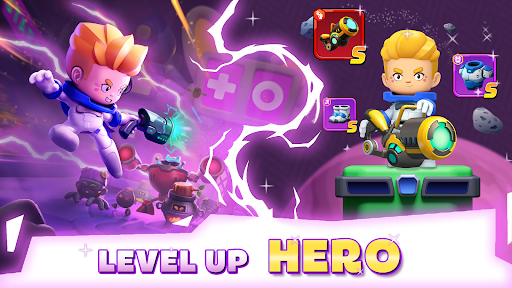
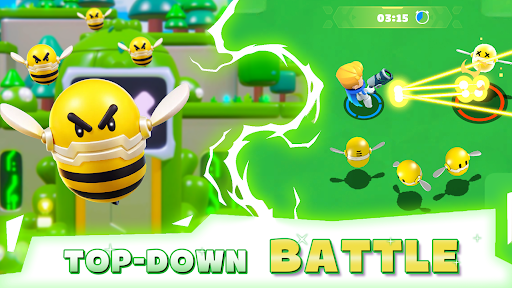
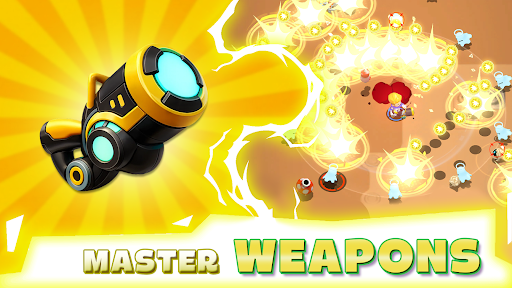
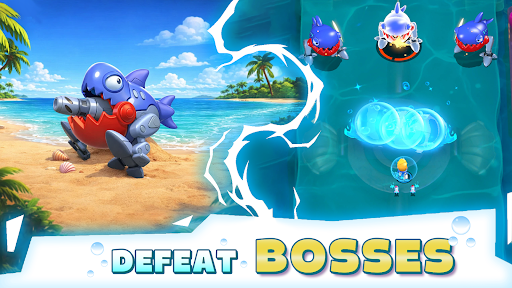
Star Blaster is een offline roguelike die zich afspeelt in een sciencefiction-ruimte-universum waar elke speelsessie anders aanvoelt. Je speelt als een eenzame astronaut die zich een weg baant door golven van machines in de Melkweg, vaardigheden verzamelt, sterker wordt en elke keer probeert net iets langer te overleven.
Eindeloze roguelike-actie:
Ben je klaar om te overleven in de Melkweg? Word een ruimtekrijger en duik in een offline roguelike waar elke speelsessie nieuwe vaardigheden, nieuwe vijanden en nieuwe uitdagingen met zich meebrengt. Vecht, pas je aan en ga elke keer een stap verder. In deze actievolle roguelike-shooter hangt je overleving af van je beslissingen. Schiet je een weg door golven vijanden, ontwijk dodelijke aanvallen en neem het op tegen machtige eindbazen. Het is een strijd op leven of dood in de ruimte. Kun jij lang genoeg overleven om de run te domineren?
Ontwikkel je eigen RPG-speelstijl:
Dit is niet zomaar een schietspel - het is een roguelike RPG waarin je je eigen personage creëert. Upgrade vaardigheden, combineer vaardigheden en vorm je held naar jouw wens. Ga je focussen op pure schade, verdediging of unieke combo's? Elke speelsessie biedt nieuwe keuzes en eindeloze mogelijkheden. Word sterker na elk gevecht en ontwikkel een speelstijl die bij je past. Geen twee speelsessies zijn ooit hetzelfde.
Verken een sciencefiction-sterrenstelsel:
Stap in een gevaarlijk ruimte-universum vol mysterieuze planeten, dodelijke machines en futuristische omgevingen. Reis door het sterrenstelsel, ontdek verborgen bedreigingen en vecht je een weg door golven vijanden in een constant veranderende wereld. Deze sciencefiction-actiegame combineert intense gevechten en eindeloze verkenning in één ervaring.
Upgrade en overleef:
Verzamel krachtige upgrades, ontgrendel nieuwe vaardigheden en ga de uitdaging steeds verder aan. Hoe verder je komt, hoe moeilijker het wordt. Vijanden worden sterker, eindbazen dodelijker en alleen de beste spelers overleven. In deze gratis offline game is elke speelsessie een kans om te verbeteren, je aan te passen en verder te komen dan ooit tevoren.
Spelfuncties:
● Willekeurige vaardigheden bij elke speelsessie - ontwikkel je eigen speelstijl en pas je aan naarmate je verder komt
● Snelle actie met minder grinden en meer echte gevechtsbeslissingen
● Verken een sciencefiction-ruimte-universum met diverse levels en kaarten
● Neem het op tegen golven vijanden en versla uitdagende eindbazen
● Upgrade je held met RPG-progressie en krachtige uitrusting
● Een echte offline roguelike-ervaring die je altijd en overal kunt spelen
Volg ons voor het laatste nieuws en updates!
• Facebook: facebook.com/StarBlasterHub
• Discord: discord.gg/ZeQxeuVugg
• E-mail voor ondersteuning: starblaster.support@enigmapubltd.com
Meer tonen

1. Download de MEmu-installatie en voltooi de setup

2. Start MEmu en open vervolgens Google Play op het bureaublad

3. Zoek Star Blaster: Shooting Game in Google Play
Install
4. Download en installeer Star Blaster: Shooting Game
5. Klik op het icoon om te starten na het voltooien van de installatie

6. Geniet van het spelen van Star Blaster: Shooting Game op PC met MEmu
MEmu Play is de beste Android Emulator en 100 miljoen mensen genieten al van de superieure Android-game-ervaring. De virtualisatietechnologie van MEmu stelt je in staat om duizenden Android-spellen soepel op je PC te spelen, zelfs de meest grafisch intensieve.
Groter scherm met betere graphics; Lange duur, zonder beperking van batterij of mobiele data.
Volledige Keymapping-ondersteuning voor nauwkeurige besturing van toetsenbord en muis of gamepad.
Meerdere game-accounts of taken op één PC tegelijk met Multi-Instance manager.
Speel Star Blaster: Shooting Game op PC door de volgende stappen te volgen: