Star Blaster: Shooting Game
Mise à jour
Version actuelle
02.32.03.00
Proposée par

Avec toute la passion que vous avez à jouer Star Blaster: Shooting Game, vos mains ne sont pas sensées se limiter à l’infime écran de votre téléphone. Jouez comme un pro et ayez le contrôle total de votre jeu à l’aide du clavier et de la souris. MEmu satisfait toutes vos attentes. Téléchargez et jouez Star Blaster: Shooting Game sur PC. Jouez aussi longtemps que vous souhaitez sans aucune limitation de batterie, de données mobiles et d’appels embêtants. La toute nouvelle version de MEmu 9 est la meilleure option de jouer Star Blaster: Shooting Game sur PC. Réalisé par nos experts, l’e magnifique système d’affectation de touches prédéfini fait de Star Blaster: Shooting Game un jeu réaliste sur PC. Le gestionnaire multi-instances de MEmu permet 2 ou plusieurs comptes de jeu sur le même appareil. Et le plus important, le moteur d’émulation exclusif peut libérer le plein potentiel de votre PC, ce qui facilite tout.
Afficher plus
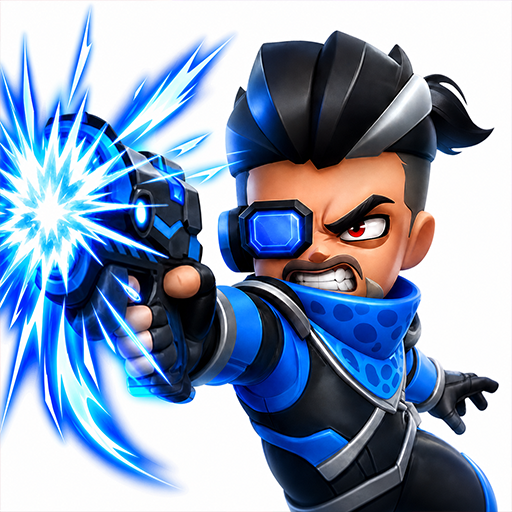
Téléchargez Star Blaster: Shooting Game avec le simulateur d’Android MEmu sur votre PC. Profitez de jouer sur un grand écran. Star Blaster est un roguelike hors ligne se déroulant dans un univers spatial de science-fiction où chaque partie est unique.
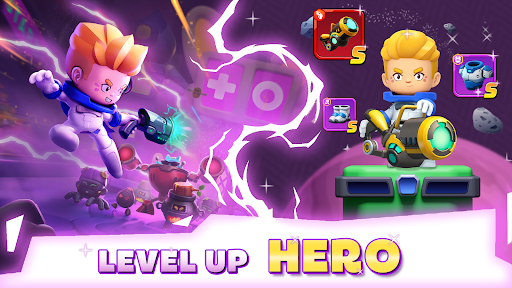
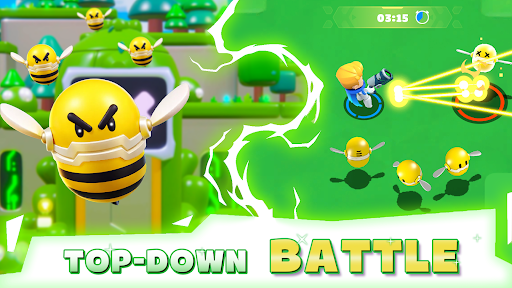
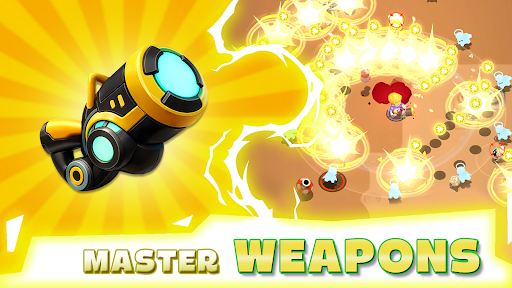
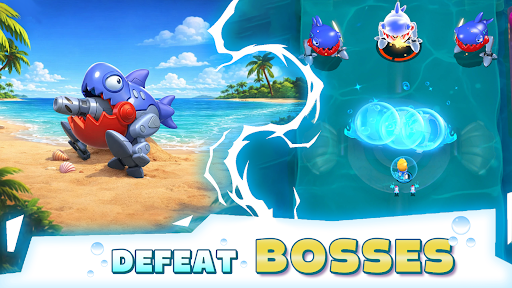
Star Blaster est un roguelike hors ligne se déroulant dans un univers spatial de science-fiction où chaque partie est unique. Incarnez un astronaute solitaire et affrontez des vagues de machines à travers la galaxie. Développez vos compétences, gagnez en puissance et tentez de survivre un peu plus longtemps à chaque fois.
Action roguelike sans fin :
Êtes-vous prêt à survivre dans la galaxie ? Devenez un guerrier de l'espace et plongez dans un roguelike hors ligne où chaque partie vous réserve de nouvelles compétences, de nouveaux ennemis et de nouveaux défis. Combattez, adaptez-vous et repoussez vos limites. Dans ce jeu de tir roguelike bourré d'action, votre survie dépend de vos décisions. Éliminez des vagues d'ennemis, esquivez des attaques mortelles et affrontez de redoutables boss. C'est une lutte à mort dans l'espace. Survivrez-vous assez longtemps pour dominer la partie ?
Créez votre style de jeu RPG :
Ce n'est pas qu'un simple jeu de tir, c'est un RPG roguelike où vous créez votre propre personnage. Améliorez vos compétences, combinez des capacités et façonnez votre héros à votre image. Privilégierez-vous les dégâts bruts, la défense ou les combos uniques ? Chaque partie vous offre de nouveaux choix et des possibilités infinies. Devenez plus fort après chaque combat et développez un style de jeu qui vous correspond. Chaque partie est unique.
Explorez une galaxie de science-fiction :
Plongez dans un univers spatial dangereux, peuplé de planètes mystérieuses, de machines redoutables et d'environnements futuristes. Voyagez à travers la galaxie, découvrez les menaces cachées et affrontez des vagues d'ennemis dans un monde en constante évolution. Ce jeu d'action de science-fiction combine des combats intenses et une exploration sans fin.
Améliorez-vous et survivez :
Collectez des améliorations puissantes, débloquez de nouvelles capacités et relevez le défi. Plus vous avancez, plus la difficulté augmente. Les ennemis deviennent plus forts, les boss plus redoutables, et seuls les meilleurs joueurs survivent. Dans ce jeu hors ligne gratuit, chaque partie est une occasion de progresser, de vous adapter et d'aller plus loin.
Caractéristiques du jeu :
● Compétences aléatoires à chaque partie : créez votre propre style de jeu et adaptez-vous au fil du temps.
● Action frénétique, moins de répétitivité, plus de choix stratégiques en combat.
● Explorez un univers spatial de science-fiction avec des niveaux et des cartes variés.
● Affrontez des vagues d'ennemis et triomphez de boss redoutables.
● Améliorez votre héros grâce à la progression RPG et à un équipement puissant.
● Une véritable expérience roguelike hors ligne, jouable à tout moment.
Suivez-nous pour les dernières actualités et mises à jour !
• Facebook : facebook.com/StarBlasterHub
• Discord : discord.gg/ZeQxeuVugg
• Assistance : starblaster.support@enigmapubltd.com
Afficher plus

1. Téléchargez l'installateur MEmu et terminez l'installation

2. Démarrez MEmu puis ouvrez Google Play sur la page d'accueil

3. Recherchez Star Blaster: Shooting Game dans Google Play
Install
4. Téléchargez et installez Star Blaster: Shooting Game
5. Une fois l'installation terminée, cliquez sur l'icône pour démarrer

6. Profitez de jouer Star Blaster: Shooting Game sur PC avec MEmu
Le lecteur d'application MEmu est le meilleur émulateur Android gratuit, et 50 millions de personnes profitent déjà de sa fantastique expérience de jeu Android. La technologie de virtualisation MEmu vous donne la possibilité de jouer à des milliers de jeux Android sur votre PC sans aucune difficulté, même aux plus gourmands.
L’écran plus grand avec de meilleurs graphismes; Une longue durée, sans limitation de batterie ou de données mobiles.
Soutien du Keymapping pour un contrôle précis du clavier et de la souris ou de la manette de jeu
Plusieurs comptes de jeu ou tâches sur un seul PC en même temps avec le gestionnaire de multi-instance.
Play Star Blaster: Shooting Game on PC by following steps: