Star Blaster: Shooting Game
อัปเดตเมื่อ
เวอร์ชันปัจจุบัน
ให้บริการโดย

เวลาคุณเล่น Star Blaster: Shooting Game, คุณอาจรู้สึกว่ามือคุณอาจบังจอแล้วทำให้ไม่ได้เล่นแบบเต็มที่. เล่นแบบไร้ขีดจำกัดด้วยเม้าส์และคีย์บอร์ด. MEmu มีตัวเลือกหลายอย่างให้คุณใช้งานเกมที่คุณเล่นแบบที่คุณต้องการ. ดาวน์โหลดและเล่น Star Blaster: Shooting Game บน PC. เล่นนานแค่ไหนก็ได้, ไม่ต้องชาร์จแบตเตอรี่, หรือเจอคนโทรเข้ามาระหว่างเล่น. MEmu 9 เป็นตัวเลือกสำหรับการเล่น Star Blaster: Shooting Game บน PC. ทางทีมงานเราได้ปรับแต่งเกม, ปรับให้เล่นเกมบางเกมได้เหมือนเล่น Star Blaster: Shooting Game เป็นเกม PC เช่นเล็งด้วยเม้าส์หรือใช้คีย์บอร์ด. ระบบของเรายังทำให้คุณสามารถเปิดเล่นได้มากกว่า 2 เกมพร้อมๆกันในคอมของคุณ. และที่สำคัญที่สุด, ระบบโปรแกรมของเราสามารถทำให้คุณใช้ระบบของ PC ทำให้เกมลื่นเหมือนกับใช้โทรศัพท์รุ่นล่าสุด. เราไม่ได้ดูแลเรื่องการเล่นเกม, แต่เราดูแลถึงความสนุกสนานที่คุณได้จากการเล่นด้วย.
แสดงเพิ่มเติม
ดาวน์โหลด Star Blaster: Shooting Game บน PC ด้วย MEmu Android Emulator สนุกกับการเล่นบนหน้าจอขนาดใหญ่ Star Blaster is an offline roguelike set in a sci-fi space universe where every run feels different.
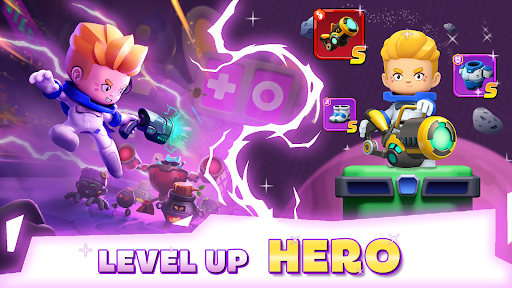
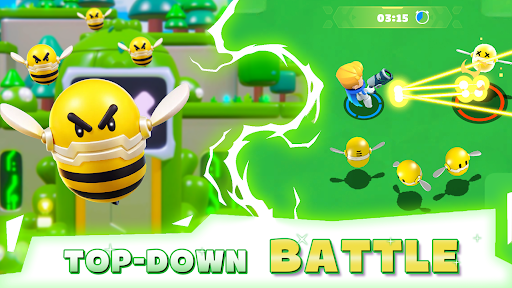
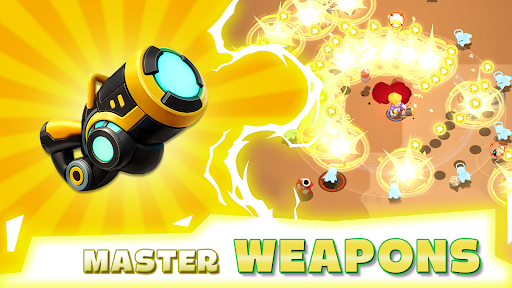
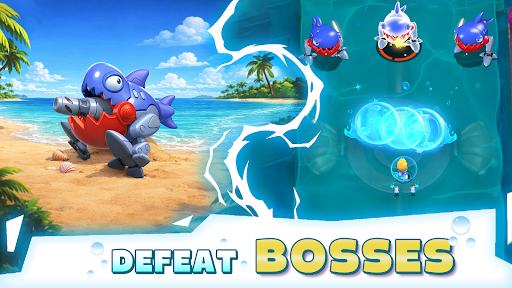
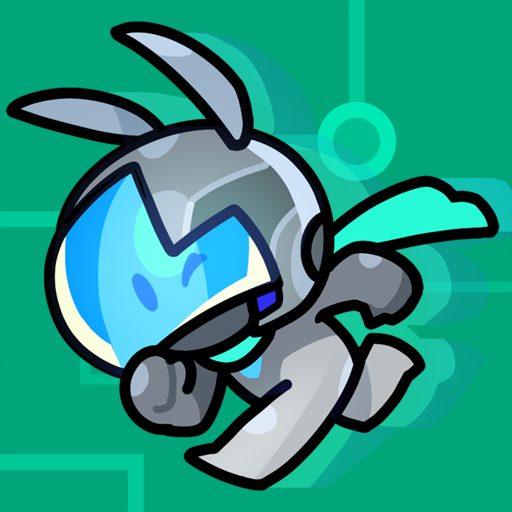
Star Blaster is an offline roguelike set in a sci-fi space universe where every run feels different. You play as a lone astronaut fighting through waves of machines across the galaxy, picking up skills, getting stronger, and trying to survive just a bit longer each time.
Endless roguelike action:
Are you ready to survive the galaxy? Become a space warrior and dive into an offline roguelike where every run brings new skills, new enemies, and new challenges. Fight, adapt, and push further each time. In this action-packed roguelike shooter, your survival depends on your decisions. Blast through waves of enemies, dodge deadly attacks, and face powerful bosses. It’s a life-or-death battle in space. Can you survive long enough to dominate the run?
Build your RPG playstyle:
This isn’t just a shooting game - it’s a roguelike RPG where you create your own build. Upgrade skills, combine abilities, and shape your hero your way. Will you focus on raw damage, defense, or unique combos? Every run gives you new choices and endless possibilities. Become stronger after every battle and develop a playstyle that fits you. No two runs are ever the same.
Explore a sci-fi galaxy:
Step into a dangerous space universe filled with mysterious planets, deadly machines, and futuristic environments. Travel across the galaxy, uncover hidden threats, and fight through waves of enemies in a constantly evolving world. This sci-fi action game brings intense battles and endless exploration together in one experience.
Upgrade and survive:
Collect powerful upgrades, unlock new abilities, and push deeper into the challenge. The further you go, the harder it gets. Enemies grow stronger, bosses become deadlier, and only the best players survive. In this free offline game, every run is a chance to improve, adapt, and go further than before.
Game features:
● Random skills every run - build your own playstyle and adapt as you go
● Fast-paced action with less grind, more real combat decisions
● Explore a sci-fi space universe with diverse levels and maps
● Face waves of enemies and take down challenging bosses
● Upgrade your hero with RPG progression and powerful gear
● A true offline roguelike experience you can play anytime
Follow us for the latest news and updates!
• Facebook: facebook.com/StarBlasterHub
• Discord: discord.gg/ZeQxeuVugg
• Support Mail: starblaster.support@enigmapubltd.com
แสดงเพิ่มเติม

1. ดาวน์โหลดตัวติดตั้ง MEmu และสิ้นสุดการติดตั้ง

2. เริ่ม MEmu จากนั้นเปิด Google Play บนหน้าแรก

3. ค้นหา Star Blaster: Shooting Game ใน Google Play
Install
4. ดาวน์โหลดและติดตั้ง Star Blaster: Shooting Game
5. เมื่อติดตั้งเสร็จให้คลิกที่ไอคอนเพื่อเริ่มใช้งาน

6. สนุกกับการเล่น Star Blaster: Shooting Game บนพีซีด้วย MEmu
MEmu App Player เป็นอีมูเลเตอร์ Android ที่ดีที่สุดและผู้คนกว่า 50 ล้านคนเพลิดเพลินไปกับประสบการณ์การเล่นเกม Android ที่ยอดเยี่ยม เทคโนโลยีการจำลองเสมือนของ MEmu ช่วยให้คุณเล่นเกม Android หลายพันเกมได้อย่างราบรื่นบนพีซีของคุณแม้แต่เกมที่ต้องใช้กราฟิกมากที่สุด
จอใหญ่และกราฟฟิกสวยกว่า; เล่นได้นาน, ไม่ต้องใช้แบตเตอรี่โทรศัพท์หรือเน็ตโทรศัพท์.
ระบบปรับแต่งปุ่มคีย์บอร์ดและเม้าส์ตามที่คุณเลือก
เล่นมากกว่าหนึ่งเกมบน PC ในเวลาเดียวกันด้วยระบบหลายจอหรือ Multi-Instance manager.
Play Star Blaster: Shooting Game on PC by following steps: