Together: Moon Escape
Aggiornata
Versione corrente
Offerta da

Vista tutta la passione dimostrata nel giocare a Together: Moon Escape, le tue mani non dovrebbero essere limitate al minuscolo schermo di un telefono. Gioca come un professionista e ottieni il pieno controllo del gioco con tastiera e mouse. MEmu ti offre tutto ciò che ti aspetti. Scarica e gioca a Together: Moon Escape su PC. Gioca quanto vuoi, niente più limitazioni di batteria, dati mobili e chiamate inquietanti. Il nuovissimo MEmu 9 è la scelta migliore per giocare a Together: Moon Escape su PC. Realizzato sulla base della nostra esperienza, lo squisito sistema di mappatura dei tasti preimpostati rende Together: Moon Escape un vero e proprio gioco per PC. MEmu è un gestore multi-instanza che permette di giocare con 2 o più account sullo stesso dispositivo. E la cosa più importante, il nostro esclusivo motore di emulazione può liberare tutto il potenziale del tuo PC, rendendo tutto fluido.
Mostra altro
Scarica Together: Moon Escape su PC con MEmu Android Emulator. Divertiti giocando sul grande schermo. A Fresh Take on Co-Op GamingAt a time when co-op games explore all kinds of fast-paced and experimental ideas, Together Moon Escape offers a different kind of experience.
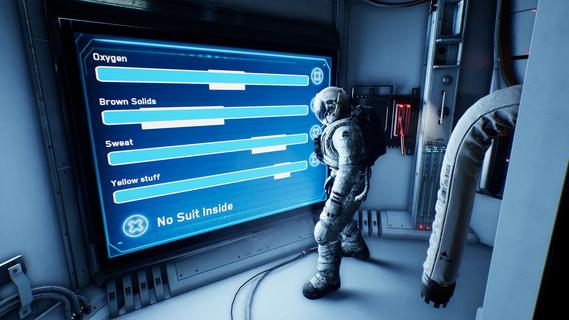

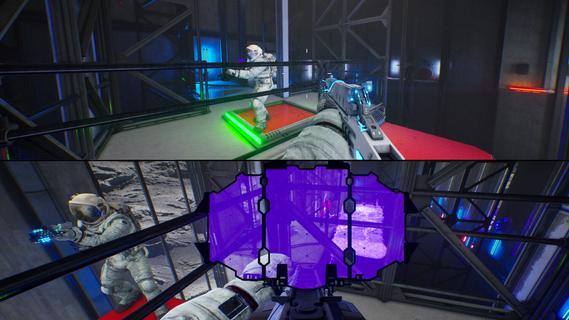

A Fresh Take on Co-Op GamingAt a time when co-op games explore all kinds of fast-paced and experimental ideas, Together Moon Escape offers a different kind of experience.This is a carefully crafted, story-driven, two-player puzzle adventure designed from the ground up for meaningful cooperation. Every puzzle is intentional. Every mechanic serves the narrative. Every moment is built to make you communicate, think, and feel.If you love the asymmetric design of We Were Here and the emotional cooperation of It Takes Two, you donât want to miss this lunar journey!Welcome to the MoonYou are Moonfishers, specialized astronauts sent to the Moon. Your employer? Moontella. A trillionare corporation extracting rare (and questionably carcinogenic) lunar slimes to supply high-end restaurants back on Earth. The job was simple. Until something went wrong.This is not your average serious space game. Expect absurd tools, ridiculous logic, and nonstop cooperation. Whether you're arguing over a puzzle or laughing at your partner falling into a crater (again), youâll need each other to get home.Features2-player online or local co-op â Grab a friend and play split-screen or over the internet. No solo mode: the Moon demands teamwork.True co-op puzzles â Communication is key! Youâll each see different things, control different systems, or need to act in perfect sync.Lunar exploration â Travel across varied environments like the Moonâs surface, dark caves, derelict ships, and secret facilities.Ridiculous tools â Use special weapons and gadgets like the Slime Fryer or the Slime Vision Goggles to solve puzzles... or prank your partner.
Mostra altro

1. Scarica il programma di installazione di MEmu e completa l'installazione

2. Avvia il Memu e apri il Google Play sulla homepage

3. Cerca Together: Moon Escape in Google Play
Install
4. Scarica e installa Together: Moon Escape
5. Al termine dell'installazione, fai clic sull'icona per avviar

6. Divertiti giocando a Together: Moon Escape su PC con MEmu
MEmu App Player è il miglior emulatore Android gratuito, utilizzato da 50 milioni di persone per ottenere un'esperienza di gioco Android superba. La tecnilogia di virtualizzazione MEmu ti permette di giocare a migliaia di giochi Android con semplicità sul tuo computer, anche i giochi con la grafica più esigente.
Schermo più grande con una grafica migliore; Lunga durata, senza limitazione di batteria o dati mobili.
Supporto completo per mappa di tastiera per un controllo preciso di tastiera e mouse o gamepad.
Multipli account di gioco o attività su un singolo PC contemporaneamente con il gestore di multi istanza.
Play Together: Moon Escape on PC by following steps: