
Together: Moon Escape
Updated
Current Version
Offered By

With your passion for Together: Moon Escape, you shouldn’t have to limit yourself to the small screen of a phone. Play like a pro and take full control of the game using a keyboard and mouse. MEmu gives you everything you’re looking for. Download and play Together: Moon Escape on PC. Play as long as you want — no more worries about battery life, mobile data, or unexpected calls. The all-new MEmu 9 is the best way to play Together: Moon Escape on PC. With our expertly designed keymapping system, Together: Moon Escape feels just like a real PC game. The MEmu multi-instance manager lets you run two or more accounts on the same device at the same time. Most importantly, our exclusive emulation engine unlocks your PC’s full potential, delivering smooth and seamless performance.
Show more
Download Together: Moon Escape on PC with MEmu Android Emulator. Enjoy playing on big screen. A Fresh Take on Co-Op Gaming At a time when co-op games explore all kinds of fast-paced and experimental ideas, Together Moon Escape offers a different kind of experience.
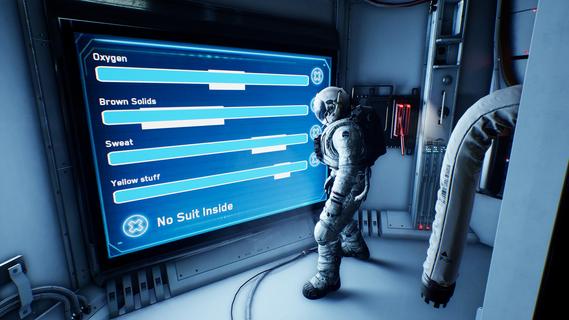

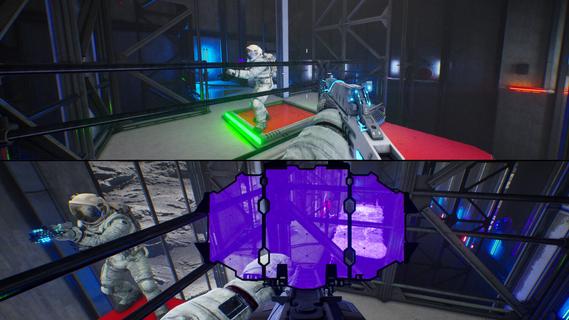

A Fresh Take on Co-Op Gaming At a time when co-op games explore all kinds of fast-paced and experimental ideas, Together Moon Escape offers a different kind of experience. This is a carefully crafted, story-driven, two-player puzzle adventure designed from the ground up for meaningful cooperation. Every puzzle is intentional. Every mechanic serves the narrative. Every moment is built to make you communicate, think, and feel. If you love the asymmetric design of We Were Here and the emotional cooperation of It Takes Two, you don’t want to miss this lunar journey! Welcome to the Moon You are Moonfishers, specialized astronauts sent to the Moon. Your employer? Moontella. A trillionare corporation extracting rare (and questionably carcinogenic) lunar slimes to supply high-end restaurants back on Earth. The job was simple. Until something went wrong. This is not your average serious space game. Expect absurd tools, ridiculous logic, and nonstop cooperation. Whether you're arguing over a puzzle or laughing at your partner falling into a crater (again), you’ll need each other to get home. Features 2-player online or local co-op – Grab a friend and play split-screen or over the internet. No solo mode: the Moon demands teamwork. True co-op puzzles – Communication is key! You’ll each see different things, control different systems, or need to act in perfect sync. Lunar exploration – Travel across varied environments like the Moon’s surface, dark caves, derelict ships, and secret facilities. Ridiculous tools – Use special weapons and gadgets like the Slime Fryer or the Slime Vision Goggles to solve puzzles... or prank your partner.
Show more

1. Download MEmu installer and finish the setup

2. Start MEmu then open Google Play on the desktop

3. Search Together: Moon Escape in Google Play
Install
4. Download and Install Together: Moon Escape
5. On install completion click the icon to start

6. Enjoy playing Together: Moon Escape on PC with MEmu
MEmu Play is the best Android emulator and 100 million people already enjoy its superb Android gaming experience. The MEmu virtualization technology empowers you to play thousands of Android games smoothly on your PC, even the most graphic-intensive ones.
Bigger screen with better graphics; Long duration, without limitation of battery or mobile data.
Full Keymapping support for precise control of keyboard and mouse or gamepad.
Multiple game accounts or tasks on single PC at one time with Multi-Instance manager.
Play Together: Moon Escape on PC by following steps:

















































