AR Drawing: Sketch Paint
Aggiornata
Versione corrente
1.53
Offerta da

Non devi più preoccuparti dei sovraccarichi durante l'utilizzo di AR Drawing: Sketch Paint sul tuo cellulare, liberati dal piccolo schermo e goditi dell'App su uno schermo molto più grande. D'ora in poi, sperimenta la tua App a schermo intero con tastiera e mouse. MEmu ti offre tutte le sorprendenti funzioni che ti aspettavi: installazione rapida e impostazione semplice, controlli intuitivi, niente più limitazioni di batteria, dati mobili e chiamate fastidiose. Il MEmu 9 nuovo di zecca è la prima scelta per utilizzare AR Drawing: Sketch Paint sul tuo computer. Codificato con il nostro assorbimento, il gestore multi-istanza consente di aprire 2 o più account contemporaneamente. E soprattutto, il nostro esclusivo motore di emulazione può sbloccare il pieno potenziale del tuo PC, rendendo tutto liscio e piacevole.
Mostra altro
Scarica AR Drawing: Sketch Paint su PC con MEmu Android Emulator. Divertiti giocando sul grande schermo. Unleash Your Inner Artist with AR Drawing: Sketch Paint - The Ultimate Mobile App for Drawing and Painting!
Unleash Your Inner Artist with AR Drawing: Sketch Paint - The Ultimate Mobile App for Drawing and Painting!
Step into the world of boundless creativity with AR Drawing: Sketch Paint, an innovative mobile application designed to help you master the art of drawing and unleash your artistic potential. Whether you're a beginner seeking to hone your skills or an experienced artist looking to explore new horizons, this app offers a unique and immersive experience that will elevate your artistic journey.
The AR Drawing: Sketch Paint app features:
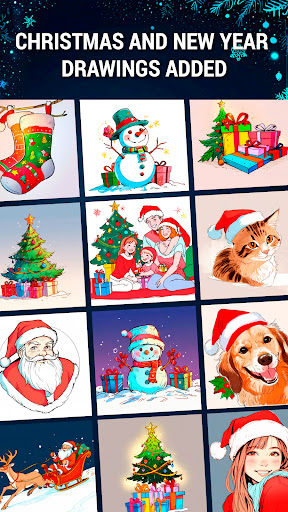
- Christmas and New Year drawings: trees, snowmen, gifts, Santa Claus and other holiday sketches...
- Diverse template library
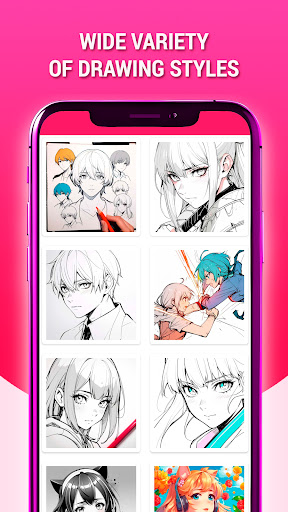
- Wide variety of drawing styles
- Black & white and color sketches
- Excellent drawings
- High quality sketches for painting
- It is a completely free drawing app
- Change transparency, rotate or zoom the image for best drawing
- Easy sketch drawing learning with our tutorial
- Draw and trace with AR Drawing technology using your camera
- Improve your drawing skill and sketch it like a Pro!
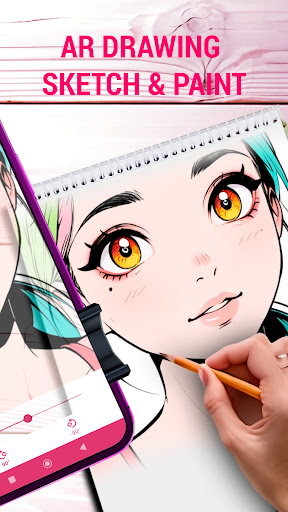
With a diverse template library featuring a wide variety of drawing styles, from black and white sketches to vibrant color compositions, AR Drawing: Sketch Paint empowers you to create stunning masterpieces. Explore excellent drawings and high-quality sketches, each meticulously crafted to inspire and guide you through the learning process.
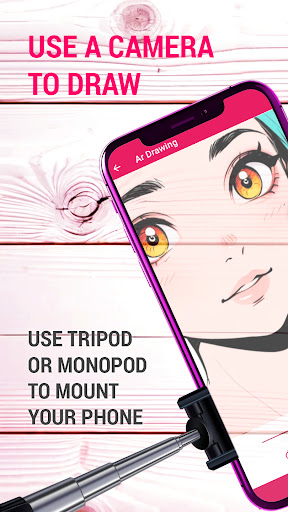
Leveraging the power of AR Drawing Sketch technology, this app allows you to draw and trace directly onto your smartphone or tablet's screen using your device's camera. Simply mount your device on a tripod or place it on a flat surface, and let the magic unfold. With the ability to adjust transparency, rotate, and zoom the image, you can achieve the perfect angle and perspective for your artistic endeavors.
But that's not all – AR Drawing: Sketch Paint app offers a tutorial to help you learn and improve your drawing skills at your own pace. Whether you're a complete novice or an experienced artist seeking to refine your techniques, this app provides step-by-step guidance, ensuring that you can sketch like a pro in no time.
Immerse yourself in a vast array of AR drawing genres, including animals, anime, beauty and fashion, cartoons, fantasy, flowers, food and drink, landscapes, and much more. With countless free samples of painting and tracing templates at your fingertips, the possibilities are endless.
The user-friendly interface and intuitive features make AR Drawing app accessible to artists of all levels, ensuring a seamless and enjoyable experience from start to finish.
Embark on a journey of artistic discovery with "AR Drawing: Sketch Paint" app and unlock the artist within. Download this incredible app today and let your creativity soar!
Mostra altro

1. Scarica il programma di installazione di MEmu e completa l'installazione

2. Avvia il Memu e apri il Google Play sulla homepage

3. Cerca AR Drawing: Sketch Paint in Google Play
Install
4. Scarica e installa AR Drawing: Sketch Paint
5. Al termine dell'installazione, fai clic sull'icona per avviar

6. Divertiti giocando a AR Drawing: Sketch Paint su PC con MEmu
MEmu App Player è il miglior emulatore Android gratuito, utilizzato da 50 milioni di persone per ottenere un'esperienza di gioco Android superba. La tecnilogia di virtualizzazione MEmu ti permette di giocare a migliaia di giochi Android con semplicità sul tuo computer, anche i giochi con la grafica più esigente.
Schermo più grande con una grafica migliore; Lunga durata, senza limitazione di batteria o dati mobili.
Supporto completo per mappa di tastiera per un controllo preciso di tastiera e mouse o gamepad.
Multipli account di gioco o attività su un singolo PC contemporaneamente con il gestore di multi istanza.
Use AR Drawing: Sketch Paint on PC by following steps: