
FKey: Boost Game & Reduce Ping
Aggiornata
Versione corrente
1.1.5
Offerta da

Non devi più preoccuparti dei sovraccarichi durante l'utilizzo di FKey: Boost Game & Reduce Ping sul tuo cellulare, liberati dal piccolo schermo e goditi dell'App su uno schermo molto più grande. D'ora in poi, sperimenta la tua App a schermo intero con tastiera e mouse. MEmu ti offre tutte le sorprendenti funzioni che ti aspettavi: installazione rapida e impostazione semplice, controlli intuitivi, niente più limitazioni di batteria, dati mobili e chiamate fastidiose. Il MEmu 9 nuovo di zecca è la prima scelta per utilizzare FKey: Boost Game & Reduce Ping sul tuo computer. Codificato con il nostro assorbimento, il gestore multi-istanza consente di aprire 2 o più account contemporaneamente. E soprattutto, il nostro esclusivo motore di emulazione può sbloccare il pieno potenziale del tuo PC, rendendo tutto liscio e piacevole.
Mostra altro
Goditi un'esperienza straordinaria con FKey: Boost Game & Reduce Ping su PC con MEmu Play. È un potente emulatore Android gratuito che ti offre migliaia di app Android per la versione desktop. Divertiti a connetterti con gli amici e a perfezionare il tuo lavoro con maggiore efficienza! Still troubled by game lag and high latency?
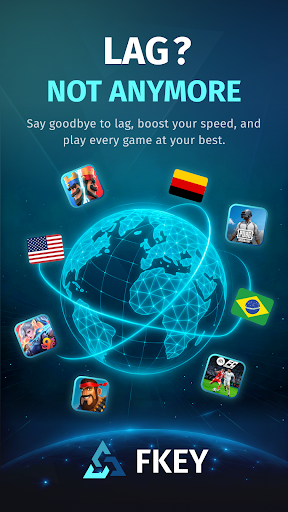

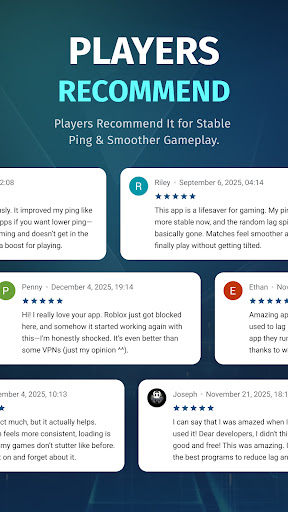
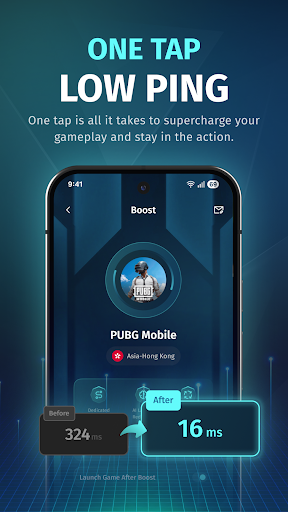
Still troubled by game lag and high latency?
FKey is designed specifically for mobile gamers, using VpnService API intelligent routing and real-time optimization technology to eliminate lag and ensure smooth gameplay anytime, anywhere.
✦ Smart Routing – Stay One Step Ahead
Utilizes intelligent multi-path technology to automatically detect and select the fastest route to game servers.
Effectively avoids network congestion, significantly reducing latency and packet loss.
✦ Real-Time Optimization – Stable Low Latency
Dynamically monitors network conditions and adjusts transmission strategies in real time.
Reduces average latency by up to 80% and effectively minimizes ping fluctuations.
✦ Global Coverage – Play Anywhere
Covers 50+ countries and 200+ cities.
Perfectly supports battle royale, MOBA, FPS, and MMORPG games.
✦ One-Tap Boost – Simple and Easy to Use
Open FKey → Select your game → Tap “Boost.”
No technical knowledge required — start accelerating in seconds.
✦ Lightweight & Secure – Focus on Gaming
No ads, no distractions — just gaming.
Extremely low resource usage, ensuring no impact on device performance or battery life.
✦ Secure VPN– Privacy First
VPN technology is used solely for optimizing game data.
All traffic is safely encrypted, and no personal information is collected or shared.
Download FKey now to enjoy a smoother, faster, and more responsive gaming experience!
Mostra altro

1. Scarica il programma di installazione di MEmu e completa l'installazione

2. Avvia il Memu e apri il Google Play sulla homepage

3. Cerca FKey: Boost Game & Reduce Ping in Google Play
Install
4. Scarica e installa FKey: Boost Game & Reduce Ping
5. Al termine dell'installazione, fai clic sull'icona per avviar

6. Divertiti giocando a FKey: Boost Game & Reduce Ping su PC con MEmu
MEmu App Player è il miglior emulatore Android gratuito, utilizzato da 50 milioni di persone per ottenere un'esperienza di gioco Android superba. La tecnilogia di virtualizzazione MEmu ti permette di giocare a migliaia di giochi Android con semplicità sul tuo computer, anche i giochi con la grafica più esigente.
Schermo più grande con una grafica migliore; Lunga durata, senza limitazione di batteria o dati mobili.
Supporto completo per mappa di tastiera per un controllo preciso di tastiera e mouse o gamepad.
Multipli account di gioco o attività su un singolo PC contemporaneamente con il gestore di multi istanza.
Use FKey: Boost Game & Reduce Ping on PC by following steps: