
FKey: Boost Game & Reduce Ping
Actualizada
Versión actual
1.1.5
Ofrecida por

Deje de preocuparse por los recargos cuando use FKey: Boost Game & Reduce Ping en su teléfono celular, libérese de la pequeña pantalla y disfrute usando la aplicación en una pantalla mucho más grande. A partir de ahora, obtenga una experiencia de pantalla completa de su aplicación con teclado y mouse. MEmu le ofrece todas las características sorprendentes que esperaba: instalación rápida y configuración fácil, controles intuitivos, no más limitaciones de batería, datos móviles y llamadas molestas. El nuevo MEmu 9 es la mejor opción para usar FKey: Boost Game & Reduce Ping en su computadora. Codificado con nuestra absorción, el administrador de instancias múltiples hace posible abrir 2 o más cuentas al mismo tiempo. Y lo más importante, nuestro exclusivo motor de emulación puede liberar todo el potencial de su PC, hacer que todo sea fluido y agradable.
Más detalles
Disfruta de una experiencia increíble usando FKey: Boost Game & Reduce Ping en tu PC con MEmu Play. Es un potente emulador de Android gratuito que te ofrece miles de aplicaciones de Android en su versión de escritorio. ¡Conéctate con tus amigos y optimiza tu trabajo! Still troubled by game lag and high latency?

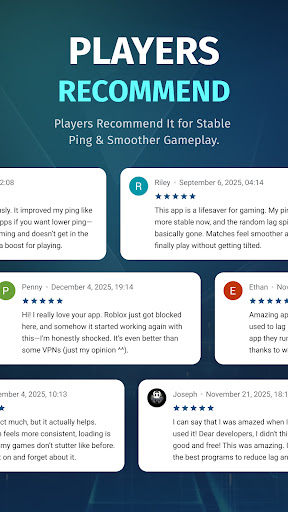
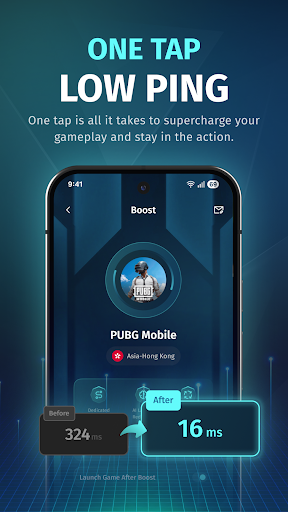
Still troubled by game lag and high latency?
FKey is designed specifically for mobile gamers, using VpnService API intelligent routing and real-time optimization technology to eliminate lag and ensure smooth gameplay anytime, anywhere.
✦ Smart Routing – Stay One Step Ahead
Utilizes intelligent multi-path technology to automatically detect and select the fastest route to game servers.
Effectively avoids network congestion, significantly reducing latency and packet loss.
✦ Real-Time Optimization – Stable Low Latency
Dynamically monitors network conditions and adjusts transmission strategies in real time.
Reduces average latency by up to 80% and effectively minimizes ping fluctuations.
✦ Global Coverage – Play Anywhere
Covers 50+ countries and 200+ cities.
Perfectly supports battle royale, MOBA, FPS, and MMORPG games.
✦ One-Tap Boost – Simple and Easy to Use
Open FKey → Select your game → Tap “Boost.”
No technical knowledge required — start accelerating in seconds.
✦ Lightweight & Secure – Focus on Gaming
No ads, no distractions — just gaming.
Extremely low resource usage, ensuring no impact on device performance or battery life.
✦ Secure VPN– Privacy First
VPN technology is used solely for optimizing game data.
All traffic is safely encrypted, and no personal information is collected or shared.
Download FKey now to enjoy a smoother, faster, and more responsive gaming experience!
Más detalles

1. Descargar el instalador de MEmu y finalice la instalación

2. Iniciar MEmu y abrir Google Play en la página de inicio

3. Buscar FKey: Boost Game & Reduce Ping en Google Play
Install
4. Descargar y instalar FKey: Boost Game & Reduce Ping
5. Hacer click al icono para iniciar

6. Experiencia FKey: Boost Game & Reduce Ping en PC con MEmu
MEmu App Player es el mejor emulador de Android gratuito y 50 millones de personas ya están disfrutando su magnífica experiencia de aplicación en Android. La tecnología de virtualización de MEmu te permite jugar a miles de aplicaciones Android suavemente en tu PC, incluso los más intensivos gráficamente.
Pantalla más grande con mejores gráficos; Larga duración, sin limitación de batería o datos móviles.
Soporte completo de keymapping para un control preciso del teclado y el mouse o gamepad.
Múltiples cuentas de juegos o tareas en una sola PC a la vez con el administrador de instancias múltiples.
Use FKey: Boost Game & Reduce Ping on PC by following steps: