
FKey: Boost Game & Reduce Ping
अपडेट किया गया
वर्तमान वर्शन
1.1.5
संसाधन

FKey: Boost Game & Reduce Ping पर अपनी मोबाइल डेटा सीमा पार करने को अलविदा कहें और छोटी स्क्रीन की सीमाओं से मुक्त होकर बड़े डिस्प्ले के लाभों का अनुभव करें। अब, आप अपने कीबोर्ड और माउस का उपयोग करके फुल-स्क्रीन मोड में टॉपर्स क्लैन की शक्ति का अनुभव कर सकते हैं। MEmu Play में वे सभी बेहतरीन सुविधाएँ हैं जिनकी आप अपेक्षा करते हैं: त्वरित इंस्टॉलेशन और आसान सेटअप, सहज नियंत्रण, बैटरी की आवश्यकता नहीं, और कोई डेटा या कॉल समय सीमा नहीं। नया MEmu 9 आपके कंप्यूटर पर FKey: Boost Game & Reduce Ping का उपयोग करने के लिए सबसे अच्छा विकल्प है। हमारा मालिकाना मल्टी-इंस्टेंस मैनेजर एक साथ दो या अधिक खातों को चलाने का समर्थन करता है। इससे भी महत्वपूर्ण बात यह है कि हमारा अनूठा इम्यूलेशन इंजन आपके कंप्यूटर के प्रदर्शन का पूरा उपयोग करता है, जिससे एक सहज और निर्बाध अनुभव मिलता है।
और दिखाएं
MEmu Play के साथ PC पर FKey: Boost Game & Reduce Ping इस्तेमाल करने के शानदार अनुभव का आनंद लें। यह एक शक्तिशाली मुफ़्त Android एमुलेटर है जो आपको डेस्कटॉप वर्ज़न के लिए हज़ारों Android ऐप्स उपलब्ध कराता है। दोस्तों से जुड़ने और अपने काम को और भी बेहतर बनाने का आनंद लें! Still troubled by game lag and high latency?
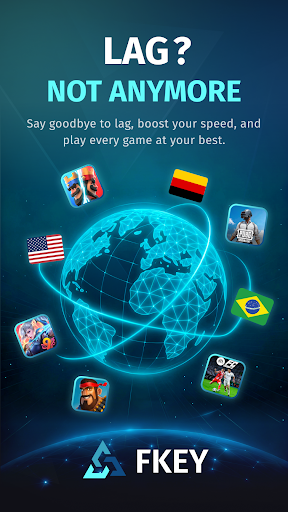

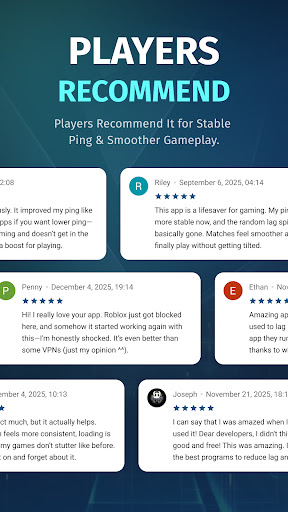
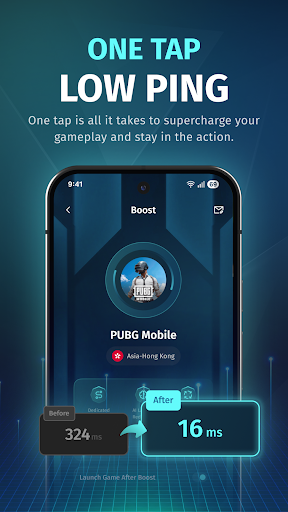
Still troubled by game lag and high latency?
FKey is designed specifically for mobile gamers, using VpnService API intelligent routing and real-time optimization technology to eliminate lag and ensure smooth gameplay anytime, anywhere.
✦ Smart Routing – Stay One Step Ahead
Utilizes intelligent multi-path technology to automatically detect and select the fastest route to game servers.
Effectively avoids network congestion, significantly reducing latency and packet loss.
✦ Real-Time Optimization – Stable Low Latency
Dynamically monitors network conditions and adjusts transmission strategies in real time.
Reduces average latency by up to 80% and effectively minimizes ping fluctuations.
✦ Global Coverage – Play Anywhere
Covers 50+ countries and 200+ cities.
Perfectly supports battle royale, MOBA, FPS, and MMORPG games.
✦ One-Tap Boost – Simple and Easy to Use
Open FKey → Select your game → Tap “Boost.”
No technical knowledge required — start accelerating in seconds.
✦ Lightweight & Secure – Focus on Gaming
No ads, no distractions — just gaming.
Extremely low resource usage, ensuring no impact on device performance or battery life.
✦ Secure VPN– Privacy First
VPN technology is used solely for optimizing game data.
All traffic is safely encrypted, and no personal information is collected or shared.
Download FKey now to enjoy a smoother, faster, and more responsive gaming experience!
और दिखाएं

1. MEmu इंस्टॉलर को डाउनलोड करें और इंस्टॉलेशन को पूरा करें

2. MEmu शुरू करें फिर होमपेज पर Google Play खोलें

3. Google Play में FKey: Boost Game & Reduce Ping खोजें
Install
4. FKey: Boost Game & Reduce Ping डाउनलोड कर इंस्टॉल करें
5. इंस्टॉल पूरा होने पर आइकन दबाएं

6. MEmu का उपयोग करके अपने कंप्यूटर पर FKey: Boost Game & Reduce Ping का अनुभव करें
MEmu Play सबसे बेहतरीन मुफ़्त Android एमुलेटर है और 5 करोड़ लोग पहले ही इसके शानदार Android ऐप अनुभव का आनंद ले चुके हैं। MEmu 9 वर्चुअलाइज़ेशन तकनीक आपको अपने PC पर हज़ारों Android ऐप्स, यहाँ तक कि सबसे ज़्यादा ग्राफ़िक्स वाले ऐप्स भी, आसानी से चलाने की सुविधा देती है।
असीमित बैटरी या मोबाइल डेटा के साथ बेहतर ग्राफिक्स के साथ बड़ी स्क्रीन; लंबी अवधि।
कीबोर्ड और माउस या गेमपैड के उत्तम नियंत्रण के लिए संपूर्ण कीमैपिंग का समर्थन करता हैं।
एक ही पीसी पर मल्टी-इंस्टेंस मैनेजर के साथ एक समय में कई गेम खाते या कार्य कर सकते हैं।
Use FKey: Boost Game & Reduce Ping on PC by following steps: