
FKey: Boost Game & Reduce Ping
อัปเดตเมื่อ
เวอร์ชันปัจจุบัน
1.1.5
ให้บริการโดย

เมื่อใช้ FKey: Boost Game & Reduce Ping บนโทรศัพท์ของคุณไม่ต้องกังวลกับการชาร์จไฟมากเกินไปปลดปล่อยตัวคุณเองจากหน้าจอขนาดเล็กและสนุกกับการใช้แอพนี้บนหน้าจอขนาดใหญ่ จากนี้ไปรับประสบการณ์เต็มหน้าจอของแอปพลิเคชันของคุณด้วยคีย์บอร์ดและเมาส์ MEmu มีคุณสมบัติที่น่าแปลกใจที่คุณคาดหวัง: การติดตั้งที่รวดเร็วและการตั้งค่าที่ง่ายควบคุมได้ง่ายไม่ จำกัด แบตเตอรี่ข้อมูลมือถือและการโทรที่รบกวน MEmu 9 ใหม่ล่าสุดเป็นตัวเลือกที่ดีที่สุดสำหรับการใช้ Meitu – โปรแกรมแก้ไขภาพแนวธรรมชาติ บนคอมพิวเตอร์ของคุณ ด้วยรหัสการดูดซึมของเราผู้จัดการหลายอินสแตนซ์ทำให้สามารถเปิดบัญชี 2 บัญชีขึ้นไปในเวลาเดียวกันได้ และที่สำคัญที่สุดเอ็นจิ้นจำลองพิเศษของเราสามารถปลดปล่อยศักยภาพของPCของคุณและทำให้ทุกอย่างราบรื่นและสนุกสนาน
แสดงเพิ่มเติม
สัมผัสประสบการณ์สุดยอดการใช้งาน FKey: Boost Game & Reduce Ping บนพีซีด้วย MEmu Play นี่คือโปรแกรมจำลอง Android ฟรีที่ทรงพลัง ให้คุณใช้งานแอป Android นับพันบนเดสก์ท็อป สนุกกับการเชื่อมต่อกับเพื่อนๆ และขัดเกลาผลงานของคุณอย่างมีประสิทธิภาพยิ่งขึ้น! Still troubled by game lag and high latency?
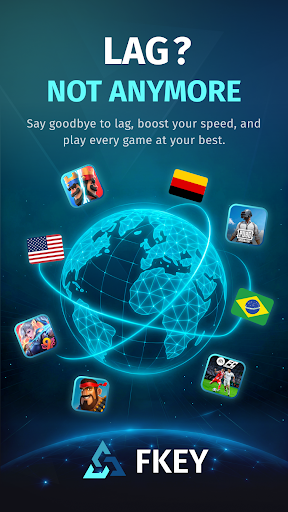

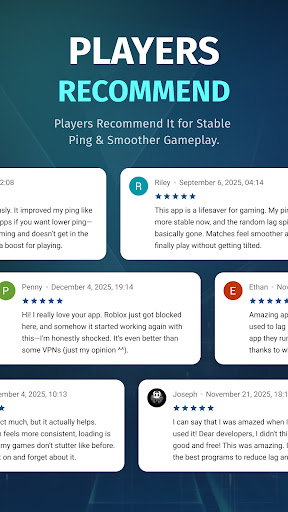
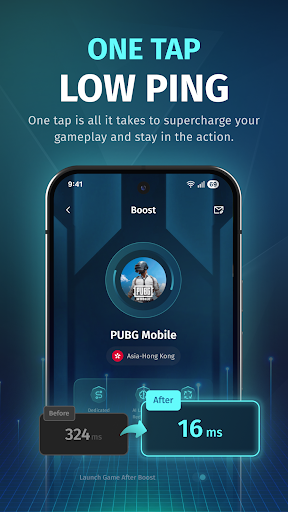
Still troubled by game lag and high latency?
FKey is designed specifically for mobile gamers, using VpnService API intelligent routing and real-time optimization technology to eliminate lag and ensure smooth gameplay anytime, anywhere.
✦ Smart Routing – Stay One Step Ahead
Utilizes intelligent multi-path technology to automatically detect and select the fastest route to game servers.
Effectively avoids network congestion, significantly reducing latency and packet loss.
✦ Real-Time Optimization – Stable Low Latency
Dynamically monitors network conditions and adjusts transmission strategies in real time.
Reduces average latency by up to 80% and effectively minimizes ping fluctuations.
✦ Global Coverage – Play Anywhere
Covers 50+ countries and 200+ cities.
Perfectly supports battle royale, MOBA, FPS, and MMORPG games.
✦ One-Tap Boost – Simple and Easy to Use
Open FKey → Select your game → Tap “Boost.”
No technical knowledge required — start accelerating in seconds.
✦ Lightweight & Secure – Focus on Gaming
No ads, no distractions — just gaming.
Extremely low resource usage, ensuring no impact on device performance or battery life.
✦ Secure VPN– Privacy First
VPN technology is used solely for optimizing game data.
All traffic is safely encrypted, and no personal information is collected or shared.
Download FKey now to enjoy a smoother, faster, and more responsive gaming experience!
แสดงเพิ่มเติม

1. ดาวน์โหลดตัวติดตั้ง MEmu และสิ้นสุดการติดตั้ง

2. เริ่ม MEmu จากนั้นเปิด Google Play บนหน้าแรก

3. ค้นหา FKey: Boost Game & Reduce Ping ใน Google Play
Install
4. ดาวน์โหลดและติดตั้ง FKey: Boost Game & Reduce Ping
5. เมื่อติดตั้งเสร็จให้คลิกที่ไอคอนเพื่อเริ่มใช้งาน

6. ใช้ MEmu เพื่อสัมผัสประสบการณ์ FKey: Boost Game & Reduce Ping บนคอมพิวเตอร์ของคุณ
MEmu Play คือโปรแกรมจำลอง Android ที่ดีที่สุด มีผู้ใช้มากกว่า 50 ล้านคน มอบประสบการณ์การใช้งานแอป Android ขั้นสุดยอดให้กับคุณ เทคโนโลยีจำลองเสมือนของ MEmu ช่วยให้คุณรันแอป Android หลายพันแอปบนคอมพิวเตอร์ได้อย่างราบรื่น แม้แอปที่กินทรัพยากรเครื่องสูงที่สุด
จอใหญ่และกราฟฟิกสวยกว่า; เล่นได้นาน, ไม่ต้องใช้แบตเตอรี่โทรศัพท์หรือเน็ตโทรศัพท์.
ระบบปรับแต่งปุ่มคีย์บอร์ดและเม้าส์ตามที่คุณเลือก
เล่นมากกว่าหนึ่งเกมบน PC ในเวลาเดียวกันด้วยระบบหลายจอหรือ Multi-Instance manager.
Use FKey: Boost Game & Reduce Ping on PC by following steps: