
FKey: Boost Game & Reduce Ping
Atualizada
Versão atual
1.1.5
Oferecido por

Pare de se preocupar com sobrecargas ao usar FKey: Boost Game & Reduce Ping no seu celular, liberte-se da pequena tela e aproveite o uso do aplicativo numa tela muito maior. A partir de agora, obtenha uma experiência em tela cheia do seu aplicativo com teclado e mouse. O MEmu oferece-lhe todos os recursos surpreendentes que você esperava: instalação rápida e configuração fácil, controles intuitivos, sem mais limitações de bateria, dados móveis e chamadas perturbadoras. O novíssimo MEmu 9 é a melhor opção para usar FKey: Boost Game & Reduce Ping no seu computador. Codificado com a nossa absorção, o gerenciador de multi-instâncias possibilita a abertura de 2 ou mais contas ao mesmo tempo. E o mais importante, nosso mecanismo de emulação exclusivo pode liberar todo o potencial do seu PC, tornando tudo suave e agradável.
Mostre mais
Desfrute de uma experiência incrível utilizando o FKey: Boost Game & Reduce Ping no PC com o MEmu Play. É um poderoso emulador Android gratuito que oferece milhares de aplicações Android nas suas versões para desktop. Estabeleça ligação com amigos e aprimore o seu trabalho com mais eficiência! Still troubled by game lag and high latency?
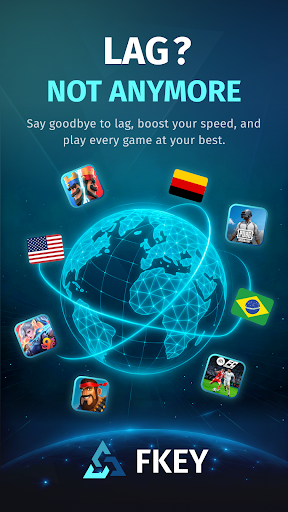

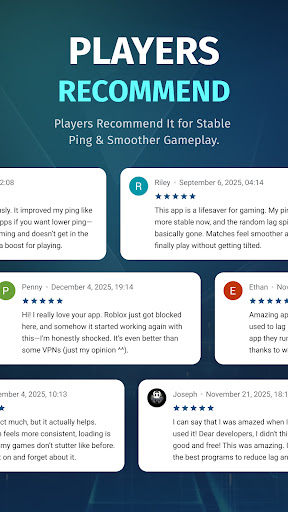
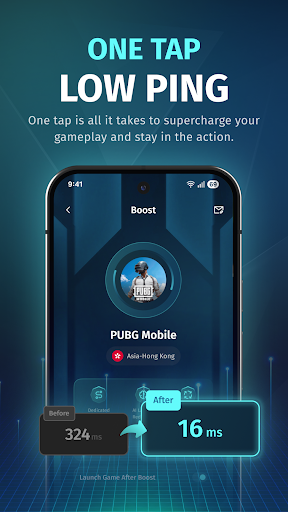
Still troubled by game lag and high latency?
FKey is designed specifically for mobile gamers, using VpnService API intelligent routing and real-time optimization technology to eliminate lag and ensure smooth gameplay anytime, anywhere.
✦ Smart Routing – Stay One Step Ahead
Utilizes intelligent multi-path technology to automatically detect and select the fastest route to game servers.
Effectively avoids network congestion, significantly reducing latency and packet loss.
✦ Real-Time Optimization – Stable Low Latency
Dynamically monitors network conditions and adjusts transmission strategies in real time.
Reduces average latency by up to 80% and effectively minimizes ping fluctuations.
✦ Global Coverage – Play Anywhere
Covers 50+ countries and 200+ cities.
Perfectly supports battle royale, MOBA, FPS, and MMORPG games.
✦ One-Tap Boost – Simple and Easy to Use
Open FKey → Select your game → Tap “Boost.”
No technical knowledge required — start accelerating in seconds.
✦ Lightweight & Secure – Focus on Gaming
No ads, no distractions — just gaming.
Extremely low resource usage, ensuring no impact on device performance or battery life.
✦ Secure VPN– Privacy First
VPN technology is used solely for optimizing game data.
All traffic is safely encrypted, and no personal information is collected or shared.
Download FKey now to enjoy a smoother, faster, and more responsive gaming experience!
Mostre mais

1. Faça o download do instalador do MEmu e conclua a instalação

2. Inicie o MEmu e depois abra o Google Play na página inicial

3. Pesquise FKey: Boost Game & Reduce Ping no Google Play
Install
4. Baixe e Instale FKey: Boost Game & Reduce Ping
5. Na conclusão da instalação, clique no ícone para iniciar

6. º Experimente o FKey: Boost Game & Reduce Ping no PC com o MEmu.
O MEmu Play é o melhor emulador Android gratuito, com 50 milhões de utilizadores a desfrutar da sua experiência superior com aplicações Android. A tecnologia de virtualização do MEmu permite-lhe executar milhares de aplicações Android sem problemas no seu computador, mesmo as mais exigentes.
Tela maior com gráficos melhores; Longa duração e sem limitação de bateria ou dados móveis.
Suporte completo ao Mapaeamento de Teclas para controle preciso do teclado e mouse ou gamepad.
Várias contas de jogos ou tarefas em um único PC de uma só vez com o Gerenciador de várias instâncias.
Use FKey: Boost Game & Reduce Ping on PC by following steps: