Video Background Changer
Aggiornata
Versione corrente
4.5.1
Offerta da

Non devi più preoccuparti dei sovraccarichi durante l'utilizzo di Video Background Changer sul tuo cellulare, liberati dal piccolo schermo e goditi dell'App su uno schermo molto più grande. D'ora in poi, sperimenta la tua App a schermo intero con tastiera e mouse. MEmu ti offre tutte le sorprendenti funzioni che ti aspettavi: installazione rapida e impostazione semplice, controlli intuitivi, niente più limitazioni di batteria, dati mobili e chiamate fastidiose. Il MEmu 9 nuovo di zecca è la prima scelta per utilizzare Video Background Changer sul tuo computer. Codificato con il nostro assorbimento, il gestore multi-istanza consente di aprire 2 o più account contemporaneamente. E soprattutto, il nostro esclusivo motore di emulazione può sbloccare il pieno potenziale del tuo PC, rendendo tutto liscio e piacevole.
Mostra altro
Scarica Video Background Changer su PC con MEmu Android Emulator. Divertiti giocando sul grande schermo. Green screen effect and video background changer app is the first app that provides you the ability to change your camera video background in real-time, green screen effect app lets you change the video background with solid color, gradient color, image, or even a video.


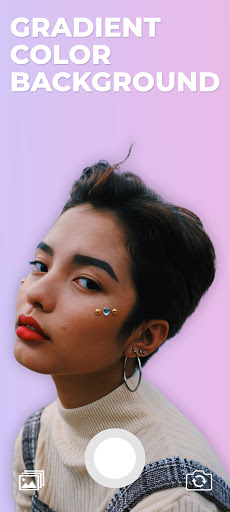
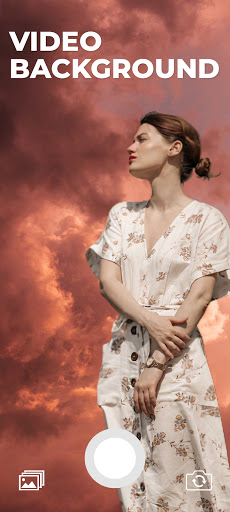
Green screen effect and video background changer app is the first app that provides you the ability to change your camera video background in real-time, green screen effect app lets you change the video background with solid color, gradient color, image, or even a video.
Green screen effect app is a free app video background changer that offers a bunch of features such as change the video background with color, talking about colors, the green screen effect app contains thousands of colors to choose from as well as gradient color, select your favorite one, and change your camera video background with it.
In addition to the colors and gradient color features, the green screen effect let you change the video background with an image from your gallery or even a video, just one click there your video background will be changed.
Green screen effect has two modes of the camera, selfie camera and back camera, one tap to switch between them, you can change the background of your video selfie as well as back camera.
Green screen is one of the darlings of the crowd that likes to make videos more elaborate and fun, but what is green screen? the name refers to a filter that offers several options for funds to use in videos created by the social network.
The feature resembles the green background used in the film super heroes, for example, used as a scenario for people to act. the tool, as expected, is successful on the internet, but what about you, do you know how to use the effect?
How to use :
- Open the green screen effect app.
- Click on the plus button.
- The green screen app will automatically start, you will notice that your camera video background has been removed.
- From the bottom left corner, click on the background icon to change the video background with color, gradient color, image, or even a video
- One tap to save as image and hold tap to start recording a video.
Mostra altro

1. Scarica il programma di installazione di MEmu e completa l'installazione

2. Avvia il Memu e apri il Google Play sulla homepage

3. Cerca Video Background Changer in Google Play
Install
4. Scarica e installa Video Background Changer
5. Al termine dell'installazione, fai clic sull'icona per avviar

6. Divertiti giocando a Video Background Changer su PC con MEmu
MEmu App Player è il miglior emulatore Android gratuito, utilizzato da 50 milioni di persone per ottenere un'esperienza di gioco Android superba. La tecnilogia di virtualizzazione MEmu ti permette di giocare a migliaia di giochi Android con semplicità sul tuo computer, anche i giochi con la grafica più esigente.
Schermo più grande con una grafica migliore; Lunga durata, senza limitazione di batteria o dati mobili.
Supporto completo per mappa di tastiera per un controllo preciso di tastiera e mouse o gamepad.
Multipli account di gioco o attività su un singolo PC contemporaneamente con il gestore di multi istanza.
Use Video Background Changer on PC by following steps: