BLIGHTEN
更新日
現在のバージョン
提供元

スマホ不要!プロ選手のようにキーボードとマウスで操作しよう。MEmuエミュはあなたにすべての期待を与える。電池が切れてしまうとか画面が小さいとかの問題を心配する必要がなくて、存分BLIGHTENを楽しんでください。新しいMEmuエミュ7はPCでBLIGHTENをプレイするのに最適!完璧なキーマッピングシステムにより、まるでパソコンゲームみたい。マルチインスタンスで複数のゲームやアプリを同時に実行!唯一無二な仮想化エンジンがパソコンの可能性を最大限になる。遊べるだけでなく、より楽しめる!
もっと見る
BLIGHTENをPCでダウンロード!大画面でより楽しむ。電源が落ちてしまうとか通信料が足りないとかの問題を心配する必要がなく、PCの大画面でより快適にゲームを楽しましょう! BLIGHTEN is an intense first person survival horror game with grim retro style graphics.


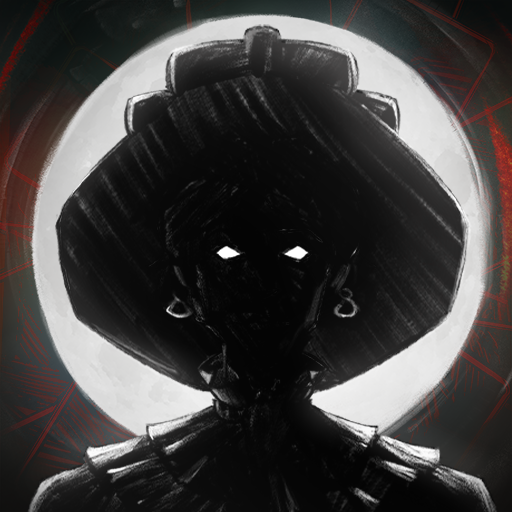
BLIGHTEN is an intense first person survival horror game with grim retro style graphics.Selected to eliminate the last rebels in the eastern wastes, you find yourself lost with your team slaughtered. Now alone you must navigate through the Blight ridden hallways of the facility, explore every room for resources and weapons in an extensive and explorable level based map.Brutal Combat and Resource ManagementArm yourself with an extensive arsenal of various firearms from shotguns to assault rifles, a weapon perfect for every situation. Take part in dynamic and addictive gun play as you take down various mutated horrors throughout the mega structure. Find parts and ammo and make every shot count.Key Features:Immersive Retro Atmosphere: Hand drawn enemy sprites and animation in a 3D retro world creates a unique and dynamic atmosphere while still being fateful to classic retro graphics.Deep and Dark Narrative: As you descend deeper into the decaying facility, an unseen evil lurks in the shadows of the facility, shaping the horrors around you. As you navigate this industrial nightmare, every Blightened creature slain is a grim reminder to what you've lost â and the things you're fighting for.Ammo Management: Ammo and resources are limited, make every shot count, your survival depends upon quick thinking and inventive thinking.Face Blightened Foes: Engage in combat with the blight ridden creatures navigating the facility, each with their own unique abilities and traits.
もっと見る

1. MEmuインストーラーをダウンロードしてセットアップを完了する

2. MEmuを起動し、デスクトップでのPlayストアを開く

3. PlayストアでBLIGHTENを検索する
Install
4. BLIGHTENをダウンロードしてインストールする
5. インストールが完了したら、アイコンをクリックしてスタート

6. MEmuを使用してPCでBLIGHTENを楽しむ
MEmu App Playerは最高の無料で提供されるAndroidエミュレータで、5,000万人がすでに優れたAndroidゲーム体験を楽しんでいます。 MEmuの仮想化技術は、あなたのPCで何千ものAndroidゲームを快適にプレイすることを可能にします。
大画面でより精細;無限の待機、電池とドラフィックの極限を超え
キーボード・マウス・コントローラーを全力でサポート、より快適
マルチインスタンスで複数のゲームを同時に実行
Play BLIGHTEN on PC by following steps: