【OSHI NO KO】Puzzle Star
更新日
現在のバージョン
提供元

スマホ不要!プロ選手のようにキーボードとマウスで操作しよう。MEmuエミュはあなたにすべての期待を与える。電池が切れてしまうとか画面が小さいとかの問題を心配する必要がなくて、存分【OSHI NO KO】Puzzle Starを楽しんでください。新しいMEmuエミュ7はPCで【OSHI NO KO】Puzzle Starをプレイするのに最適!完璧なキーマッピングシステムにより、まるでパソコンゲームみたい。マルチインスタンスで複数のゲームやアプリを同時に実行!唯一無二な仮想化エンジンがパソコンの可能性を最大限になる。遊べるだけでなく、より楽しめる!
もっと見る
【OSHI NO KO】Puzzle StarをPCでダウンロード!大画面でより楽しむ。電源が落ちてしまうとか通信料が足りないとかの問題を心配する必要がなく、PCの大画面でより快適にゲームを楽しましょう! 【OSHI NO KO】 first official game!
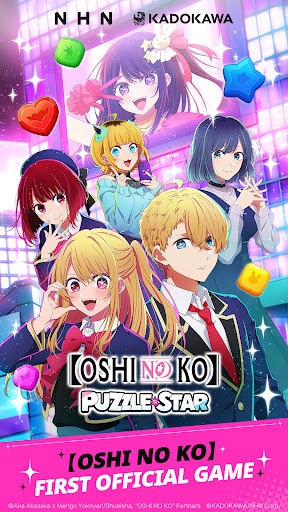
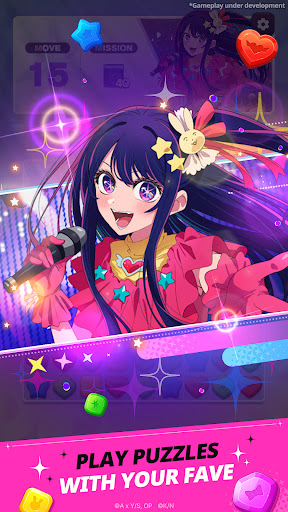
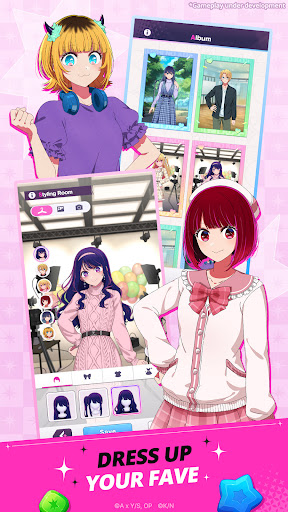
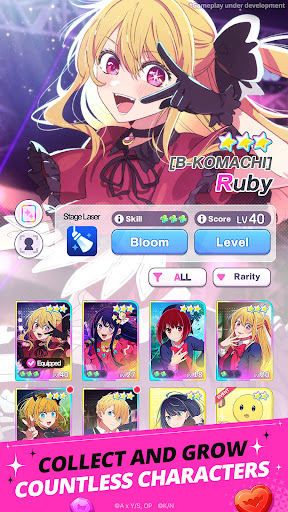
【OSHI NO KO】 first official game! Enjoy a refreshing match-3 puzzle game featuring your favorite characters.
《【OSHI NO KO】 First Official Game》
The first official 【OSHI NO KO】 game featuring the official anime voice cast is here!
Meet Ai, Aqua, Ruby, Kana Arima, Akane Kurokawa, and MEMcho in the game!
《A New and Refreshing Match-3 Game Using Character Cards》
Simple and refreshing! Experience an easy-to-play match-3 puzzle game that anyone can enjoy.
Connect three blocks of the same color to clear puzzle stages!
If you get stuck, use a variety of skills to clear stages more easily and spectacularly.
《Original Content Only Available In the Game》
Discover new looks and charms of the characters only in 【OSHI NO KO】Puzzle Star!
Includes new illustrations supervised by character designer and chief animation director Kanna Hirayama, along with original voice recordings from the official anime cast. Check out brand-new exclusive content!
《Relive the Anime's Most Memorable Moments》
Collect your favorite scenes from 【OSHI NO KO】!
From the first performance of the new B-KOMACHI, to young Kana Arima doing the bell pepper exercise, and even the long-awaited Tokyo Blade stage play.
Collect unforgettable scenes as Memory Boards and cards.
《Your One and Only Star》
Dress up 【OSHI NO KO】 characters however you like!
Use outfits and hairstyles obtained from stages to customize your characters in the Styling Room. Save your completed styles as photos and share them with other fans to create new memories.
《A Variety of Content to Enjoy Every Day》
Enjoy tons of new match-3 puzzle content every day!
Challenge the highest score within a time limit in Time Attack Mode, earn plenty of rewards by completing lines in Bingo, and compete with other players in Hot Trend to rank your star at the top!
Enjoy a fresh experience every day with multiple modes and ongoing events.
■Voice Cast
Ai: Rie Takahashi (高橋李依)
Aqua: Takeo Otsuka (大塚剛央)
Ruby: Yurie Igoma (伊駒ゆりえ)
Kana Arima: Megumi Han (潘めぐみ)
Akane Kurokawa: Manaka Iwami (石見舞菜香)
MEMcho: Rumi Okubo (大久保瑠美)
■Official Website
www.oshinoko-puzzle-global.com
©Aka Akasaka x Mengo Yokoyari/Shueisha, "OSHI NO KO" Partners
©KADOKAWA/NHN Corp.
[Optional Permissions]
- Camera: Required for taking photos or videos for CS inquiries.
- Storage: Required to upload photos, videos, and files for CS inquiries.
- Notifications: Required to send service-related notifications.
もっと見る

1. MEmuインストーラーをダウンロードしてセットアップを完了する

2. MEmuを起動し、デスクトップでのPlayストアを開く

3. Playストアで【OSHI NO KO】Puzzle Starを検索する
Install
4. 【OSHI NO KO】Puzzle Starをダウンロードしてインストールする
5. インストールが完了したら、アイコンをクリックしてスタート

6. MEmuを使用してPCで【OSHI NO KO】Puzzle Starを楽しむ
MEmu App Playerは最高の無料で提供されるAndroidエミュレータで、5,000万人がすでに優れたAndroidゲーム体験を楽しんでいます。 MEmuの仮想化技術は、あなたのPCで何千ものAndroidゲームを快適にプレイすることを可能にします。
大画面でより精細;無限の待機、電池とドラフィックの極限を超え
キーボード・マウス・コントローラーを全力でサポート、より快適
マルチインスタンスで複数のゲームを同時に実行
Play 【OSHI NO KO】Puzzle Star on PC by following steps: