SUPER ROBOT WARS Y
更新日
現在のバージョン
提供元

スマホ不要!プロ選手のようにキーボードとマウスで操作しよう。MEmuエミュはあなたにすべての期待を与える。電池が切れてしまうとか画面が小さいとかの問題を心配する必要がなくて、存分SUPER ROBOT WARS Yを楽しんでください。新しいMEmuエミュ7はPCでSUPER ROBOT WARS Yをプレイするのに最適!完璧なキーマッピングシステムにより、まるでパソコンゲームみたい。マルチインスタンスで複数のゲームやアプリを同時に実行!唯一無二な仮想化エンジンがパソコンの可能性を最大限になる。遊べるだけでなく、より楽しめる!
もっと見る
SUPER ROBOT WARS YをPCでダウンロード!大画面でより楽しむ。電源が落ちてしまうとか通信料が足りないとかの問題を心配する必要がなく、PCの大画面でより快適にゲームを楽しましょう! SUPER ROBOT WARS Y is a grid-based tactical combat RPG that merges iconic units and pilots from various beloved anime series into one epic battle experience.
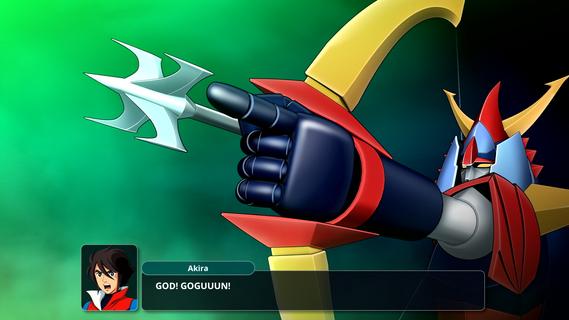
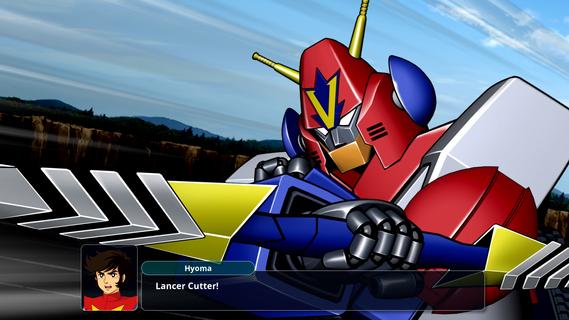
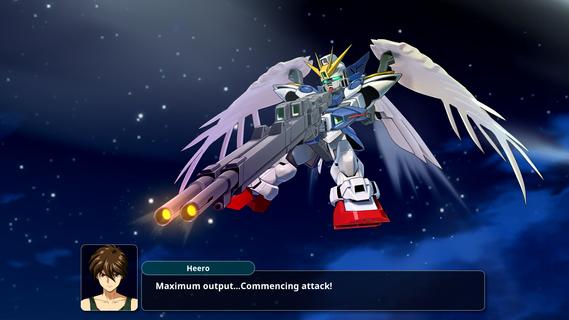
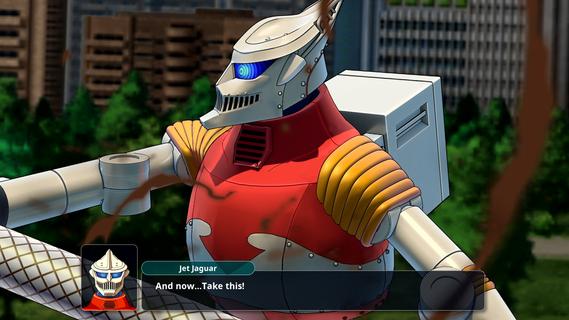
SUPER ROBOT WARS Y is a grid-based tactical combat RPG that merges iconic units and pilots from various beloved anime series into one epic battle experience. Players strategically position their units and command them against formidable foes, while upgrading each unit and training pilots using resources gained from missions. The new Assist Link system allows sidekick characters to join in on missions, enhancing gameplay depth. Engage in grand, lore-rich battles that promise thrilling encounters across multiple series! Features of SUPER ROBOT WARS Y - Strategic Tactical Combat: Players must carefully plan their movements on a grid-based map to outperform enemies. Each unit has unique abilities, making the placement and timing of attacks crucial. The tactical depth engages players as they devise strategies to leverage their team’s strengths against a variety of foes. - Assist Link System: The new Assist Link system allows beloved sidekick characters to join the fray during missions. This innovative feature enables players to enhance their abilities and create dynamic combinations with primary heroes. It adds significant tactical options and personalization to combat strategies. - Diverse Anime Series Crossovers: SUPER ROBOT WARS Y features a rich roster, incorporating units and pilots from iconic anime like Mobile Suit Gundam, Mazinkaiser, and Code Geass. The diversity leads to epic battles and scenarios, appealing to fans of various franchises. Players can enjoy legendary clashes that showcase their favorite characters in unique ways. - Mission Progression and Upgrades: Players earn credits and resources after each mission, allowing for unit upgrades and pilot training. This progression system motivates players to continue engaging with the game and enhance their teams for tougher challenges. Each victory feels rewarding as you build stronger characters and units. - Rich Lore and Storytelling: Embark on an immersive journey through a new saga filled with lore and narrative depth. The game invites players to explore the intricate storylines behind different series, providing context to battles and character interactions. Fans will appreciate the rich storytelling that enhances their gaming experience.
もっと見る

1. MEmuインストーラーをダウンロードしてセットアップを完了する

2. MEmuを起動し、デスクトップでのPlayストアを開く

3. PlayストアでSUPER ROBOT WARS Yを検索する
Install
4. SUPER ROBOT WARS Yをダウンロードしてインストールする
5. インストールが完了したら、アイコンをクリックしてスタート

6. MEmuを使用してPCでSUPER ROBOT WARS Yを楽しむ
MEmu App Playerは最高の無料で提供されるAndroidエミュレータで、5,000万人がすでに優れたAndroidゲーム体験を楽しんでいます。 MEmuの仮想化技術は、あなたのPCで何千ものAndroidゲームを快適にプレイすることを可能にします。
大画面でより精細;無限の待機、電池とドラフィックの極限を超え
キーボード・マウス・コントローラーを全力でサポート、より快適
マルチインスタンスで複数のゲームを同時に実行
Play SUPER ROBOT WARS Y on PC by following steps: