Car Key: Smart Car Remote Lock
更新日
現在のバージョン
2.4
提供元

スマートフォンは不要!パソコンと同じようにキーボードとマウスで操作できます。MEmu Playは、あなたが待ち望んでいたすべての楽しみをお届けします。バッテリー残量や小さな画面を気にすることなく、Car Key: Smart Car Remote Lockをご利用ください。最新のMEmu 9は、Car Key: Smart Car Remote LockをPCで体験するのに最適です!完璧なキーマッピングシステムにより、PCのようなスムーズな操作性を実現します。マルチインスタンス機能により、複数のアプリケーションを同時に実行できます。独自の仮想化エンジンがPCのパフォーマンスを最大限に引き出します。アプリを使用するだけでなく、高品質な体験を得ることができます。
もっと見る
Car Key: Smart Car Remote LockをPCでダウンロード!大画面でより楽しむ。電源が落ちてしまうとか通信料が足りないとかの問題を心配する必要がなく、PCの大画面でより快適にゲームを楽しましょう! The complete Smart Car Key Connected gives you fully control your vehicle and quick track of its location are now available on Google Play.
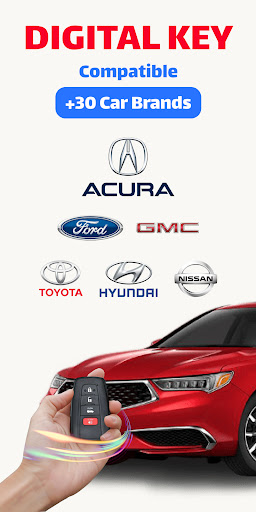
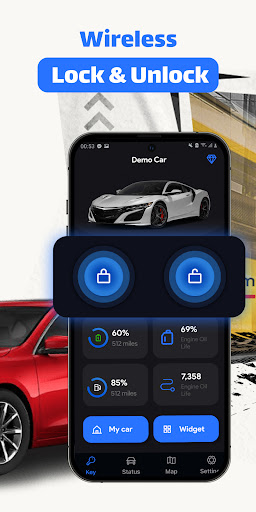
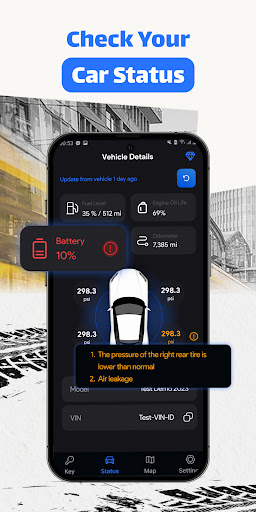
The complete Smart Car Key Connected gives you fully control your vehicle and quick track of its location are now available on Google Play. Car Key enhances smart control and safety of your vehicle.
The best universal car remote control app - Check your car status, share car access, locate vehicle, navigate and more with Smart Car Key Connected
You just need to ensure your vehicle is compatible with this app. Smart Car Key Connected are compatible with 20+ car makes: Audi, BMW, Buick, Cadillac, Chevrolet, Chrysler, Dodge, Ford, GMC, Hyundai, Jaguar, Jeep, Land Rover, Lexus, Lincoln, Ram Trucks, Tesla, Toyota and Volkswagen. The setup details will be shown step-by-step inside the app. Please make sure that you already own the car brand account or must already sign up before connecting.
Car Key provide many unique features such as:
1/ Lock and Unlock the car door from wherever you are at ease without delay. It will save your day when you suddenly lose or forget to bring the physical car or smart key with you. You do not need to come close to the door when tap lock or unlock.
2/ Vehicle status shows you the status of your vehicle real-time including fuel level, battery charge status, odometer, trip mileage and especially receive safety alerts about tire pressure when it goes below average level, which perfectly help you to avoid risks of road accidents or engine breakdown when driving.
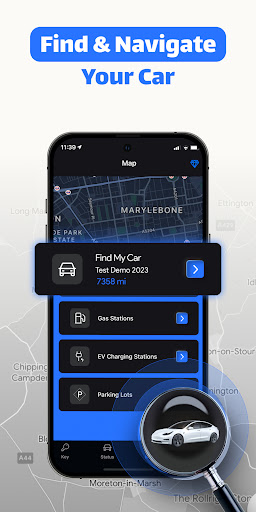
3/ Smart Navigation helps you locate your car or find fastest routes to nearby parking lots, gas or EV charging stations.
Smart Car Key Connected is a powerful tool for car owners, allowing them to monitor vehicle data real-time, manage share car to others, locate car fastest and smart navigation for convenience when traveling. Whether you're a car enthusiast or just looking to stay on top of your vehicle's key remote control, the Smart Car Key Connected is still the #1 app for any car owner.
• Subscribed user has unlimited access, auto-renewing subscription.
• Unsubscribed user can only use free features
• Users can receive 3 days free trial
• Subscription automatically renews unless auto-renew is turned off at least 24-hours before the end of the current period.
• The account will be charged for renewal within 24-hours prior to the end of the current period, and identify the cost of the renewal.
• Subscriptions may be managed by the user and auto-renewal may be turned off by going to the user’s Account Settings after purchase.
Terms of Use: https://metaverselabs.ai/terms-of-use/
Privacy Policy: https://metaverselabs.ai/privacy-policy/
You are welcome to contact us at support@metaverselabs.ai
もっと見る

1. MEmuインストーラーをダウンロードしてセットアップを完了する

2. MEmuを起動し、デスクトップでのPlayストアを開く

3. PlayストアでCar Key: Smart Car Remote Lockを検索する
Install
4. Car Key: Smart Car Remote Lockをダウンロードしてインストールする
5. インストールが完了したら、アイコンをクリックしてスタート

6. MEmuを使ってパソコンでCar Key: Smart Car Remote Lockを体験する
MEmu Playは現在、最高の無料Androidエミュレーターであり、5,000万人のユーザーが優れたAndroidアプリ体験を楽しんでいます。MEmuの仮想化テクノロジーにより、数千ものAndroidアプリをコンピューターでスムーズに実行できます。
大画面でより精細;無限の待機、電池とドラフィックの極限を超え
キーボード・マウス・コントローラーを全力でサポート、より快適
マルチインスタンスで複数のゲームを同時に実行
Use Car Key: Smart Car Remote Lock on PC by following steps: